Страница 2 - En g l i sh; camcorder. With your Digital; W ARNING; Русский; ПРЕДУПРЕЖДЕНИЕ
2 En g l i sh We l co m e ! Congratulations on your purchase of this SonyDigital Handycam camcorder. With your Digital Handycam you can capture life’s preciousmoments with superior picture and soundquality.Your Digital Handycam is loaded with advancedfeatures, but at the same time it is very easy to...
Страница 4 - Оглавление; Руководство по быстрому; Подготовка к эксплуатации
4 Русский Оглавление Проверка прилагаемых принадлежностей ........................... 5 Руководство по быстрому запуску ............................................ 8 Подготовка к эксплуатации Использование данного руководства .... 10Пункт 1 Подготовка источника питания ................................
Страница 5 - Stick this label on the recorded cassette.
5 G etting s tarted Подготовка к эксплуатации Ch e ck i n g su p p l i e da cce sso r i e s 1 W ireless Remot e Commander (1) (p. 120) 2 AC-L10A/ L10B/ L10C AC pow er adapt or (1), M ains lead (1) (p. 13) 3 NP-F330 bat t ery pack (1) (p. 12, 13) 4 CR2025 lit hium bat t ery (1) (p. 93) The lithium ba...
Страница 8 - Руководство по быстрому запуску; был; Установка кассеты; Сетевой адаптер переменного тока (прилагается)
8 Руководство по быстрому запуску Русский Руководство по быстрому запуску В данной главе приведены основные функции Вашейвидеокамеры. Подробные сведения содержатся настранице в круглых скобках “( )”. Откройтекрышку гнездаDC IN. Подсоедините штекер так,чтобы его знак 4 был направлен вверх. Установка ...
Страница 9 - Запись изображения; Видоискатель; Контроль воспроизводимого изображения на; ПРИМЕЧАНИЕ
9 PLAY REW LO CK START/STOP S TA N D B Y LO CK START/STOP S TA N D B Y Руководство по быстрому запуску Запись изображения (стр. 21) Видоискатель Если панель ЖКД закрыта, воспользуйтесьвидоискателем, приставив глаз к окуляру. Контроль воспроизводимого изображения на экране ЖКД (стр. 33) ПРИМЕЧАНИЕ Не...
Страница 10 - — Ge t t i n g st a r t e d —; Usi n g t h i s m a n u a l; Be f o r e u si n g y o u r ca m co r d e r; standard 8; N o t e o n TV co l o u r sy st e m s; — Подготовка к эксплуатации —; Использование данного руководства; /стандартной системе 8
10 — Ge t t i n g st a r t e d — Usi n g t h i s m a n u a l As you read through this manual, buttons andsettings on your camcorder are shown in capitalletters.e.g. Set the POWER switch to CAMERA.When you carry out an operation, you can hear abeep sound to indicate that the operation is beingcarried...
Страница 11 - • Do not let your camcorder get wet. Keep your
11 G etting s tarted Подготовка к эксплуатации Usi n g t h i s m a n u a l Pr e ca u t i o n s o n ca m co r d e r ca r e • The LCD screen is manuf act ured using high-precision t echnology. How ever, t here maybe some t iny black spot s and/ or bright spot s(red, blue or green in colour) t hat cons...
Страница 12 - BATT RELEASE; I n st a l l i n g t h e b a t t e r y p a ck; Slide the battery pack down.; To r e m o v e t h e b a t t e r y p a ck; Af t er inst alling t he bat t ery pack; St e p 1 Pre p a r i n g t h e; Установка батарейного блока; Передвиньте батарейный блок вниз.; Для снятия батарейного блока; После установки батарейного блока; Пункт 1 Подготовка
12 BATT RELEASE I n st a l l i n g t h e b a t t e r y p a ck Install the battery pack to use your camcorderoutdoors. Slide the battery pack down. To r e m o v e t h e b a t t e r y p a ck Slide the battery pack out in the direction of thearrow while pressing BATT RELEASE down. Af t er inst alling t...
Страница 13 - St e p 1 Pr e p a r i n g t h e p o w e r; normal charge; Пункт 1 Подготовка источника; “InfoLITHIUM” является фирменным знаком; нормальная зарядка; завершена. Для полной
13 G etting s tarted Подготовка к эксплуатации POWER OFF VTR CAMERA St e p 1 Pr e p a r i n g t h e p o w e r su p p l y Ch a r g i n g t h e b a t t e r y p a ck Use the battery pack after charging it for yourcamcorder.Your camcorder operates only with the“InfoLITHIUM” battery pack (L series). “Inf...
Страница 14 - “– – – – min” appears in the display window.; Plug t he mains lead deeply; Примечание
14 Not e Prevent metallic objects from coming into contactwith the metal parts of the DC plug of the ACpower adaptor. This may cause a short-circuit,damaging the AC power adaptor. Remaining bat t ery t ime indicat or The remaining battery time indicator in thedisplay window roughly indicates the rec...
Страница 15 - Ch a r g i n g t i m e; )” указывают время при
15 G etting s tarted Подготовка к эксплуатации St e p 1 Pr e p a r i n g t h e p o w e r su p p l y Ch a r g i n g t i m e Approximate number of minutes to charge anempty battery pack Re co r d i n g t i m e Approximate number of minutes when you use afully charged battery Numbers in parentheses “( ...
Страница 16 - Pl a y i n g t i m e; Af t er charging t he bat t ery pack; Playing t ime; Время воспроизведения; После зарядки батарейного блока; Пункт 1 Подготовка источника
16 Pl a y i n g t i m e Approximate number of minutes when you use afully charged battery Numbers in parentheses “( )” indicate the timeusing a normally charged battery. The battery lifewill be shorter if you use your camcorder in acold environment. Af t er charging t he bat t ery pack Disconnect th...
Страница 17 - Co n n e ct i n g t o t h e m a i n s; Connect the mains lead to the mains.; на
17 G etting s tarted Подготовка к эксплуатации Co n n e ct i n g t o t h e m a i n s When you use your camcorder for a long time,we recommend that you power it from the mainsusing the AC power adaptor. (1 ) Open the DC IN jack cover, and connect theAC power adaptor to the DC IN jack on yourcamcorder...
Страница 18 - • The AC power adaptor can supply power even; Using a car bat t ery; ВНИМАНИЕ; • Питание от сетевого адаптера переменного; Использование автомобильного аккумулятора
18 W ARNING The mains lead must only be changed at aqualified service shop. PRECAUTION The set is not disconnected from the AC powersource (the mains) as long as it is connected tothe mains, even if the set itself has been turnedoff. Not es • The AC power adaptor can supply power even if the battery...
Страница 19 - We recommend using Hi8 video cassettes; To e j e ct a ca sse t t e; St e p 2 I n se r t i n g a; . Если Вы используете; Для извлечения кассеты; Пункт 2 Установка
19 G etting s tarted Подготовка к эксплуатации We recommend using Hi8 video cassettes H . If you use standard 8 h tape, be sure to play back the tape on this camcorder.Your camcorder records in the Digital8 system. (1 ) Slide EJECT in the direction of the arrowwhile pressing the small blue button. T...
Страница 20 - Not es; • The recording time when you use your Digital8; To prevent accident al erasure; • Время записи при использовании Вашей; Для предотвращения случайного стирания; St e p 2 I n se r t i n g a ca sse t t e
20 Not es • The recording time when you use your Digital8 system camcorder on Hi8/standard 8 tape is 2/3 the recording time when using theconventional Hi8/standard 8 systemcamcorder. • If you use standard 8 tape, be sure to play back the tape on this camcorder. Mosaic patternnoise may appear when yo...
Страница 21 - — Re co r d i n g – Ba si cs —; Re co rd i n g a p i ct u re; Your camcorder automatically focuses for you.; Микрофон
21 R ecording – B asic s Запись – Основные положения 5 6 LO CK START/STOP S TA N D B Y LO CK START/STOP S TA N D B Y 3 POWER OFF VTR CAMERA 4 40min STBY 0:00:00 40min REC 0:00:01 1 2 — Re co r d i n g – Ba si cs — Re co rd i n g a p i ct u re Your camcorder automatically focuses for you. (1 ) Remove...
Страница 22 - Not e; A d j u st i n g t h e LCD scr e e n; indicator appears in the; M irror; ярче; Регулировка экрана ЖКД; Зеркальный режим
22 LCD BRIGHT Not e Fasten the grip strap firmly. Do not touch thebuilt-in microphone during recording. To enable smoot h t ransit ion You can make the transition between the lastscene you recorded and the next scene smooth aslong as you do not eject the cassette. When youexchange the battery pack i...
Страница 23 - Pr; A f t e r r e co r d i n g; Индикатор STBY появится в виде; После записи
23 R ecording – B asic s Запись – Основные положения Re co r d i n g a p i ct u r e Not e When using the LCD screen except in the mirrormode, the viewfinder automatically turns off. W hen you use t he LCD screen out doors indirect sunlight The LCD screen may be difficult to see. If thishappens, we r...
Страница 25 - Usi n g t h e zo o m f e a t u r e; Zoom greater than 20; W hen you shoot close t o a subject; • Digital zoom starts to function when zoom; Сторона “W”: для широкоугольного вида; При съемке объекта с близкого положения; • Цифровой вариообъектив начинает
25 R ecording – B asic s Запись – Основные положения T W Usi n g t h e zo o m f e a t u r e Move the power zoom lever a little for a slowerzoom. Move it further for a faster zoom.Using the zoom function sparingly results inbetter-looking recordings.“T” side: for telephoto (subject appears closer)“W”...
Страница 26 - STA RT/STOP M OD E se t t i n g; • You cannot use the fader function in the 5SEC; Установка START/STOP MODE; ANTI GROUND SHOOTING; Примечания; • Вы не можете использовать функцию
26 STA RT/STOP M OD E se t t i n g : Recording starts when you press START/STOP, and stops when you press it again(factory setting). ANTI GROUND SHOOTING : The camcorder records only while youpress START/STOP. Use this mode toavoid recording unnecessary scenes. 5SEC: When you press use this mode to ...
Страница 27 - The indicators are not recorded on tape.; Remaining t ape indicat or; This appears after you insert a cassette for a while.; Индикатор оставшейся ленты; Индикаторы не записываются на ленту.; STANDBY/ REC indicat or
27 R ecording – B asic s Запись – Основные положения 0:00:01 40 min REC I n d i ca t o r s d i sp l a y e d i n t h er e co r d i n g m o d e The indicators are not recorded on tape. Time code (f or t apes recorded in t heDigit al8 syst em only) The time code indicates the recording orplayback time,...
Страница 28 - BACK LIGHT; Функция задней подсветки будет отменена.
28 Sh o o t i n g b a ck l i t su b j e ct s( BA CK LI GHT) When you shoot a subject with the light sourcebehind the subject or a subject with a lightbackground, use the backlight function. Press BACK LIGHT in the recording or standbymode.The c indicator appears in the viewfinder or on the LCD scree...
Страница 29 - and “NIGHTSHOT” indicators flash on the; Night Shot Light emit t er; Usi n g +SLOW SHUTTER; и “NIGHTSHOT” начнут
29 R ecording – B asic s Запись – Основные положения NIGHTSHOT OFF ON + SLOW SHUTTER Sh o o t i n g i n t h e d a r k( N i g h t Sh o t ) The NightShot function enables you to shoot asubject in a dark place. For example, you cansatisfactorily record the environment ofnocturnal animals for observatio...
Страница 31 - Ch e ck i n g t h e re co rd i n g; EN D SEA RCH; You can search for the next recording start point.; Проверка записи; END SEARCH
31 R ecording – B asic s Запись – Основные положения Ch e ck i n g t h e re co rd i n g – EN D SEA RCH / ED I TSEA RCH / Re cRe v i e w You can use these buttons to check the recordedpicture or shoot so that the transition betweenthe last recorded scene and the next scene yourecord is smooth. EN D S...
Страница 32 - Re c Re v i e w; You can check the last recorded section.; •END SEARCH, EDITSEARCH and Rec Review; Просмотр записи; Нажмите кратковременно сторону – (; • Функции END SEARCH, EDITSEARCH и
32 Ch e ck i n g t h e r e co r d i n gРEN D SEA RCH / ED I TSEA RCH / Re cRe v i e w Re c Re v i e w You can check the last recorded section. Press the Р( Π) side of EDITSEARCH momentarily in the standby mode.The last few seconds of the recorded section areplayed back. You can monitor the sound ...
Страница 33 - — Pl a y b a ck – Ba si cs —; Pl a y i n g b a ck a t a p e; Open the LCD panel while pressing OPEN.; To st o p p l a y b a ck; PLAY; — Воспроизведение – Основные положения —; Воспроизведение ленты; Для остановки воспроизведения
33 P laybac k – B asic s Воспроизведение – Основные положения — Pl a y b a ck – Ba si cs — Pl a y i n g b a ck a t a p e You can monitor the playback picture on theLCD screen or in the viewfinder. You can controlplayback using the Remote Commander suppliedwith your camcorder. (1 ) Install the power ...
Страница 34 - W hen monit oring on t he LCD screen; . You can adjust the angle of the; DISPLAY; Во время контроля на экране ЖКД
34 Pl a y i n g b a ck a t a p e W hen monit oring on t he LCD screen You can turn the LCD panel over and move itback to the camcorder body with the LCD screenfacing out [a ] . You can adjust the angle of the LCD panel by lifting the LCD panel up by 15degrees [b ] . To d i sp l a y t h e scr e e n i...
Страница 35 - Usi n g t h e d a t a co d e f u n ct i o n; Not t o display recording dat a; Использование функции кода даты; Примечание по функции кода данных
35 P laybac k – B asic s Воспроизведение – Основные положения Pl a y i n g b a ck a t a p e Usi n g t h e d a t a co d e f u n ct i o n Your camcorder automatically records not onlyimages on the tape but also the recording data(date/time or various settings when recorded) (Data code function) . Pres...
Страница 36 - V a r i o u s p l a y b a ck m o d e s; To a d v a n ce t h e t a p e
36 V a r i o u s p l a y b a ck m o d e s To operate control buttons, set the POWERswitch to VTR. To v i e w a st i l l p i ct u r e ( p l a y b a ckp a u se ) Press P during playback. To resume playback, press P or ( . To a d v a n ce t h e t a p e Press ) in the stop mode. To resume normal playbac...
Страница 37 - To v i e w t h e p i ct u r e a t d o u b l e sp e e d; In t he various playback modes; В переменных режимах воспроизведения
37 P laybac k – B asic s Воспроизведение – Основные положения Pl a y i n g b a ck a t a p e To v i e w t h e p i ct u r e a t d o u b l e sp e e d Press × 2 on the Remote Commander during playback. For double speed playback in thereverse direction, press < , then press × 2 on the Remote Commander...
Страница 38 - Передача сигнала
38 S VIDEO S VIDEO VIDEO AUDIO IN VIDEO AUDIO Vi e w i n g t h e re co rd i n go n TV Connect your camcorder to your TV or VCR withthe A/V connecting cable supplied with yourcamcorder to watch the playback picture on theTV screen. You can operate the playback controlbuttons in the same way as when y...
Страница 39 - If your TV or VCR has an S video jack; V i e w i n g t h e r e co r d i n g o n TV
39 P laybac k – B asic s Воспроизведение – Основные положения I f y o u r TV o r V CR i s a m o n a u r a lt y p e Connect the yellow plug for video and the whiteplug for audio on both your camcorder and theTV or the VCR (you do not connect the red plug).With this connection, the sound is monaural e...
Страница 40 - To ca n ce l t h e l a se r l i n k f u n ct i o n; LASER LINK; Нажмите кнопку
40 V i e w i n g t h e r e co r d i n g o n TV Usi n g t h e A V co r d l e ss I Rr e ce i v e r Once you connect the AV cordless IR receiver(not supplied) to your TV or VCR, you can easilyview the picture on your TV. For details, refer tothe operating instructions of the AV cordless IRreceiver. (1 ...
Страница 41 - If you t urn t he pow er of f; Если Вы выключите питание
41 P laybac k – B asic s Воспроизведение – Основные положения If you t urn t he pow er of f Laser link turns off automatically. If you use a Sony TV • You can turn on the TV automatically when you press LASER LINK or ( . To do so, set AUTO TV ON to ON in the MENU settings andturn the TV’s main switc...
Страница 42 - — A d v a n ce d Re co r d i n g Op e r a t i o n s —; Ph o t o re co rd i n g; Set the POWER switch to CAMERA.; — Усовершенствованные операции съемки —; Фотосъемка
42 — A d v a n ce d Re co r d i n g Op e r a t i o n s — Ph o t o re co rd i n g You can record a still picture like a photograph.This mode is useful when you want to record apicture such as a photograph or when you print apicture using a video printer (not supplied). (1 ) Set the POWER switch to CA...
Страница 43 - Ph o t o r e co r d i n g
43 Advanc ed R ecording Operat ions Усовершенствованные операции съемки Not es • During photo recording, you cannot change the mode or setting. • During photo recording, you cannot turn your camcorder off or press the PHOTO button. • The PHOTO button does not work: – while the digital effect functio...
Страница 44 - LINE IN
44 Ph o t o r e co r d i n g Pr i n t i n g t h e st i l l p i ct u r e You can print a still picture by using the videoprinter (not supplied). Connect the video printerusing the A/V connecting cable supplied withyour camcorder.Connect the yellow plug of the cable to theVIDEO jack and to the video i...
Страница 45 - picture on a normal TV or in the viewfinder; To ca n ce l t h e w i d e m o d e; Set 16:9WIDE to OFF in the MENU settings.; In t he w ide mode; You cannot select or cancel the wide mode.; Usi n g t h e w i d e m o d e; M ENU
45 Advanc ed R ecording Operat ions Усовершенствованные операции съемки [ a ] [ c] [ b ] 16:9WIDE You can record a 16:9 wide picture to watch onthe 16:9 wide-screen TV (16:9WIDE).The picture with black bands at the top and thebottom on the LCD screen [a ] is normal. The picture on a normal TV or in ...
Страница 46 - You cannot use this function when D ZOOM is; MONOTONE
46 You can fade in or out to give your recording aprofessional appearance. Usi n g t h e f a d e rf u n ct i o n FADER M .FADER (mosaic)/ (мозаика) BOUNCE*(Fade in only)/ (Только введениеизображения) OVERLAP(Fade in only)/ (Только введениеизображения) M ONOTONE When fading in, the picture gradually ...
Страница 47 - Usi n g t h e f a d e r f u n ct i o n; To ca n ce l t h e f a d e r f u n ct i o n; Использование функции фейдера; При введении изображения; BOUNCE; Для отмены функции фейдера
47 Advanc ed R ecording Operat ions Усовершенствованные операции съемки Usi n g t h e f a d e r f u n ct i o n (1 ) W hen f ading in [a ] In the standby mode, press FADER until thedesired fader indicator flashes. W hen f ading out [b ] In the recording mode, press FADER until thedesired fader indica...
Страница 48 - • The overlap function works only for tapes; W hen t he OVERLAP indicat or appears; You cannot use the fader function.; Not e on t he bounce f unct ion; Usi n g t h e Fa d e r f u n ct i o n; • Функция наложения изображения работает; Если появился индикатор OVERLAP; ON в установках MENU
48 Not es • The overlap function works only for tapes recorded in the Digital8 system. • You cannot use the following functions while using the fader function. Also, you cannot usethe fader function while using the followingfunctions.– Digital effect– Low lux mode of PROGRAM AE (Overlap function onl...
Страница 49 - : The colour and brightness of the; The picture is sepia.; SEPIA; : Яркость света будет
49 Advanc ed R ecording Operat ions Усовершенствованные операции съемки You can digitally process images to obtain specialeffects like those in films or on the TV. NEG. ART [a ] : The colour and brightness of the picture is reversed. SEPIA : The picture is sepia. B&W : The picture is monochrome(...
Страница 51 - Still picture; STILL
51 Advanc ed R ecording Operat ions Усовершенствованные операции съемки Usi n g sp e ci a l e f f e ct s– D i g i t a l e f f e ct You can add special effects to recorded picturesusing the various digital functions. The sound isrecorded normally. STILL You can record a still picture so that it issup...
Страница 52 - It ems t o adjust; DIGITAL EFFECT; Пункты для регулировки
52 Usi n g sp e ci a l e f f e ct s– D i g i t a l e f f e ct (1 ) While your camcorder is in the standby orrecording mode, press DIGITAL EFFECT. Thedigital effect indicator appears. (2 ) Turn the SEL/PUSH EXEC dial to select thedesired digital effect mode.The indicator changes as follows:STILL ˜ FL...
Страница 53 - To ca n ce l t h e d i g i t a l e f f e ct; Для отмены цифрового эффекта
53 Advanc ed R ecording Operat ions Усовершенствованные операции съемки Usi n g sp e ci a l e f f e ct s– D i g i t a l e f f e ct To ca n ce l t h e d i g i t a l e f f e ct Press DIGITAL EFFECT. The digital effectindicator disappears. Not es • The following functions do not work during digital eff...
Страница 55 - Usi n g t h e PROGRA M A E f u n ct i o n; Появится индикатор PROGRAM
55 Advanc ed R ecording Operat ions Усовершенствованные операции съемки Usi n g t h e PROGRA M A E f u n ct i o n (1 ) Press PROGRAM AE in the standby mode.The PROGRAM AE indicator appears. (2 ) Turn the SEL/PUSH EXEC dial to select thedesired PROGRAM AE mode.The indicator changes as follows: ˜ a ˜ ...
Страница 56 - • In the spotlight, sports lesson and beach & ski; • В режимах прожекторного освещения,
56 Not es • In the spotlight, sports lesson and beach & ski modes, you cannot take close-ups. This isbecause your camcorder is set to focus only onsubjects in the middle to far distance. • In the sunset & moon and landscape modes, your camcorder is set to focus only on distantsubjects. • The...
Страница 57 - faithfully; ночных сцен) с большой достоверностью
57 Advanc ed R ecording Operat ions Усовершенствованные операции съемки You can manually adjust and set the exposure.When you turn your camcorder on, it willautomatically be in the automatic exposuremode. This mode works to record subjects so thatthey are recorded slightly brighter than theyactually...
Страница 58 - Fo cu si n g m a n u a l l y; FOCUS; Фокусировка вручную; таком фоне, как стена или небо
58 2 Fo cu si n g m a n u a l l y You can gain better results by manually adjustingthe focus in the following cases:•The autofocus mode is not effective when shooting– subjects through glass coated with water droplets – horizontal stripes– subjects with little contrast with backgrounds such as walls...
Страница 59 - To r e t u r n t o t h e a u t o f o cu s m o d e; indicator appears. When; W hen you shoot close t o t he subject; Для съемки удаленных объектов; Следующие индикаторы могут появиться; чтобы выполнить фокусировку на него.
59 Advanc ed R ecording Operat ions Усовершенствованные операции съемки To r e t u r n t o t h e a u t o f o cu s m o d e Set FOCUS to AUTO. To r e co r d d i st a n t su b j e ct s When you press FOCUS down to INFINITY. Thelens focuses on and indicator appears. When you release FOCUS, your camcorde...
Страница 60 - I n se r t i n g a sce n e; Keep pressing the –; Вставка эпизода; Держите нажатой сторону –
60 I n se r t i n g a sce n e You can insert a scene in the middle of arecorded tape by setting the start and end points.The previously recorded frames between thesestart and end points will be erased. Use theRemote Commander for this operation. (1 ) While your camcorder is in the standby mode,keep ...
Страница 61 - • The zero set memory function works only for; W hen START/ STOP M ODE is set t o or 5SEC; You cannot use the zero set memory function.; • Функция памяти нуля не работает для лент,
61 Advanc ed R ecording Operat ions Усовершенствованные операции съемки I n se r t i n g a sce n e Not es • The zero set memory function works only for tapes recorded in the Digital8 system. • The picture and the sound may be distorted at the end of the inserted section when it is playedback. If you...
Страница 62 - To ca n ce l t h e p i ct u r e e f f e ct f u n ct i o n; Нажмите кнопку PICTURE EFFECT.; • Функция эффектов изображения работает
62 During playback, you can process a scene usingthe picture effect functions: NEG.ART, SEPIA,B&W and SOLARIZE. During playback, press PICTURE EFFECT andturn the SEL/PUSH EXEC dial until the desiredpicture effect indicator (NEG.ART, SEPIA, B&Wor SOLARIZE) flashes.For details of each picture ...
Страница 63 - To ca n ce l t h e d i g i t a l e f f e ct f u n ct i o n; Press DIGITAL EFFECT.
63 Advanc ed P laybac k Operat ions Усовершенствованные операции воспроизведения During playback, you can process a scene usingthe digital effect functions: STILL, FLASH, LUMI.and TRAIL. (1 ) During playback, press DIGITAL EFFECTand turn the SEL/PUSH EXEC dial until thedesired digital effect indicat...
Страница 64 - • The digital effect function works only for tapes; • Функция цифровых эффектов работает
64 Not es • The digital effect function works only for tapes recorded in the Digital8 system. • You cannot process externally input scenes using the digital effect function. • To record pictures that you have processed using the digital effect function, record thepictures on the VCR. Pict ures proce...
Страница 66 - Поиск записи по дате
66 V [a ] V [b ] V [c] 5.7.1999 4.7.1999 31.12.1999 You can automatically search for the point wherethe recording date changes and start playbackfrom that point (Dat e search) . Use the Remote Commander for this operation.Use this function to check where recording dateschange or to edit the tape at ...
Страница 67 - To st o p se a r ch i n g; Not es on t he dat e search mode; • The date search works only for tapes recorded; Se a r ch i n g a r e co r d i n g b y d a t e; Для остановки поиска; Примечания по режиму поиска даты; • Режим поиска даты функционирует только
67 Advanc ed P laybac k Operat ions Усовершенствованные операции воспроизведения To st o p se a r ch i n g Press p . Not es on t he dat e search mode • The date search works only for tapes recorded in the Digital8 system. • If one day’s recording is less than one minute, your camcorder may not accur...
Страница 68 - Se a r ch i n g f o r a p h o t o; Поиск фото
68 You can search for the recorded still picture (phot o search) . You can also search for still pictures one afteranother and display each picture for five secondsautomatically (phot o scan) . Use the Remote Commander for these operations. Se a r ch i n g f o r a p h o t o (1 ) Set the POWER switch...
Страница 69 - Sca n n i n g p h o t o; To st o p sca n n i n g; Сканирование фото; Для остановки сканирования
69 Advanc ed P laybac k Operat ions Усовершенствованные операции воспроизведения Sca n n i n g p h o t o (1 ) Set the POWER switch to VTR. (2 ) Press SEARCH MODE on the Remote Commander repeatedly, until the photo scanindicator appears.The indicator changes as follows:DATE SEARCH n PHOTO SEARCH n PH...
Страница 70 - — Ed i t i n g o n Ot h e r Eq u i p m e n t —; D u b b i n g a t a p e; Set the POWER switch to VTR.; — Монтаж на другую аппаратуру —; Перезапись ленты; Начните запись на Вашем КВМ.; Если Вы закончили перезапись ленты
70 — Ed i t i n g o n Ot h e r Eq u i p m e n t — D u b b i n g a t a p e Usi n g t h e A /V co n n e ct i n g ca b l e o r Sv i d e o co n n e ct i n g ca b l e ( n o tsu p p l i e d ) Connect your camcorder to the VCR using theA/V connecting cable supplied with yourcamcorder.Set the input selector...
Страница 71 - mini; If your VCR is a monaural t ype; DV; Если Ваш КВМ монофонического типа
71 E diting on Ot her E quipment Монтаж на другую аппаратуру D u b b i n g a t a p e If you have displayed t he screen indicat ors ont he TV Make the indicators disappear by pressingSEARCH MODE on the Remote Commander,DISPLAY or DATA CODE so that they will notbe superimposed on the edited tape. You ...
Страница 72 - Usi n g t h e i .LI N K ca b l e; Использование кабеля i.LINK; Начните запись на КВМ.
72 S VIDEO LANC DV D u b b i n g a t a p e Usi n g t h e i .LI N K ca b l e Simply connect the VMC-IL4415/IL4435/2DV/4DV i.LINK cable (not supplied) to DV IN/OUT and to DV IN/OUT of the DV products.With digital-to-digital connection, video andaudio signals are transmitted in digital form forhigh-qua...
Страница 73 - During digit al edit t ing; • You can use your camcorder as a player or; Во время цифрового монтажа; • Вы можете использовать Вашу видеокамеру
73 E diting on Ot her E quipment Монтаж на другую аппаратуру Not e on t apes t hat are not recorded in t heDigit al8 syst em The picture may fluctuate. This is not amalfunction. During playback of t apes recorded in t he Hi8/st andard 8 syst em Digital signals are output as the image signalsfrom the...
Страница 75 - • To enable smooth transition, we recommend; Запись видео- или телепрограмм; • Для обеспечения плавного перехода
75 E diting on Ot her E quipment Монтаж на другую аппаратуру Not es • To enable smooth transition, we recommend that you do not mix pictures recorded in theHi8/standard 8 with the Digital8 system on atape. • If you fast-forward or slow-playback on the other equipment, the image being recordedmay tur...
Страница 77 - To ch a n g e t h e i n se r t e n d p o i n t; I n se r t i n g a sce n e f r o m a V CR; Вставка эпизода с КВМ
77 E diting on Ot her E quipment Монтаж на другую аппаратуру To ch a n g e t h e i n se r t e n d p o i n t Press ZERO SET MEMORY again after step 5 toerase the ZERO SET MEMORY indicator andbegin from step 3. (1 ) Set the POWER switch to VTR. (2 ) On the VCR, locate just before the insert startpoint...
Страница 78 - W hen t he insert ed pict ure is played back; Skip step 3 and 4. Press; • Функция памяти нулевой отметки работает
78 Not es • The zero set memory function works only for tapes recorded in the Digital8 system. • The picture and sound recorded on the section between the insert start and end points will beerased when you insert the new scene. W hen t he insert ed pict ure is played back The picture may be distorte...
Страница 79 - — Cu st o m i zi n g Y o u r Ca m co r d e r —
79 C ustomizing Your C amc order Выполнение индивидуальных установок на видеокамере — Cu st o m i zi n g Y o u r Ca m co r d e r — Ch a n g i n g t h e M EN Use t t i n g s To change the mode settings in the MENUsettings, select the menu items with the SEL/PUSH EXEC dial. The factory settings can be...
Страница 80 - Ch a n g i n g t h e M EN U se t t i n g s; To m a k e t h e M EN U d i sp l a y d i sa p p e a r; Se l e ct i n g t h e m o d e se t t i n g o f e a ch i t e m; is the factory setting.; Not es on t he St eadyShot f unct ion; Изменение установок MENU
80 Ch a n g i n g t h e M EN U se t t i n g s To m a k e t h e M EN U d i sp l a y d i sa p p e a r Press MENU. Not e When you let the subject monitor the shot(Mirror mode), the menu display does notappear. M enu it ems are displayed as t he f ollow ing sixicons: CAMERA SETVTR SETLCD SETTAPE SETSETU...
Страница 84 - Выбор установок режима по каждому пункту; D ZOOM; Примечания по функции устойчивой съемки; функцию устойчивой съемки.
84 Русский Выбор установок режима по каждому пункту r заводская установка. Пункты меню отличаются в зависимости от того, установлен переключатель POWER вположение VTR или CAMERA. Пиктограмма/пункт D ZOOM 16:9W IDE STEADYSHOT N.S. LIGHT Режим r ON OFF r OFF ON r ON OFF r ON OFF Предназначение Для при...
Страница 85 - HiFi SOUND; Примечания по функции AUDIO MIX; примерно на 10 процентов при записи.
85 C ustomizing Your C amc order Выполнение индивидуальных установок на видеокамере ST1 ST2 Изменение установок MENU Пиктограмма/пункт HiFi SOUND AUDIO M IX NTSC PB PB M ODE LCD B. L. LCD COLOUR Режим r STEREO 1 2 r ON PAL TV NTSC 4.43 r AUTO H / h r BRT NORMAL BRIGHT Предназначение Для воспроизведе...
Страница 86 - Режим; Примечание по режиму AUDIO MODE
86 Изменение установок MENU Пиктограмма/пункт AUDIO M ODE Ò REM AIN DATA CODE CLOCK SET AUTO TV ON TV INPUT LTR SIZE DEM O M ODE Режим r 12BIT 16BIT r AUTO ON r DATE/CAM DATE r OFF ON r VIDEO1VIDEO2VIDEO3 OFF r NORMAL 2 × r ON OFF Предназначение Для записи или воспроизведения в 12-битовомрежиме (два...
Страница 87 - Если после извлечения источника питания пройдет более 5 минут; примерно на 10 процентов во время записи.
87 C ustomizing Your C amc order Выполнение индивидуальных установок на видеокамере Изменение установок MENU Пиктограмма/пункт W ORLD TIM E BEEP COM M ANDER DISPLAY REC LAM P INDICATOR Режим r MELODY NORMAL OFF r ON OFF r LCD V-OUT/LCD r ON OFF r BL OFF BL ON Предназначение Для установки часов на ме...
Страница 88 - Turn the SEL/PUSH EXEC dial to select
88 Re se t t i n g t h e d a t ea n d t i m e The clock is set at the factory to Sydney time forAustralia and New Zealand models, to Tokyotime for the models sold in Japan, and to HongKong time for other models.The date and time are held in memory by thelithium battery. If you replace the lithium ba...
Страница 89 - Re se t t i n g t h e d a t e a n d t i m e; The year changes as f ollow s:; Переустановка даты и времени; Год изменяется следующим образом:
89 C ustomizing Your C amc order Выполнение индивидуальных установок на видеокамере 1998 ˜ 1999 N · · · · n 2029 Re se t t i n g t h e d a t e a n d t i m e The year changes as f ollow s: Not e on t he t ime indicat or The internal clock of your camcorder operates ona 24-hour cycle. Переустановка да...
Страница 90 - — A d d i t i o n a l I n f o r m a t i o n —; D i g i t a l 8; W h a t i s t h e “ D i g i t a l 8; Pl a y b a ck sy st e m; Display during aut omat ic det ect ion of syst em; Что такое “система Digital8 ”?; Система воспроизведения
90 — A d d i t i o n a l I n f o r m a t i o n — D i g i t a l 8 sy st e m , re co rd i n g a n d p l a y b a ck W h a t i s t h e “ D i g i t a l 8 sy st e m ” ? This video system has been developed to enabledigital recording to Hi8 video cassettes H . Usa b l e ca sse t t e t a p e s We recommend ...
Страница 91 - W h e n y o u p l a y b a ck; Playing back an NTSC-recorded t ape; • During playback, a black band appears on the; Co p y r i g h t si g n a l; W h e n y o u r e co r d; При воспроизведении; • Во время воспроизведения в нижней части; Сигнал авторского права; Во время записи
91 Addit ional Inf ormat ion Дополнительная информация D i g i t a l 8 sy st e m , r e co r d i n g a n dp l a y b a ck W h e n y o u p l a y b a ck Playing back an NTSC-recorded t ape You can play back tapes recorded in the NTSCvideo system, if the tape is recorded in theDigital8 system. If the tap...
Страница 92 - sy st e m
92 W h e n y o u p l a y b a ck a d u a lso u n d t r a ck t a p e W h e n y o u u se t a p e s r e co r d e d i n t h eD i g i t a l 8 sy st e m When you play back a Digital8 system tapewhich is dubbed from a dual sound track taperecorded in the DV system, set “HiFi SOUND” tothe desired mode in the...
Страница 93 - replace t he bat t ery
93 Addit ional Inf ormat ion Дополнительная информация (+) (--) - When replacing the lithium battery, keep thebattery pack or other power source attached.Otherwise, you will need to reset the date, timeand other items in the MENU settings hold inmemory by the lithium battery. Insert the battery with...
Страница 101 - Поиск и устранение неисправностей; В режиме записи; Возможная неисправность
101 Addit ional Inf ormat ion Дополнительная информация Русский Поиск и устранение неисправностей Если у Вас возникла какая-либо проблема при использовании видеокамеры, воспользуйтесьследующей таблицей для отыскания и устранения проблемы. Если проблема не устраняется,то следует отсоединить источник ...
Страница 102 - В режиме воспроизведения; Возможная причина
102 Поиск и устранение неисправностей Возможная причина Вероятная причина и/или метод устранения • Возможно, загрязнены видеоголовки. m Почистите видеоголовки с помощью очистительной кассетыSony V8-25CLD (не прилагается). (стр. 109) • Открыта панель ЖКД. m Закройте панель ЖКД. (стр. 22) • Слишком вы...
Страница 103 - В режимах записи и воспроизведения
103 Addit ional Inf ormat ion Дополнительная информация Поиск и устранение неисправностей Возможная причина Вероятная причина и/или метод устранения • Команда PB MODЕ установлена в положение H / h в установках MENU. m Установите ее в положение AUTO. (стр. 79) • Установите команду PB MODЕ в положение...
Страница 105 - Пятизначная индикация
105 Addit ional Inf ormat ion Дополнительная информация C:21:00 Русский Индикация самодиагностики Пятизначная индикация Вероятная причина и/или метод устранения • Вы используете батарейный блок, который не является батарейным блоком “InfoLITHIUM”. m Используйте батарейный блок “InfoLITHIUM” (стр. 16...
Страница 106 - Предупреждающие индикаторы и сообщения; Предупреждающие индикаторы; Загрязнились видеоголовки; Предупреждающие сообщения; Загрязнились видеоголовки.
106 CLEANING CASSETTE C:21:00 Русский Предупреждающие индикаторы и сообщения Если в видоискателе, на экране ЖКД или в окошке дисплея появятся индикаторы исообщения, проверьте следующее:См. страницу в круглых скобках “( )” для более подробной информации. • Предупреждающие сообщения не будут появлятьс...
Страница 107 - Usi n g y o u r ca m co r d e r a b r o a d; PAL syst em; Brazil; NTSC syst em; Бразилия; Система NTSC
107 Addit ional Inf ormat ion Дополнительная информация Usi n g y o u r ca m co r d e r a b r o a d You can use your camcorder in any country orarea with the AC power adaptor supplied withyour camcorder within 100 V to 240 V AC,50/60 Hz. Your camcorder is a PAL system basedcamcorder. If you want to ...
Страница 108 - M o i st u r e co n d e n sa t i o n; I f m o i st u r e co n d e n sa t i o n o ccu r r e d; Not e on moist ure condensat ion; Конденсация влаги; Если произошла конденсация влаги; Примечание по конденсации влаги
108 M a i n t e n a n cei n f o r m a t i o n a n dp re ca u t i o n s M o i st u r e co n d e n sa t i o n If your camcorder is brought directly from a coldplace to a warm place, moisture may condenseinside your camcorder, on the surface of the tape,or on the lens. In this condition, the tape mayst...
Страница 109 - M a i n t e n a n ce i n f o r m a t i o n; Cl e a n i n g t h e v i d e o h e a d; indicator and “; Cl e a n i n g t h e LCD scr e e n
109 Addit ional Inf ormat ion Дополнительная информация M a i n t e n a n ce i n f o r m a t i o n Cl e a n i n g t h e v i d e o h e a d To ensure normal recording and clear pictures,clean the video heads. The video head may bedirty when:• mosaic-pattern noise appears on the playback picture. • pla...
Страница 110 - Caut ion; Pr e ca u t i o n s; Ca m co r d e r o p e r a t i o n; Внимание; Меры предосторожности; Эксплуатация видеокамеры
110 M a i n t e n a n ce i n f o r m a t i o n a n dp r e ca u t i o n s Re m o v i n g d u st f r o m i n si d e t h ev i e w f i n d e r (1 ) 1 Remove the screw with a screwdriver (not supplied). 2 Then, while sliding the RELEASE knob, 3 turn the eyecup in the direction of the arrow and pull it ou...
Страница 111 - On h a n d l i n g t a p e s
111 Addit ional Inf ormat ion Дополнительная информация On h a n d l i n g t a p e s Do not insert anything into the small holes on therear of the cassette. These holes are used to sensethe type and thickness of the tape and if therecording tab is in or out. Ca m co r d e r ca r e • Remove the tape,...
Страница 112 - N o t e s o n d r y b a t t e r i e s; If bat t eries are leaking; Примечание к сухим батарейкам
112 M a i n t e n a n ce i n f o r m a t i o n a n dp r e ca u t i o n s • Prevent metallic objects from coming into contact with the metal parts of the connectingsection. If this happens, a short may occur andthe unit may be damaged. • Always keep metal contacts clean.• Do not disassemble the unit....
Страница 114 - Технические характеристики; Видеокамера
114 Русский Технические характеристики Рабочая температура От 0 ° С до 40 ° С Температура хранения От –20 ° С до +60 ° С Размеры (приблиз.) 101 × 107 × 217 мм (ш/в/г) Вес (приблиз.) 890 гне включая батарейный блок,литиевую батарейку, кассету иплечевой ремень1 кгвключая батарейный блокNP-F330, литиев...
Страница 115 - Ca m co r d e r
115 Quic k R eferenc e Оперативный справочник — Qu i ck Re f e r e n ce — I d e n t i f y i n g t h e p a r t sa n d co n t ro l s 1 POW ER sw it ch (p. 21) 2 LCD BRIGHT but t ons (p. 22) 3 FOCUS sw it ch (p. 58) 4 OPEN but t on (p. 21) 5 VOLUM E but t ons (p. 33) 6 Eyecup (p. 110) 7 Eyecup RELEASE ...
Страница 116 - I d e n t i f y i n g t h e p a r t s a n d co n t r o l s; mark by using infrared rays.
116 I d e n t i f y i n g t h e p a r t s a n d co n t r o l s !§ Video cont rol but t ons (p. 33, 36, 65, 74, 77) p STOP (stop) 0 REW (rewind) ( PLAY (playback) ) FF (fastforward) P PAUSE (pause) r REC (recording) The control buttons light up when you set thePOWER switch to VTR. !¶ EDITSEARCH but t...
Страница 118 - • The intelligent accessory shoe supplies power; Кнопка DATA CODE; • Держатель для установки принадлежностей
118 I d e n t i f y i n g t h e p a r t s a n d co n t r o l s #ª Int elligent accessory shoe $º DATA CODE but t on (p. 34) $¡ DIGITAL EFFECT but t on (p. 52, 63) $™ DISPLAY but t on (p. 34) $£ END SEARCH but t on (p. 31) $¢ PICTURE EFFECT but t on (p. 50, 62) Not es on t he int elligent accessory s...
Страница 119 - control jack is used for
119 Quic k R eferenc e Оперативный справочник I d e n t i f y i n g t h e p a r t s a n d co n t r o l s $∞ View f inder (p. 24) $§ EJECT sw it ch (p. 19) $¶ LANC l cont rol jack LANC stands for Local Application ControlBus System. The l control jack is used for controlling the tape transport of vid...
Страница 121 - To p r e p a r e t h e Re m o t e Co m m a n d e r; Not es on t he Remot e Commander; • Point the remote sensor away from strong light; Fast ening t he grip st rap; Fasten the grip strap firmly.; Прикрепление ремня для захвата; Плотно прикрепите ремень для захвата.
121 Quic k R eferenc e Оперативный справочник I d e n t i f y i n g t h e p a r t s a n d co n t r o l s To p r e p a r e t h e Re m o t e Co m m a n d e r Insert 2 R6 (size AA) batteries by matching the +and – polarities on the batteries tothe + – marks inside the battery compartment. Not es on t h...
Страница 122 - V i e w f i n d e r /; or; STBY; Появится индикатор ,; Рабочие индикаторы
122 I d e n t i f y i n g t h e p a r t s a n d co n t r o l s Op e r a t i o n i n d i ca t o r s V i e w f i n d e r / Видоискатель D i sp l a y w i n d o w / Окошко дисплея 1 Tape speed mode indicat or This indicator appears while playing back inthe Hi8/standard 8 system. / M irror mode indicat o...
Страница 125 - Функции для регулировки экспозиции (в режиме записи); Руководство по быстрым функциям
125 Quic k R eferenc e Оперативный справочник Функции для регулировки экспозиции (в режиме записи) • В темном месте NIGHTSHOT (стр. 29) • При недостаточном освещении Режим низкой освещенности (стр. 54) • В темных окружающих условиях, например, Режим захода солнца и луны (стр. 54) заход солнца, фейер...
Страница 127 - Алфавитный указатель
127 Quic k R eferenc e Оперативный справочник Русский Алфавитный указатель А, Б, В, Г Батарейный блок .................. 12Батарейный блок “InfoLITHIUM” ...................... 16 Вариообъектив ...................... 24Введение/выведение изображения ....................... 47 Внешний микрофон (не при...


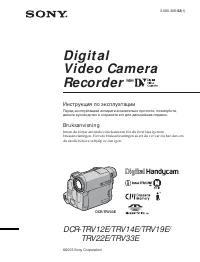 Sony DCR-TRV33E Инструкция по эксплуатации
 Sony DCR-TRV38E Инструкция по эксплуатации
 Sony DCR-TRV50E Инструкция по эксплуатации
 Sony DCR-TRV60E Инструкция по эксплуатации
 Sony DCR-TRV75E Инструкция по эксплуатации
 Sony DCR-TRV80E Инструкция по эксплуатации
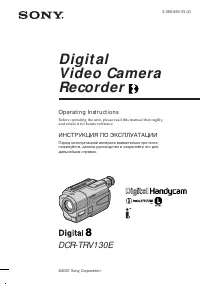 Sony DCR-TRV130E Инструкция по эксплуатации
 Sony DCR-TRV140E Инструкция по эксплуатации
 Sony DCR-TRV145E / DCR-TRV147E Инструкция по эксплуатации
 Sony DCR-TRV210E Инструкция по эксплуатации
 Sony DCR-TRV245E / DCR-TRV250E Инструкция по эксплуатации
 Sony DCR-TRV270E Инструкция по эксплуатации
 Sony DCR-TRV285E Инструкция по эксплуатации
 Sony DCR-TRV320E Инструкция по эксплуатации
 Sony DCR-TRV345E Инструкция по эксплуатации