Страница 2 - En g l i sh; camcorder. With your Handycam; W ARNING; Русский; ПРЕДУПРЕЖДЕНИЕ
2 En g l i sh We l co m e ! Congratulations on your purchase of this SonyHandycam ® camcorder. With your Handycam you can capture life’s precious moments withsuperior picture and sound quality.Your Handycam is loaded with advancedfeatures, but at the same time it is very easy touse. You will soon be...
Страница 4 - Оглавление
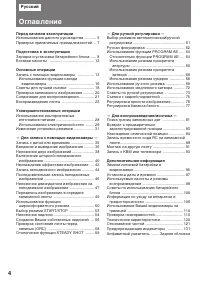
4 Оглавление Русский Перед началом эксплуатации Использование данного руководства ........... 5Проверка прилагаемых принадлежностей .. 7 Подготовка к эксплуатации Зарядка и установка батарейного блока ..... 8Вставка кассеты ........................................... 12 Основные операции Запись с по...
Страница 5 - in the illustrations, you can; N o t e o n TV co l o u r sy st e m s; Usi n g t h i s m a n u a l
5 B efore you begin / Перед началом эксплуатации As you read through this manual, buttons andsettings on the camcorder are shown in capitalletters.e.g. Set the POWER switch to CAMERA.As indicated with ≥ in the illustrations, you can hear the beep sound to confirm your operation. N o t e o n TV co l ...
Страница 6 - • Do not let the camcorder get wet. Keep the; • Экран ЖКД и/или цветной видоискатель
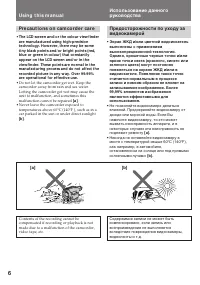
6 Usi n g t h i s m a n u a l Pr e ca u t i o n s o n ca m co r d e r ca r e • The LCD screen and/ or t he colour view f inderare manuf act ured using high-precisiont echnology. How ever, t here may be somet iny black point s and/ or bright point s (red,blue or green in colour) t hat const ant lyapp...
Страница 7 - Батарейный блок NP-F530
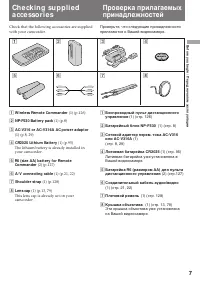
7 B efore you begin / Перед началом эксплуатации Check that the following accessories are suppliedwith your camcorder. 1 W ireless Remot e Commander (1) (p.126) 2 NP-F530 Bat t ery pack (1) (p.8) 3 AC-V316 or AC-V316A AC pow er adapt or (1) (p.8, 29) 4 CR2025 Lit hium Bat t ery (1) (p.95) The lithiu...
Страница 8 - Ch a r g i n g t h e b a t t e r y p a ck; Connect the mains lead to mains.; normal charge; Ge t t i n g st a r t e d; Зарядка батарейного блока; нормальная зарядка
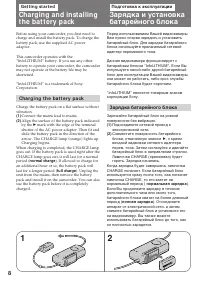
8 Before using your camcorder, you first need tocharge and install the battery pack. To charge thebattery pack, use the supplied AC poweradaptor. This camcorder operates with the“InfoLITHIUM” battery. If you use any otherbattery to operate your camcorder, the camcordermay not operate or the battery ...
Страница 9 - Ch a r g i n g t i m e; Ba t t e r y l i f e; Bat t ery pack; Время зарядки; Батарейный блок; Срок службы заряда батарейного блока; ) Приблизительное время в минутах при
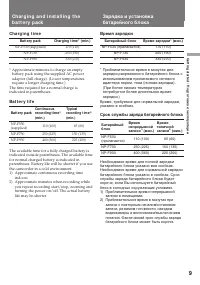
9 G etting s tarted / Подготовка к эксплуатации Ch a r g i n g a n d i n st a l l i n g t h eb a t t e r y p a ck Зарядка и установкабатарейного блока Ch a r g i n g t i m e Bat t ery pack Charging t ime* (min.) NP-F530 (supplied) 170 (110) NP-F730 250 (190) NP-F930 330 (270) * Approximate minutes t...
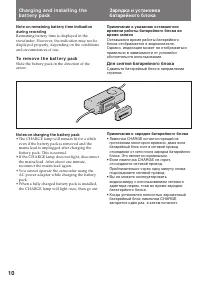
Страница 10 - Not es on charging t he bat t ery pack; • The CHARGE lamp will remain lit for a while; Примечания к зарядке батарейного блока; • Лампочка CHARGE остается горящей на
10 Ch a r g i n g a n d i n st a l l i n g t h eb a t t e r y p a ck Not e on remaining bat t ery t ime indicat ionduring recording Remaining battery time is displayed in theviewfinder. However, the indication may not bedisplayed properly, depending on the conditionsand circumstances of use. To r e ...
Страница 11 - BATT PUSH; I n st a l l i n g t h e b a t t e r y p a ck; W hen t he NP-F930 bat t ery pack is inst alled; To r e m o v e t h e b a t t e r y p a ck; Установка батарейного блока; Примечание к переноске видеокамеры; Для снятия батарейного блока
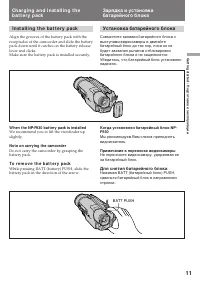
11 G etting s tarted / Подготовка к эксплуатации BATT PUSH I n st a l l i n g t h e b a t t e r y p a ck Align the grooves of the battery pack with thereceptacles of the camcorder and slide the batterypack down until it catches on the battery releaselever and clicks.Make sure the battery pack is ins...
Страница 12 - I n se r t i n g a ca sse t t e; Insert a cassette with the window facing out.; To e j e ct t h e ca sse t t e; and; Вставка кассеты; Для выталкивания кассеты; будут мигать в
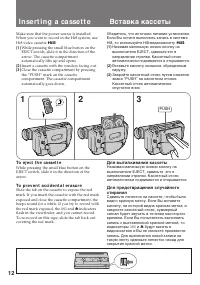
12 I n se r t i n g a ca sse t t e Make sure that the power source is installed.When you want to record in the Hi8 system, useHi8 video cassette H . (1 ) While pressing the small blue button on theEJECT switch, slide it in the direction of thearrow. The cassette compartmentautomatically lifts up and...
Страница 13 - Ca m e r a re co rd i n g; Finder; Основные операции; экономия заряда; Снимите крышку объектива.
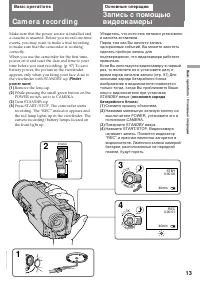
13 B asic operat ions / Основные операции Ca m e r a re co rd i n g Make sure that the power source is installed anda cassette is inserted. Before you record one-timeevents, you may want to make a trial recordingto make sure that the camcorder is workingcorrectly.When you use the camcorder for the f...
Страница 14 - To st o p r e co r d i n g m o m e n t a r i l y [ a ]; St andby mode; To f o cu s t h e v i e w f i n d e r l e n s; Not e on St andby mode; Ca m e r a r e co r d i n g; режим
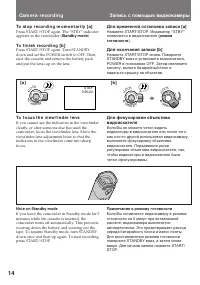
14 To st o p r e co r d i n g m o m e n t a r i l y [ a ] Press START/STOP again. The “STBY” indicatorappears in the viewfinder ( St andby mode ). To f i n i sh r e co r d i n g [ b ] Press START/STOP again. Turn STANDBYdown and set the POWER switch to OFF. Then,eject the cassette and remove the bat...
Страница 15 - Not es on recording mode; Примечание к режиму записи; • Данная видеокамера записывает и; Примечание к записи; • Счетчик ленты указывает время записи
15 B asic operat ions / Основные операции Not es on recording mode • This camcorder records and plays back in SP (standard play) mode and in LP (long play)mode. The playback quality in LP mode,however, will not be as good as that in SPmode. • When a tape recorded on this camcorder in LP mode is play...
Страница 16 - Not es on f inder pow er save; • The recording continues even when the picture; Usi n g t h e zo o m f e a t u r e; • Запись продолжается, даже если
16 Not es on f inder pow er save • The recording continues even when the picture in the viewfinder disappears during recording. • If you set VF PW-SAVE to OFF in the menu system, the picture in the viewfinder does notdisappear even when you turn your face awayfrom the viewfinder. Usi n g t h e zo o ...
Страница 17 - Not es on digit al zoom; • Трансфокатор более, чем 21х создан в
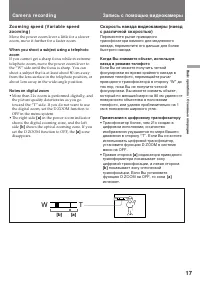
17 B asic operat ions / Основные операции Zo o m i n g sp e e d ( V a r i a b l e sp e e dzo o m i n g ) Move the power zoom lever a little for a slowerzoom, move it further for a faster zoom. W hen you shoot a subject using a t elephot ozoom If you cannot get a sharp focus while in extremetelephoto...
Страница 19 - If you w ear glasses; • Do not pick up the camcorder by the; Not es on t he colour view f inder; • The finder power save function sometimes does; Если Вы носите очки; • Не поднимайте видеокамеру за; Примечание к цветному видоискателю; • Иногда функция экономии питания; Hi n t s f o r b e t t e r sh o o t i n g
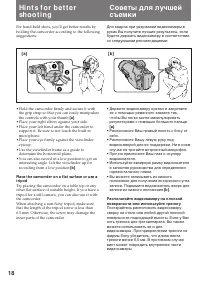
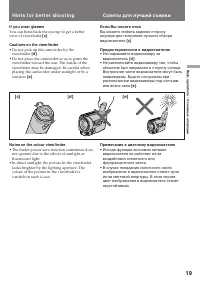
19 B asic operat ions / Основные операции If you w ear glasses You can bend back the eyecup to get a betterview of viewfinder [c] . Caut ions on t he view f inder • Do not pick up the camcorder by the viewfinder [d ] . • Do not place the camcorder so as to point the viewfinder toward the sun. The in...
Страница 20 - Rec Review; To st o p p l a y b a ck; Поверните STANDBY вверх.; пересмотр записи; Для останова воспроизведения; Отпустите EDITSEARCH.; Снова для начала записи
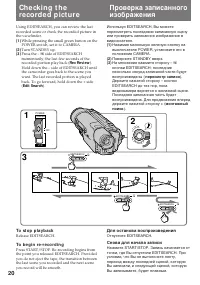
20 Using EDITSEARCH, you can review the lastrecorded scene or check the recorded picture inthe viewfinder. (1 ) While pressing the small green button on thePOWER switch, set it to CAMERA. (2 ) Turn STANDBY up. (3 ) Press the РΠside of EDITSEARCH momentarily; the last few seconds of therecorded por...
Страница 21 - to
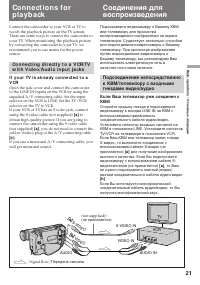
21 B asic operat ions / Основные операции Co n n e ct i o n s f o rp l a y b a ck Connect the camcorder to your VCR or TV towatch the playback picture on the TV screen.There are some ways to connect the camcorder toyour TV. When monitoring the playback pictureby connecting the camcorder to your TV, ...
Страница 22 - Co n n e ct i o n s f o r p l a y b a ck; I f y o u co n n e ct d i r e ct l y t o TV; Передача сигнала
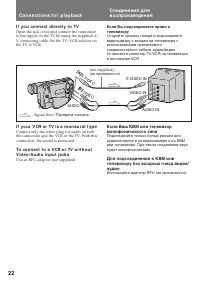
22 Co n n e ct i o n s f o r p l a y b a ck I f y o u co n n e ct d i r e ct l y t o TV Open the jack cover and connect the camcorderto the inputs on the TV by using the supplied A/V connecting cable. Set the TV/VCR selector onthe TV to VCR. I f y o u r V CR o r TV i s a m o n a u r a l t y p e Conn...
Страница 23 - Pl a y i n g b a ck a t a p e; Press; To st op playback; Usi n g t h e r e m o t e co m m a n d e r; Нажмите; Для останова воспроизведения,; Для ускоренной перемотки ленты назад,; нажмите; Для ускоренной перемотки ленты вперед,; нажмите
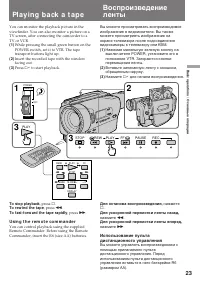
23 B asic operat ions / Основные операции Pl a y i n g b a ck a t a p e You can monitor the playback picture in theviewfinder. You can also monitor a picture on aTV screen, after connecting the camcorder to aTV or VCR. (1 ) While pressing the small green button on thePOWER switch, set it to VTR. The...
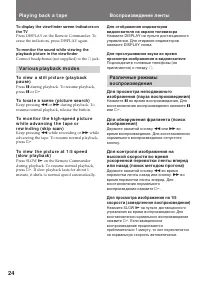
Страница 24 - V a r i o u s p l a y b a ck m o d e s; To l o ca t e a sce n e ( p i ct u r e se a r ch )
24 To display t he view f inder screen indicat ors ont he TV Press DISPLAY on the Remote Commander. Toerase the indicators, press DISPLAY again. To monit or t he sound w hile view ing t heplayback pict ure in t he view f inder Connect headphones (not supplied) to the 2 jack. V a r i o u s p l a y b ...
Страница 25 - To v i e w t h e p i ct u r e a t d o u b l e sp e e d; Not es on playback; Воспроизведение ленты; Для выбора воспроизводимого звука; Примечания к воспроизведению
25 B asic operat ions / Основные операции Pl a y i n g b a ck a t a p e To v i e w t h e p i ct u r e a t d o u b l e sp e e d For double speed playback in the reversedirection, press < , then press x2 on the Remote Commander during playback. Fordouble speed playback in the forward direction,pres...
Страница 26 - Для отображения даты Вашей записи; DATA CODE
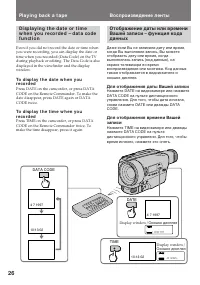
26 Отображение даты или времениВашей записи – функция кодаданных Даже если Вы не записали дату или время,когда Вы выполняли запись, Вы можетеотобразить дату или время, когдавыполнялась запись (код данных), наэкране телевизора во времявоспроизведения или монтажа. Код данныхтакже отображается в видоис...
Страница 27 - Если появляются черточки
27 B asic operat ions / Основные операции Pl a y i n g b a ck a t a p e Воспроизведение ленты Если появляются черточки (––:––:––) • Воспроизводится незаписанная часть ленты. • Лента была записана на видеокамере без функции кода данных. • Лента была записана на видеокамере без установки даты и времен...
Страница 28 - Место; Примечание по источникам питания
28 Усовершенствованные операции Usi n g a l t e r n a t i v ep o w e r so u rce s A d v a n ce d o p e r a t i o n s Использование альтернативныхисточников питания Вы можете выбрать любой из следующихисточников питания для Вашейвидеокамеры: батарейный блок,электрическую сеть и 12/24 Вавтомобильный а...
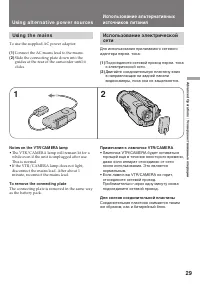
Страница 29 - Usi n g a l t e r n a t i v e p o w e r so u r ce s; To use the supplied AC power adaptor:; Примечания к лампочке VTR/CAMERA; • Лампочка VTR/CAMERA будет оставаться; Для снятия соединительной пластины; • The VTR/CAMERA lamp will remain lit for a; To remove t he connect ing plat e
29 Advanc ed Operat ions / Усовершенствованные операции 1 2 Usi n g a l t e r n a t i v e p o w e r so u r ce s Использование альтернативныхисточников питания Использование электрическойсети Для использования прилагаемого сетевогоадаптера перем. тока: (1 ) Подсоедините сетевой провод перем. токак эл...
Страница 30 - Usi n g a ca r b a t t e r y; To remove t he car bat t ery charger
30 Использование альтернативныхисточников питания Usi n g a l t e r n a t i v e p o w e r so u r ce s ПРЕДУПРЕЖДЕНИЕ Сетевой провод должен быть заменентолько в мастерской квалифицированногообслуживания. ПРЕДОСТЕРЕЖЕНИЕ Аппарат не отключается от источникапитания перем. тока (электрической сети) дотех...
Страница 31 - Press MENU to display the menu.
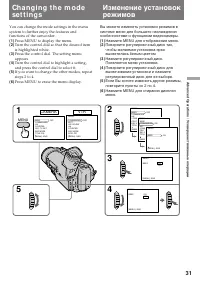
31 Advanc ed Operat ions / Усовершенствованные операции Ch a n g i n g t h e m o d ese t t i n g s You can change the mode settings in the menusystem to further enjoy the features andfunctions of the camcorder. (1 ) Press MENU to display the menu. (2 ) Turn the control dial so that the desired itemi...
Страница 32 - I t e m s f o r CA M ERA m o d e o n l y
32 Ch a n g i n g t h e m o d e se t t i n g s Изменение установок режимов Se l e ct i n g t h e m o d e se t t i n g o fe a ch i t e m I t e m s f o r b o t h CA M ERA a n d V TRm o d e s COUNTER <NORM AL/ TIM E CODE> • Normally select NORMAL.• Select TIME CODE to display the RC time code in ...
Страница 33 - Ch a n g i n g t h e m o d e se t t i n g s
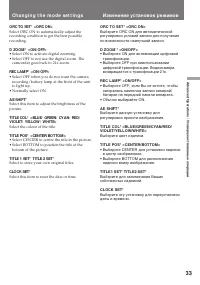
33 Advanc ed Operat ions / Усовершенствованные операции ORC TO SET* <ORC ON> Select ORC ON to automatically adjust therecording condition to get the best possiblerecording. D ZOOM * <ON/ OFF> • Select ON to activate digital zooming.• Select OFF to not use the digital zoom. The camcorder ...
Страница 34 - I t e m s f o r V TR m o d e o n l y; • Select ON to minimize picture deterioration; Not e on TBC set t ing; TV game or similar machine.; Установки только для режима VTR; Примечания к установке ТВС
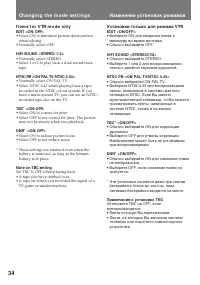
34 I t e m s f o r V TR m o d e o n l y EDIT <ON/ OFF> • Select ON to minimize picture deterioration when editing. • Normally select OFF. HiFi SOUND <STEREO/ 1/ 2> • Normally select STEREO.• Select 1 or 2 to play back a dual sound track tape. NTSC PB <ON PAL TV/ NTSC 4.43> • Normal...
Страница 35 - Not e on t he dat e or t ime indicat or
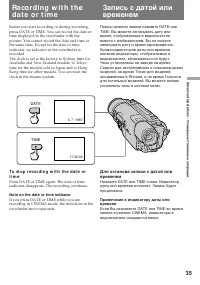
35 Advanc ed Operat ions / Усовершенствованные операции Re co rd i n g w i t h t h ed a t e o r t i m e Before you start recording or during recording,press DATE or TIME. You can record the date ortime displayed in the viewfinder with thepicture. You cannot record the date and time atthe same time. ...
Страница 36 - FADER
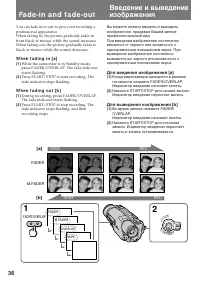
36 You can fade in or out to give your recording aprofessional appearance.When fading in, the picture gradually fades infrom black or mosaic while the sound increases.When fading out, the picture gradually fades toblack or mosaic while the sound decreases. W h e n f a d i n g i n [ a ] (1 ) While th...
Страница 37 - W hen t he dat e or t ime indicat or is displayed
37 Advanc ed Operat ions / Усовершенствованные операции To ca n ce l t h e f a d e -i n /f a d e -o u tf u n ct i o n Before pressing START/STOP, press FADER/OVERLAP until the fade indicator disappears. W hen t he dat e or t ime indicat or is displayed The date or time indicator does not fade in orf...
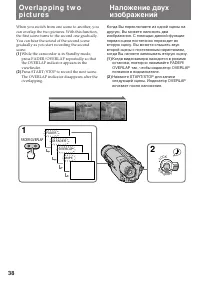
Страница 39 - Not es on overlap; • You cannot use the following functions while; Примечания к наложению изображений; • Вы не можете использовать следующие; Ov e r l a p p i n g t w o p i ct u r e s
39 Advanc ed Operat ions / Усовершенствованные операции Not es on overlap • You cannot use the following functions while using the overlap function. Also, while usingthe following functions, you cannot use theoverlap function. – Digital effect– Slow shutter– Title • You can select overlap during rec...
Страница 40 - Вытеснение шторкой
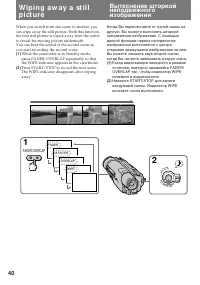
40 W i p i n g a w a y a st i l lp i ct u re When you switch from one scene to another, youcan wipe away the still picture. With this function,the first still picture is wiped away from the centreto reveal the moving picture underneath.You can hear the sound of the second scene asyou start recording...
Страница 41 - Примечания к вытеснению штокрокой; Not es on w ipe; W i p i n g a w a y a st i l l p i ct u r e
41 Advanc ed Operat ions / Усовершенствованные операции Примечания к вытеснению штокрокой • Вы не можете использовать следующие функции во время использования функциивытеснения шторкой. Также во времяиспользования следующих функций Вы неможете использовать функциювытеснения шторкой.– Цифровой эффект...
Страница 42 - Se l e ct i n g p i ct u r e e f f e ct; The picture is mosaic.; The picture is sepia.; Выбор эффекта изображения; Изображение будет мозаичным.; SEPIA; Изображение будет в цвете сепия.
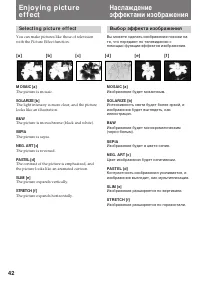
42 En j o y i n g p i ct u ree f f e ct Se l e ct i n g p i ct u r e e f f e ct You can make pictures like those of televisionwith the Picture Effect function. M OSAIC [a] The picture is mosaic. SOLARIZE [b] The light intensity is more clear, and the picturelooks like an illustration. B&W The pi...
Страница 43 - Usi n g p i ct u r e e f f e ct f u n ct i o n; Press PICTURE EFFECT.; To t u r n o f f p i ct u r e e f f e ct; Not e on t he pict ure ef f ect; Нажмите PICTURE EFFECT.; Выключение эффекта изображения; Примечание к эффектам изображения; PICTURE; En j o y i n g p i ct u r e e f f e ct
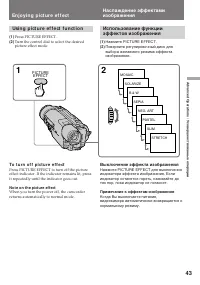
43 Advanc ed Operat ions / Усовершенствованные операции Usi n g p i ct u r e e f f e ct f u n ct i o n (1 ) Press PICTURE EFFECT. (2 ) Turn the control dial to select the desiredpicture effect mode. To t u r n o f f p i ct u r e e f f e ct Press PICTURE EFFECT to turn off the pictureeffect indicator...
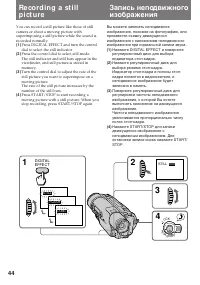
Страница 45 - To ca n ce l st i l l m o d e; Not es on st ill mode; Для отмены режима стоп-кадра; Примечания к режиму стоп-кадра; Re co r d i n g a st i l l p i ct u r e
45 Advanc ed Operat ions / Усовершенствованные операции To ca n ce l st i l l m o d e Press DIGITAL EFFECT to turn off the stillindicator. If the indicator remains lit, press itrepeatedly until the indicator goes out. Not es on st ill mode • You cannot use the following functions while recording a s...
Страница 46 - Последовательная
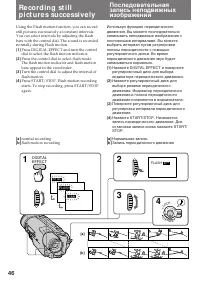
46 Using the Flash motion function, you can recordstill pictures successively at constant intervals.You can select intervals by adjusting the flashbars with the control dial. The sound is recordednormally during Flash motion. (1 ) Press DIGITAL EFFECT and turn the controldial to select the flash mot...
Страница 47 - To ca n ce l t h e f l a sh m o t i o n; Not es on t he f lash mot ion; • The following functions does not work during; Примечания к периодическому движению; • Следующие функции не работают во время; Наложение движущегося
47 Advanc ed Operat ions / Усовершенствованные операции Последовательная записьнеподвижных изображений Re co r d i n g st i l l p i ct u r e ssu cce ssi v e l y To ca n ce l t h e f l a sh m o t i o n Press DIGITAL EFFECT to turn off the flashmotion indicator. If the indicator remains lit,press it r...
Страница 48 - Примечания к яркости изображения переднего плана; To ca n ce l t h e l u m i n a n ce k e y; Not e on t he luminancekey
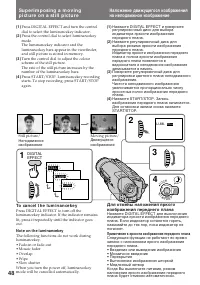
48 Su p e r i m p o si n g a m o v i n gp i ct u r e o n a st i l l p i ct u r e Наложение движущегося изображенияна неподвижное изображение (1 ) Press DIGITAL EFFECT and turn the controldial to select the luminancekey indicator. (2 ) Press the control dial to select luminancekeymode.The luminanceke...
Страница 49 - . The camcorder enters Standby; ZERO MEM
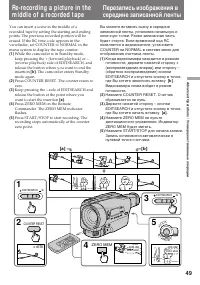
49 Advanc ed Operat ions / Усовершенствованные операции You can insert a scene in the middle of arecorded tape by setting the starting and endingpoints. The previous recorded portion will beerased. If the RC time code appears in theviewfinder, set COUNTER to NORMAL in themenu system to display the t...
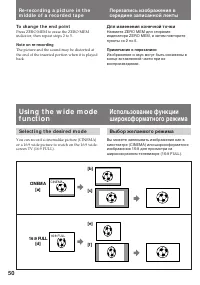
Страница 50 - To ch a n g e t h e e n d p o i n t; Not e on re-recording; Для изменения конечной точки; Примечание к перезаписи; Se l e ct i n g t h e d e si r e d m o d e; CINEM A
50 To ch a n g e t h e e n d p o i n t Press ZERO MEM to erase the ZERO MEMindicator, then repeat steps 2 to 5. Not e on re-recording The picture and the sound may be distorted atthe end of the inserted portion when it is playedback. Для изменения конечной точки Нажмите ZERO MEM для стиранияиндикато...
Страница 51 - CI N EM A; Для отмены режима; Usi n g t h e w i d e m o d e f u n ct i o n
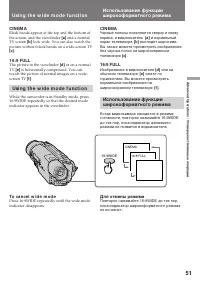
51 Advanc ed Operat ions / Усовершенствованные операции CI N EM A Black bands appear at the top and the bottom ofthe screen, and the viewfinder [a ] and a normal TV screen [b ] look wide. You can also watch the picture without black bands on a wide-screen TV [c] . 1 6 :9 FULL The picture in the view...
Страница 52 - Примечания к широкоформатному режиму; • При записи в режиме 16:9 FULL индикатор; Not es on w ide mode; • When you record in 16:9 FULL mode, the date
52 Для просмотра ленты, записанной вширокоформатном режиме Для просмотра ленты записанной в режимеCINEMA установите режим экранаширокоэкранного телевизора на режиммасштабирования. Для просмотра лентызаписанной в режиме 16:9 FULL установитеего на полноэкранный режим. Подробностисмотрите в инструкции ...
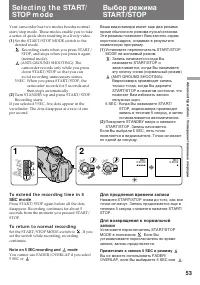
Страница 53 - To r e t u r n t o n o r m a l r e co r d i n g; Set the START/STOP MODE switch to; Not e on 5 SEC recording and; : Запись начинается когда Вы; Для продления времени записи; Примечание к записи 5 SEC и режиму
53 Advanc ed Operat ions / Усовершенствованные операции Your camcorder has two modes besides normalstart/stop mode. These modes enable you to takea series of quick shots resulting in a lively video. (1 ) Set the START/STOP MODE switch to thedesired mode. : Recording starts when you press START/ STOP...
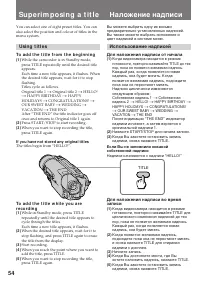
Страница 54 - Использование надписей; Для наложения надписи от начала; Usi n g t i t l e s; To a d d t h e t i t l e f r o m t h e b e g i n n i n g; If you have not st ored any original t it les
54 Su p e r i m p o si n g a t i t l e Наложение надписи Вы можете выбрать одну из восьмипредварительно установленных надписей.Вы также можете выбрать яоложение ицвет надписей в системе меню. You can select one of eight preset titles. You canalso select the position and colour of titles in themenu s...
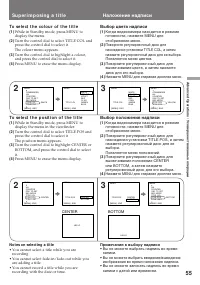
Страница 55 - To se l e ct t h e co l o u r o f t h e t i t l e; To se l e ct t h e p o si t i o n o f t h e t i t l e; Press MENU to erase the menu display.; Not es on select ing a t it le; • You cannot select a title while you are; Su p e r i m p o si n g a t i t l e; Выбор цвета надписи; Примечания к выбору надписи; BOTTOM
55 Advanc ed Operat ions / Усовершенствованные операции To se l e ct t h e co l o u r o f t h e t i t l e (1 ) While in Standby mode, press MENU todisplay the menu. (2 ) Turn the control dial to select TITLE COL andpress the control dial to select it.The colour menu appears. (3 ) Turn the control di...
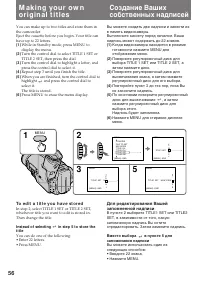
Страница 56 - To e d i t a t i t l e y o u h a v e st o r e d; Inst ead of select ing
56 M a k i n g y o u r o w no r i g i n a l t i t l e s Создание Вашихсобственных надписей You can make up to two titles and store them inthe camcorder.Eject the cassette before you begin. Your title canhave up to 22 letters. (1 ) While in Standby mode, press MENU todisplay the menu. (2 ) Turn the c...
Страница 57 - Для стирания надписи; и нажмите TITLE. Не стирайте; If you do not hing more t han 5 minut es; At the leftmost character position, select; M a k i n g y o u r o w n o r i g i n a l t i t l e s
57 Advanc ed Operat ions / Усовершенствованные операции Если Вы ничего не делаете в течение 5минут Питание выключится автоматически.Поверните STANDBY вниз, а затем сновавверх и продолжайте с пункта 3. Для стирания надписи В крайнем левом положении для знакавыберите S и нажмите TITLE. Не стирайте над...
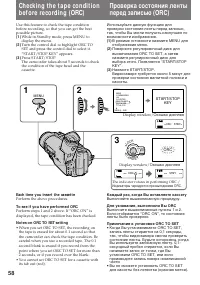
Страница 58 - Каждый раз, когда Вы вставляете кассету; Выполняйте вышеописанную процедуру.; Для узнавания, выполнили Вы ORC; • Когда Вы устанавливаете ORC TO SET,; Each t ime you insert t he casset t e; Perform the above procedures.; To see if you have perf ormed ORC; • When you set ORC TO SET, the recording on; ORC; Окошко дисплея
58 Проверка состояния лентыперед записью (ORC) Используйьте данную функцию дляпроверки состояния ленты перед записью,так, чтобы Вы могли получить наилучшее повозможности изображение. (1) В режиме готовности нажмите MENU дляотображения меню. (2) Поверните регулировочный диск длявысвечивания ORC TO SE...
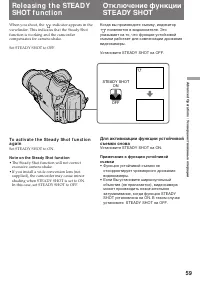
Страница 59 - indicator appears in the; Set STEADY SHOT to ON.; Not e on t he St eady Shot f unct ion; • The Steady Shot function will not correct
59 Advanc ed Operat ions / Усовершенствованные операции Re l e a si n g t h e STEA D YSHOT f u n ct i o n When you shoot, the indicator appears in the viewfinder. This indicates that the Steady Shotfunction is working and the camcordercompensates for camera-shake. Set STEADY SHOT to OFF. Отключение ...
Страница 61 - Выбор режимов автоматической/ручной регулировки; Для ручной фокусировки; Используйте AE SHIFT в системе меню.; Примечание к вышеизложенным установкам; установлема в видеокамере.
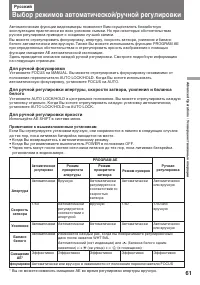
61 Advanc ed Operat ions / Усовершенствованные операции Русский Выбор режимов автоматической/ручной регулировки Автоматические функции видеокамеры позволяют Вам осуществлять беззаботнуюэксплуатацию практически во всех условиях съемки. Но при некоторых обстоятельствахручная регулировка приводит к соз...
Страница 62 - Fo cu si n g m a n u a l l y; W h e n t o u se m a n u a l f o cu s; • Insufficient light; Ручная фокусировка
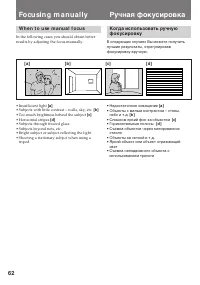
62 Fo cu si n g m a n u a l l y W h e n t o u se m a n u a l f o cu s In the following cases you should obtain betterresults by adjusting the focus manually. • Insufficient light [a ] • Subjects with little contrast – walls, sky, etc. [b ] • Too much brightness behind the subject [c] • Horizontal st...
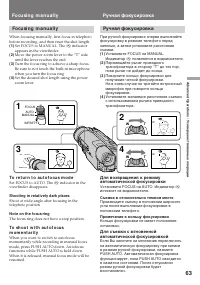
Страница 63 - To r e t u r n t o a u t o f o cu s m o d e; Shoot ing in relat ively dark places; появляется в видоискателе.; Съемка в относительно темном месте
63 Advanc ed Operat ions / Усовершенствованные операции Fo cu si n g m a n u a l l y When focusing manually, first focus in telephotobefore recording, and then reset the shot length. (1 ) Set FOCUS to MANUAL. The f indicator appears in the viewfinder. (2 ) Move the power zoom lever to the “T” sideun...
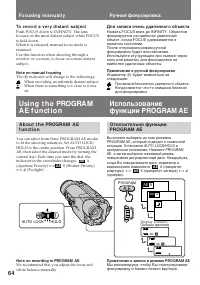
Страница 64 - To r e co r d a v e r y d i st a n t su b j e ct; Not e on manual f ocusing; The; Для записи очень удаленного объекта; Примечание к ручной фокусировке; Индикатор; AE; Примечание к записи в режиме PROGRAM AE; AE; A E; AUTO LOCK
64 To r e co r d a v e r y d i st a n t su b j e ct Push FOCUS down to INFINITY. The lensfocuses on the most distant subject while FOCUSis held down.When it is released, manual focus mode isresumed.Use this function when shooting through awindow or a screen, to focus on a more distantsubject. Not e ...
Страница 65 - Turn the control dial to select
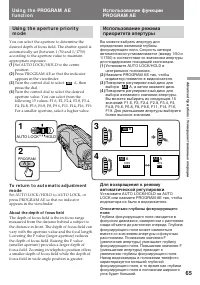
65 Advanc ed Operat ions / Усовершенствованные операции Usi n g t h e a p e r t u r e p r i o r i t ym o d e You can select the aperture to determine thedesired depth of focus field. The shutter speed isautomatically set (between 1/50 and 1/1750)according to the aperture value to maintainappropriate...
Страница 66 - Usi n g t h e sh u t t e r p r i o r i t y m o d e
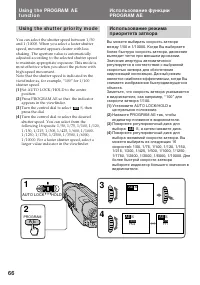
66 Usi n g t h e sh u t t e r p r i o r i t y m o d e You can select the shutter speed between 1/50and 1/10000. When you select a faster shutterspeed, movement appears clearer with lessshaking. The aperture value is automaticallyadjusted according to the selected shutter speedto maintain appropriate...
Страница 67 - W hen shoot ing a very bright subject; To se l e ct t h e b e st sh u t t e r sp e e d; При съемке очень яркого объекта; Shut t er
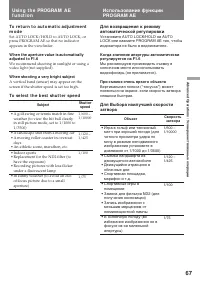
67 Advanc ed Operat ions / Усовершенствованные операции To r e t u r n t o a u t o m a t i c a d j u st m e n tm o d e Set AUTO LOCK/HOLD to AUTO LOCK, orpress PROGRAM AE so that no indicatorappears in the viewfinder. W hen t he apert ure value is aut omat icallyadjust ed t o F1.6 We recommend shoot...
Страница 68 - Usi n g t h e t w i l i g h t m o d e; W hen shoot ing an excessively bright subject
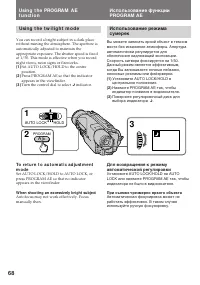
68 Usi n g t h e t w i l i g h t m o d e You can record a bright subject in a dark placewithout ruining the atmosphere. The aperture isautomatically adjusted to maintain theappropriate exposure. The shutter speed is fixedat 1/50. This mode is effective when you recordnight views, neon signs or firew...
Страница 69 - W h e n t o u se m a n u a l m o d e; Usi n g m a n u a l m o d e; Not e on recording in manual mode
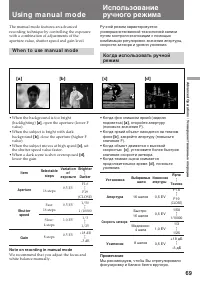
69 Advanc ed Operat ions / Усовершенствованные операции The manual mode features an advancedrecording technique by controlling the exposurewith a combination of adjustments of theaperture value, shutter speed and gain level. W h e n t o u se m a n u a l m o d e • When the background is too bright (b...
Страница 70 - Sh o o t i n g i n m a n u a l m o d e; A d j u st m e n t o f e a ch i t e m; To adjust t he apert ure; Съемка в ручном режиме; Регулировка каждой установки; Для регулировки апертуры
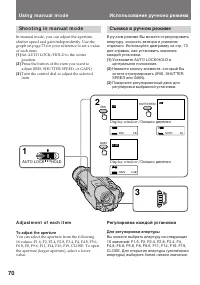
70 Sh o o t i n g i n m a n u a l m o d e In manual mode, you can adjust the aperture,shutter speed and gain independently. Use thegraph on page 73 for your reference to set a valueof each item. (1 ) Set AUTO LOCK/HOLD to the centreposition. (2 ) Press the button of the item you want toadjust (IRIS,...
Страница 71 - To adjust t he shut t er speed; To ch a n g e t h e se t t i n g; Not e on gain level; Для изменения установки; Примечание к уровню усиления
71 Advanc ed Operat ions / Усовершенствованные операции Usi n g m a n u a l m o d e Использование ручноно режима To adjust t he shut t er speed You can select the shutter speed from thefollowing 20 speeds:1/3, 1/6, 1/12, 1/25, 1/50, 1/75, 1/100, 1/120,1/150, 1/215, 1/300, 1/425, 1/600, 1/1000,1/1250...
Страница 72 - Usi n g sl o w sh u t t e r
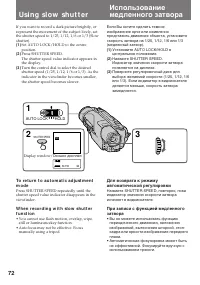
72 If you want to record a dark picture brightly, orrepresent the movement of the subject lively, setthe shutter speed to 1/25, 1/12, 1/6 or 1/3 (Slowshutter). (1 ) Set AUTO LOCK/HOLD to the centreposition. (2 ) Press SHUTTER SPEED.The shutter speed value indicator appears inthe display. (3 ) Turn t...
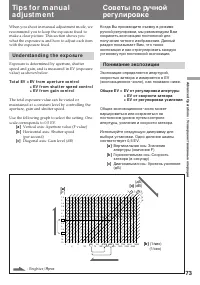
Страница 73 - Un d e r st a n d i n g t h e e x p o su r e; To t a l EV = EV f r o m a p e r t u r e co n t r o l; Понимание экспозиции; Общее EV = EV от регулировки апертуры; Вертикальная ось: Значение
73 Advanc ed Operat ions / Усовершенствованные операции When you shoot in manual adjustment mode, werecommend you to keep the exposure fixed tomake a clear picture. This section shows youwhat the exposure is and how to adjust each itemwith the exposure fixed. Un d e r st a n d i n g t h e e x p o su...
Страница 74 - Not es on manual adjust ment; • When recording outdoors, the brightness of a; Примечания к ручной регулировке; • Когда производится запись на улице, на; Ti p s f o r m a n u a l a d j u st m e n t
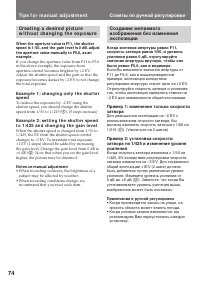
74 Cr e a t i n g a d e si r e d p i ct u r ew i t h o u t ch a n g i n g t h e e x p o su r e W hen t he apert ure value is F11, t he shut t erspeed is 1/ 50, and t he gain level is 0 dB, adjustt he apert ure value manually t o F5.6, as anexample. If you change the aperture value from F11 to F5.6in...
Страница 75 - A f t e r sh o o t i n g; Not e on t he backlight f unct ion; Нажмите BACK LIGHT. Индикатор; После съемки; Примечания к функции задней подсветки
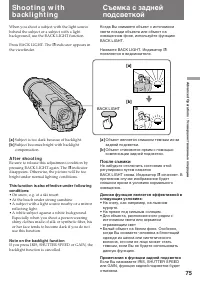
75 Advanc ed Operat ions / Усовершенствованные операции When you shoot a subject with the light sourcebehind the subject or a subject with a lightbackground, use the BACK LIGHT function. Press BACK LIGHT. The c indicator appears in the viewfinder. [a ] Subject is too dark because of backlight. [b ] ...
Страница 76 - To ca n ce l t h e A E sh i f t; W hen adjust ing t he bright ness; Для отмены смещения АЕ; При регулировке яркости
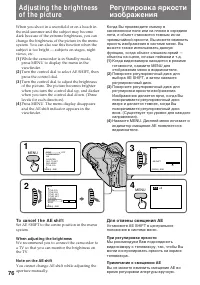
76 When you shoot in a snowfield or on a beach inthe mid-summer and the subject may becomedark because of the extreme brightness, you canchange the brightness of the picture in the menusystem. You can also use this function when thesubject is too bright — subjects on stages, nightviews, etc. (1 ) Wh...
Страница 77 - Se l e ct i n g t h e a p p r o p r i a t e m o d e; On e p u sh w h i t e b a l a n ce m o d e; • Shooting with the lighting condition on the; Ou t d o o r m o d e; just before sunrise; I n d o o r m o d e; • Lighting condition changes quickly.; Выбор подходящего режима; Режим баланса белого одним
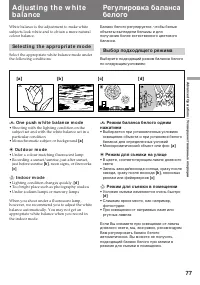
77 Advanc ed Operat ions / Усовершенствованные операции White balance is the adjustment to make whitesubjects look white and to obtain a more naturalcolour balance. Se l e ct i n g t h e a p p r o p r i a t e m o d e Select the appropriate white balance mode underthe following conditions: ∑ On e p u...
Страница 78 - Se t t i n g t h e w h i t e b a l a n ce m o d e; W hen t he light source changes; • When you record in automatic adjustment; Когда изменяется источник света; • Когда Вы производите запись в режиме; A d j u st i n g t h e w h i t e b a l a n ce
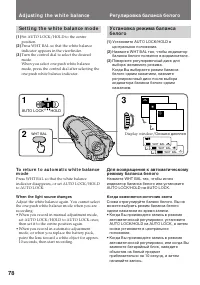
78 3 1 2 WHT BAL WHT BAL e WHT BAL w WHT BAL ∑ e w ∑ AUTO LOCK HOLD Se t t i n g t h e w h i t e b a l a n ce m o d e (1 ) Set AUTO LOCK/HOLD to the centreposition. (2 ) Press WHT BAL so that the white balanceindicator appears in the viewfinder. (3 ) Turn the control dial to select the desiredmode.W...
Страница 81 - Dat e Search; To sca n t h e b e g i n n i n g o f a l l d a y s; поиск даты; Для поиска начала определенной даты
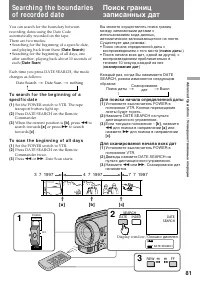
81 Advanc ed Operat ions / Усовершенствованные операции Se a rch i n g t h e b o u n d a r i e so f re co rd e d d a t e You can search for the boundary betweenrecording dates using the Date Codeautomatically recorded on the tape.There are two modes:• Searching for the beginning of a specific date, ...
Страница 82 - Поиск границ записанных дат
82 To st op searching or scanning Press one of the following tape transport buttons: · , π , 0 or ) . To view pict ures during searching or scanning Press · and then press 0 or ) . Not es on Dat e Search and Dat e Scan mode • If a day’s recording is not longer than 2 minutes, the camcorder may not a...
Страница 83 - Возврат к предварительно; Примечания к счетчику ленты; Not es on t he t ape count er
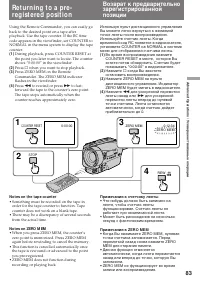
83 Advanc ed Operat ions / Усовершенствованные операции Re t u r n i n g t o a p re -re g i st e re d p o si t i o n Using the Remote Commander, you can easily goback to the desired point on a tape afterplayback. Use the tape counter. If the RC timecode appears in the viewfinder, set COUNTER toNORMA...
Страница 85 - Not es on marking; Lo ca t i n g t h e m a r k i n g p o si t i o n; Примечания к записи индексного сигнала
85 Advanc ed Operat ions / Усовершенствованные операции Not es on marking • Make sure you mark index signals at more than two-minute intervals. Otherwise, you may notbe able to search for them correctly. • If you stop recording while the index signal is being marked (the INDEX MARK indicatorlights i...
Страница 86 - To ca n ce l i n d e x sca n m o d e
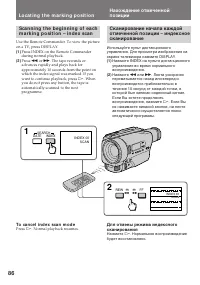
86 Sca n n i n g t h e b e g i n n i n g o f e a chm a r k i n g p o si t i o n – i n d e x sca n Use the Remote Commander. To view the pictureon a TV, press DISPLAY. (1 ) Press INDEX on the Remote Commanderduring normal playback. (2 ) Press 0 or ) . The tape rewinds or advances rapidly and plays ba...
Страница 87 - To st o p i n d e x se a r ch m o d e; Not e on t he index number
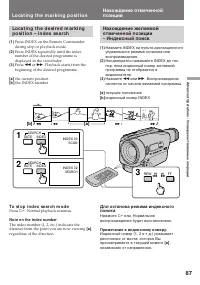
87 Advanc ed Operat ions / Усовершенствованные операции Lo ca t i n g t h e d e si r e d m a r k i n gp o si t i o n – i n d e x se a r ch (1 ) Press INDEX on the Remote Commanderduring stop or playback mode. (2 ) Press INDEX repeatedly until the indexnumber of the desired programme isdisplayed in t...
Страница 88 - Er a si n g a n i n d e x si g n a l; Not es on erasing; Стирание индексного сигнала; Примечания к стиранию
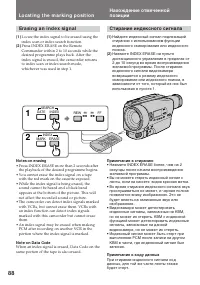
88 Er a si n g a n i n d e x si g n a l (1 ) Locate the index signal to be erased using theindex scan or index search function. (2 ) Press INDEX ERASE on the RemoteCommander within 2 to 10 seconds while thedesired programme plays back. After theindex signal is erased, the camcorder returnsto index s...
Страница 89 - To st o p w r i t i n g t h e RC t i m e co d e
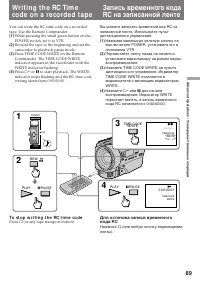
89 Advanc ed Operat ions / Усовершенствованные операции Wr i t i n g t h e RC Ti m eco d e o n a re co rd e d t a p e You can write the RC time code on a recordedtape. Use the Remote Commander. (1 ) While pressing the small green button on thePOWER switch, set it to VTR. (2 ) Rewind the tape to the ...
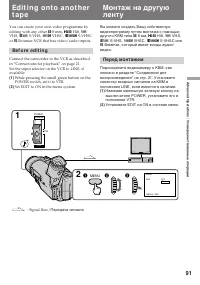
Страница 91 - or; Be f o r e e d i t i n g; Set EDIT to ON in the menu system.; Перед монтажем; Установите EDIT на ON в системе меню.
91 Advanc ed Operat ions / Усовершенствованные операции Ed i t i n g o n t o a n o t h e rt a p e You can create your own video programme byediting with any other h 8 mm, H Hi8, j VHS, k S-VHS, VHSC, K S-VHSC or l Betamax VCR that has video/audio inputs. Be f o r e e d i t i n g Connect the camcor...
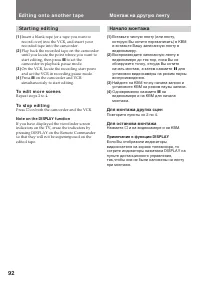
Страница 92 - Начало монтажа; Для монтажа других сцен; Примечание к функции DISPLAY; St a r t i n g e d i t i n g; To e d i t m o r e sce n e s; Not e on t he DISPLAY f unct ion; Ed i t i n g o n t o a n o t h e r t a p e
92 Начало монтажа (1 ) Вставьте чистую ленту (или ленту,которую Вы хотите перезаписать) в КВМи вставьте Вашу записанную ленту ввидеокамеру. (2 ) Воспроизводите записанную ленту ввидеокамере до тех пор, пока Вы необнаружите точку, откуда Вы хотитеначать монтаж, а затем нажмите P для установки видеока...
Страница 93 - Для останова записи; To st o p r e co r d i n g
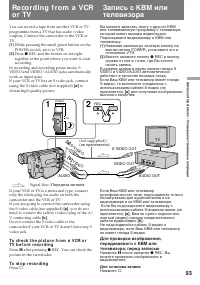
93 Advanc ed Operat ions / Усовершенствованные операции Re co rd i n g f ro m a V CRo r TV You can record a tape from another VCR or TVprogramme from a TV that has audio/videooutputs. Connect the camcorder to the VCR orTV. (1 ) While pressing the small green button on thePOWER switch, set it to VTR....
Страница 94 - Not e on t he insert ed pict ure; или; Примечание к вставленному изображению; Re co r d i n g f r o m a V CR o r TV
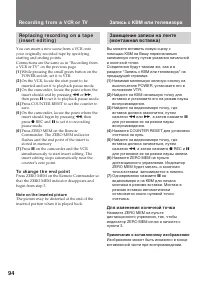
94 Re p l a ci n g r e co r d i n g o n a t a p e( i n se r t e d i t i n g ) You can insert a new scene from a VCR ontoyour originally recorded tape by specifyingstarting and ending points.Connections are the same as in “Recording froma VCR or TV” on the previous page. (1 ) While pressing the small...
Страница 95 - indicator flashes in the; replace; N o t e s o n l i t h i u m b a t t e r y; • Wipe the battery with a dry cloth to assure a; Be sure t o; A d d i t i o n a l I n f o r m a t i o n; будет мигать в видоискателе; Примечание к литиевой батарейке; Обязательно
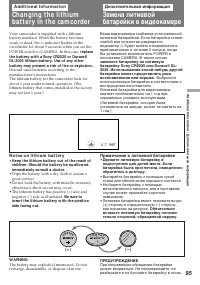
95 Addit ional Inf ormat ion / Дополнительная информация Your camcorder is supplied with a lithiumbattery installed. When the battery becomesweak or dead, the I indicator flashes in the viewfinder for about 5 seconds when you set thePOWER switch to CAMERA. In this case, replace t he bat t ery w it h...
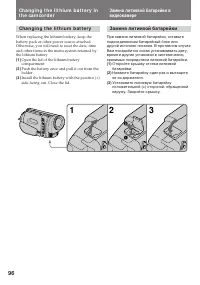
Страница 97 - To co r r e ct t h e d a t e a n d t i m e se t t i n g; Repeat the above procedure.
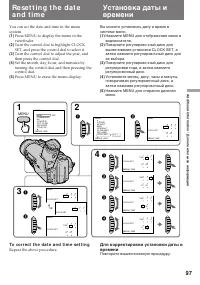
97 Addit ional Inf ormat ion / Дополнительная информация Re se t t i n g t h e d a t ea n d t i m e You can set the date and time in the menusystem. (1 ) Press MENU to display the menu in theviewfinder. (2 ) Turn the control dial to highlight CLOCKSET, and press the control dial to select it. (3 ) T...
Страница 98 - To ch e ck t h e p r e se t d a t e a n d t i m e; The year indicat or changes as f ollow s:; Se l e ct i n g ca sse t t e t y p e s; Выбор типа кассеты
98 To ch e ck t h e p r e se t d a t e a n d t i m e Press DATE to display the date indicator in theviewfinder.Press TIME to display the time indicator.When you press the same button again, theindicator goes off. The year indicat or changes as f ollow s: Not e on t he t ime indicat or The internal c...
Страница 99 - W h e n y o u p l a y b a ck; N o t e o n A FM Hi Fi st e r e o; • You record the tape on an AFM HiFi monaural; Re co r d i n g m o d e; Playing back an NTSC-recorded t ape; • Вы записали ленту на монофоническом; Режим записи
99 Addit ional Inf ormat ion / Дополнительная информация W h e n y o u p l a y b a ck The playback mode (SP/LP or Hi8/standard8 mm) is selected automatically according to theformat in which the tape has been recorded. Thequality of the recorded picture in LP mode,however, will not be as good as that...
Страница 100 - Pr e p a r i n g t h e b a t t e r y p a ck; A l w a y s ca r r y a d d i t i o n a l b a t t e r i e s; Подготовка батарейного блока; Для экономии заряда батарейного блока
100 • If a tape has portions recorded in PAL and NTSC video systems, the tape counter readingis not correct. This discrepancy is due to thedifference between the counting cycle of thetwo video systems. • You cannot edit the NTSC-recorded tape onto another VCR. • When you play back on a Multi System ...
Страница 101 - Ti p s f o r u si n g t h e b a t t e r y p a ck; появляется и начинает; Предостережение; • Батарейный блок всегда разряжается,; Ca u t i o n; and keep it in a cool
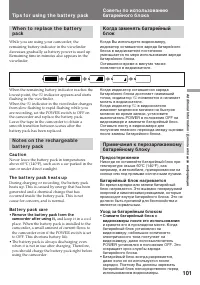
101 Addit ional Inf ormat ion / Дополнительная информация Ti p s f o r u si n g t h e b a t t e r y p a ck Советы по использованиюбатарейного блока Когда заменять батарейныйблок Когда Вы используете видеокамеру,индикатор оставшегося заряда батарейногоблока в видоискателе постепенноуменьшается по мер...
Страница 102 - Th e sw i t ch o n t h e b a t t e r y p a ck
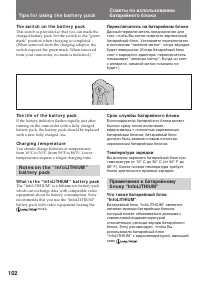
102 Ti p s f o r u si n g t h e b a t t e r y p a ck Советы по использованиюбатарейного блока Th e sw i t ch o n t h e b a t t e r y p a ck This switch is provided so that you can mark thecharged battery pack. Set the switch to the “greenmark” position when charging is completed.(When removed from t...
Страница 103 - , видеоаппаратура будет
103 Addit ional Inf ormat ion / Дополнительная информация Ti p s f o r u si n g t h e b a t t e r y p a ck Советы по использованиюбатарейного блока When you use this battery pack with videoequipment having the mark, the video equipment will indicate the remainingbattery time in minutes*. However, if...
Страница 104 - N o t e s o n ch a r g i n g; A b r a n d -n e w b a t t e r y p a ck; ) Полная зарядка: Зарядка приблизительно; Примечания к зарядке; Совершенно новый батарейный блок
104 W h y t h e r e m a i n i n g b a t t e r yi n d i ca t i o n d o e s n o t m a t ch t h eco n t i n u o u s r e co r d i n g t i m e i n t h eo p e r a t i o n m a n u a l The recording time is affected by theenvironmental temperature and conditions. Therecording time becomes very short in a co...
Страница 105 - Примечания к контактам; Обязательно соблюдайте следующее; • Храните батарейный блок подальше от; N o t e s o n t h e t e r m i n a l s; Be su r e t o o b se r v e t h e f o l l o w i n g; • Do not expose the battery pack to any
105 Addit ional Inf ormat ion / Дополнительная информация Примечания к контактам Если контакты (металлические части назадней стороне) загрязнены, топродолжительность действиябатарейного блока будет сокращена. Когда контакты загрязнены, или еслибатарейный блок не был использован втечение длительного ...
Страница 106 - M o i st u r e co n d e n sa t i o n; I n si d e t h e ca m co r d e r; indicator flashes. If this; On t h e l e n s; Информация по уходу за; Конденсация влаги; Внутри видеокамеры; будет; На объективе
106 M a i n t e n a n ce i n f o r m a t i o na n d p re ca u t i o n s M o i st u r e co n d e n sa t i o n If the camcorder is brought directly from a coldplace to a warm place, moisture may condenseinside the camcorder, on the surface of the tape,or on the lens. In this condition, the tape maysti...
Страница 107 - V i d e o h e a d cl e a n i n g; indicator and; Not e; Очистка видеоголовок; сообщение “; Примечание
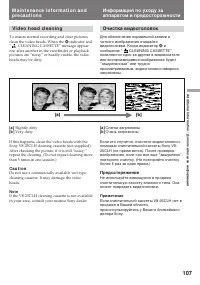
107 Addit ional Inf ormat ion / Дополнительная информация V i d e o h e a d cl e a n i n g To ensure normal recording and clear pictures,clean the video heads. When the v indicator and “ CLEANING CASSETTE” message appear one after another in the viewfinder or playbackpictures are “noisy” or hardly v...
Страница 108 - Pr e ca u t i o n s; Ca m co r d e r o p e r a t i o n; Предосторожности; Эксплуатация видеокамеры
108 Pr e ca u t i o n s Ca m co r d e r o p e r a t i o n • Operate the camcorder on 7.2 V (battery pack) or 8.4 V (AC power adaptor). • For DC or AC operation, use the accessories recommended in this manual. • Should any solid object or liquid get inside the casing, unplug the camcorder and have it...
Страница 109 - A C p o w e r a d a p t o r; Charging; N o t e s o n d r y b a t t e r i e s; If bat t ery leakage occurred; Сетевой адаптер переменного тока; Зарядка; Примечания к сухим батарейкам; Если случится протечка батареек
109 Addit ional Inf ormat ion / Дополнительная информация A C p o w e r a d a p t o r Charging • Use only a lithium ion type battery pack.• Place the battery pack on a flat surface without vibration during charging. • The battery pack will get hot during charging. This is normal. Ot hers • Unplug th...
Страница 110 - PAL syst em; Brazil; NTSC syst em; Источники питания; Система PAL; Бразилия; Система NTSC
110 Usi n g y o u r ca m co rd e ra b ro a d Each country or area has its own electric and TVcolour systems. Before using your camcorderabroad, check the following points. Po w e r so u r ce s You can use your camcorder in any country orarea with the supplied AC power adaptor within110 V to 240 V AC...
Страница 115 - Видеокамера; Питание; Признак; Проверка неисправностей; Причина и/или действия по исправлению
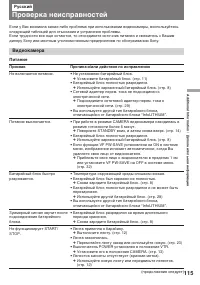
115 Addit ional Inf ormat ion / Дополнительная информация Если у Вас возникла какая-либо проблема при использовании видеокамеры, воспользуйтесьследующей таблицей для отыскания и устранения проблемы.Если трудности все еще остаются, то отсоедините источник питания и свяжитесь с Вашимдилеру Sony или ме...
Страница 116 - Работа
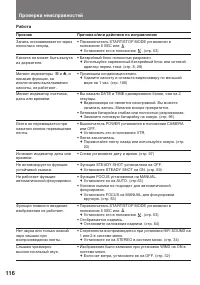
116 Проверка неисправностей Работа Признак Запись останавливается черезнесколько секунд. Кассета не может быть вынутаиз держателя. Мигают индикаторы { и 6 , и никакие функции, заисключением выталкиваниякассеты, не работают. Мигает индикатор счетчика,даты или времени. Лента не перемещается принажатии...
Страница 117 - Изображение; Прочее
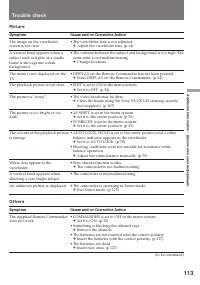
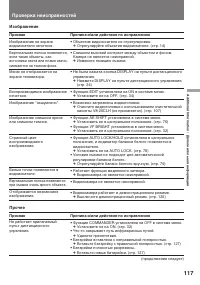
117 Addit ional Inf ormat ion / Дополнительная информация Причина и/или действия по исправлению • Объектив видоискателя не отрегулирован. m Отрегулируйте объектив видоискателя. (стр. 14) • Слишком высокий контраст между объектом и фоном. Камера не является неисправной. m Измените позицию съемки. • Н...
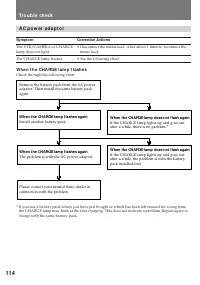
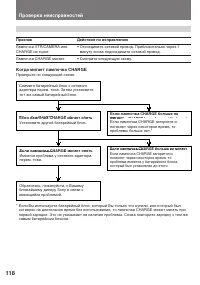
Страница 118 - Сетевой адаптер перем. тока; Когда мигает лампочка CHARGE; Действия по исправлению
118 W hen t he CHARGE lamp f lashes again Install another battery pack. When the CHARGE lamp does not flash again If the CHARGE lamp lights up and goes out after a while, there is no problem. ∗ Remove the battery pack from the AC power adaptor. Then install the same battery pack again. W hen t he CH...
Страница 120 - Технические характеристики
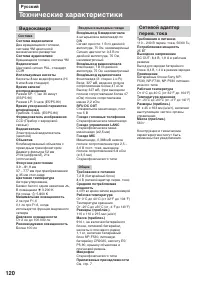
120 Русский Технические характеристики Сетевой адаптерперем. тока Требования к питанию 110 – 240 В перем. тока, 50/60 Гц Потребляемая мощность 25 ВТ Выходное напряжение DC OUT: 8,4 В, 1,9 А в рабочемрежимеВыход для зарядки батарейногоблока: 8,4 В, 1,4 А в режиме зарядки Применение Батарейные блоки S...
Страница 121 - I d e n t i f y i n g t h e p a r t s
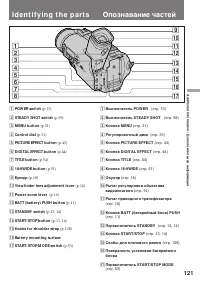
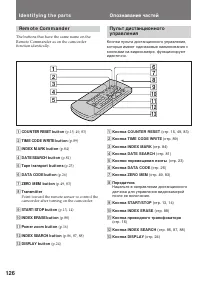
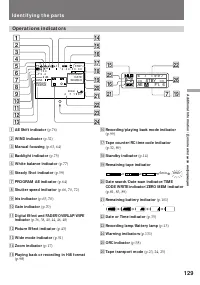
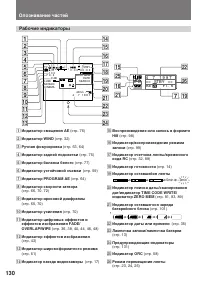
121 Addit ional Inf ormat ion / Дополнительная информация I d e n t i f y i n g t h e p a r t s 1 POW ER sw it ch (p.13) 2 STEADY SHOT sw it ch (p.59) 3 M ENU but t on (p.31) 4 Cont rol dial (p.31) 5 PICTURE EFFECT but t on (p.43) 6 DIGITAL EFFECT but t on (p.44) 7 TITLE but t on (p.54) 8 16:9W IDE ...
Страница 122 - stands for Local Application Control Bus
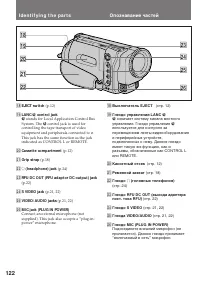
122 I d e n t i f y i n g t h e p a r t s Опознавание частей !• EJECT sw it ch (p.12) !ª LANC l cont rol jack l stands for Local Application Control Bus System. The l control jack is used for controlling the tape transport of videoequipment and peripherals connected to it.This jack has the same func...
Страница 125 - To W a t ch t h e d e m o n st r a t i o n; While holding down; Для просмотра демонстрации; Для ввода демонстрационного режима
125 Addit ional Inf ormat ion / Дополнительная информация To W a t ch t h e d e m o n st r a t i o n You can watch a brief demonstration of pictureswith special effects.If the demonstration appears when you turn onthe camcorder for the first time, exit the demomode to use your camcorder. For details...
Страница 127 - To p r e p a r e t h e Re m o t e Co m m a n d e r; Not e on bat t ery lif e; To u se t h e Re m o t e Co m m a n d e r; Примечание к сроку службы батареек
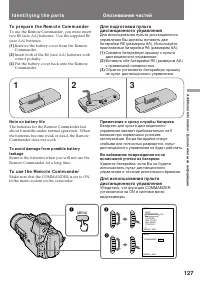
127 Addit ional Inf ormat ion / Дополнительная информация I d e n t i f y i n g t h e p a r t s Опознавание частей To p r e p a r e t h e Re m o t e Co m m a n d e r To use the Remote Commander, you must inserttwo R6 (size AA) batteries. Use the supplied R6(size AA) batteries. (1 ) Remove the batter...
Страница 128 - Re m o t e co n t r o l d i r e ct i o n; Not es on t he remot e commander; • Keep the remote sensor away from strong light; A t t a ch i n g t h e sh o u l d e r st r a p; • Держите дистанционный датчик подальше; Прикрепление плечевого ремня
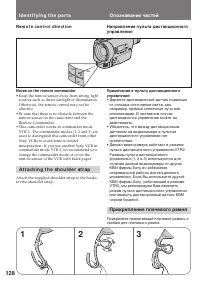
128 Re m o t e co n t r o l d i r e ct i o n Not es on t he remot e commander • Keep the remote sensor away from strong light sources such as direct sunlight or illumination.Otherwise, the remote control may not beeffective. • Be sure that there is no obstacle between the remote sensor on the camcor...
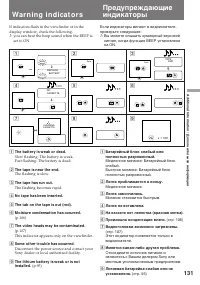
Страница 131 - Wa r n i n g i n d i ca t o r s; : you can hear the beep sound when the BEEP is; Лента приближается к концу.; Мигание становится быстрым.; Произошла конденсация влаги.
131 Addit ional Inf ormat ion / Дополнительная информация Wa r n i n g i n d i ca t o r s If indicators flash in the viewfinder or in thedisplay window, check the following: ≥ : you can hear the beep sound when the BEEP is set to ON. 1 The bat t ery is w eak or dead. Slow flashing: The battery is we...
Страница 132 - Sony Corporation; Ф – Я; Алфавитный указатель
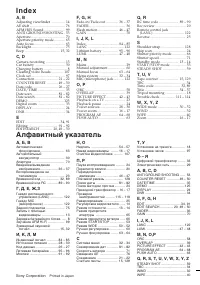
Sony Corporation Printed in Japan A , B Adjusting viewfinder ............... 14 AE shift ....................................... 76 AFM HiFi Sound ....................... 99 ANTI GROUND SHOOTING . 53 Aperture ..................................... 70 Aperture priority mode ............ 65 Auto focus ...


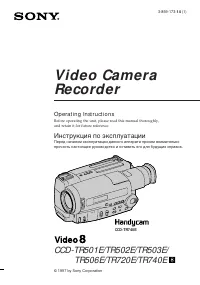 Sony CCD-TR501E / CCD-TR502E Инструкция по эксплуатации
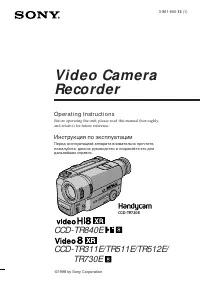 Sony CCD-TR511E / CCD-TR512E Инструкция по эксплуатации
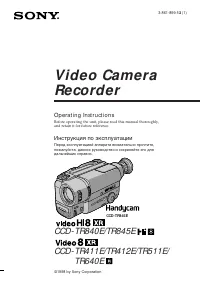 Sony CCD-TR640E Инструкция по эксплуатации
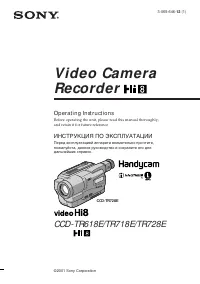 Sony CCD-TR718E Инструкция по эксплуатации
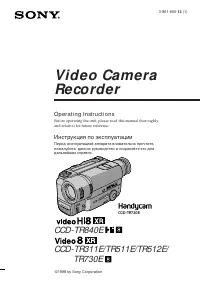 Sony CCD-TR730E Инструкция по эксплуатации
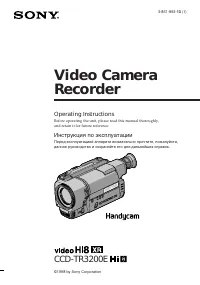 Sony CCD-TR3200E Инструкция по эксплуатации
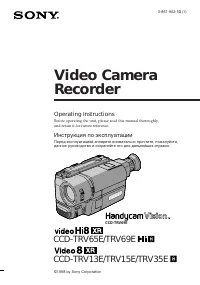 Sony CCD-TRV13E / CCD-TRV15E Инструкция по эксплуатации
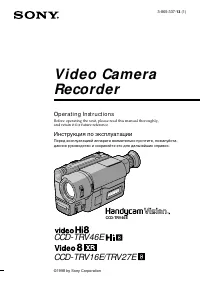 Sony CCD-TRV27E Инструкция по эксплуатации
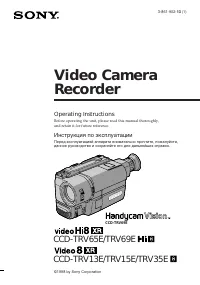 Sony CCD-TRV35E Инструкция по эксплуатации
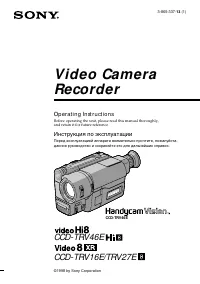 Sony CCD-TRV46E Инструкция по эксплуатации
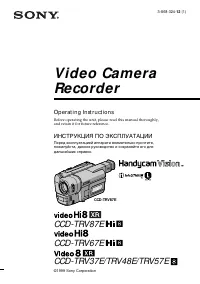 Sony CCD-TRV48E Инструкция по эксплуатации
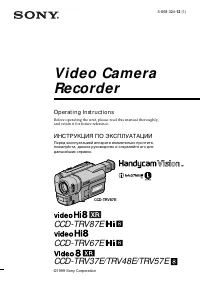 Sony CCD-TRV57E Инструкция по эксплуатации
 Sony CCD-TRV65E Инструкция по эксплуатации
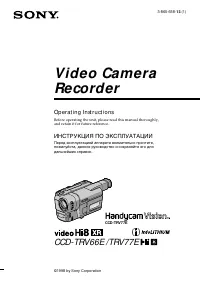 Sony CCD-TRV66E Инструкция по эксплуатации
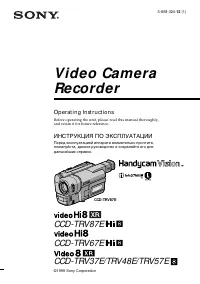 Sony CCD-TRV67E Инструкция по эксплуатации