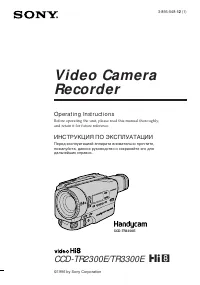
Страница 2 - En g l i sh; camcorder. With your Digital; W ARNING; Русский; ПРЕДУПРЕЖДЕНИЕ; ВНИМАНИЕ; or; A TTEN TI ON
2 En g l i sh We l co m e ! Congratulations on your purchase of this SonyDigital Handycam camcorder. With your Digital Handycam, you can capture life’s preciousmoments with superior picture and soundquality.Your Digital Handycam is loaded with advancedfeatures, but at the same time it is very easy t...
Страница 4 - Оглавление
4 Русский Оглавление • Windows является зарегистрированной торговой маркой, принадлежащей фирмеMicrosoft Corporation, зарегистрированной вСША и других странах. • Все названия изделий, упомянутые в даннном руководстве, могут бытьторговыми марками илизарегистрированными торговыми маркамисоответствующи...
Страница 5 - и л и
5 G etting s tarted Подготовка к эксплуатации Ch e ck i n g su p p l i e da cce sso r i e s 7 1 W ireless Remot e Commander (1) (p. 155) RMT-812: DCR-PC3ERMT-809: DCR-PC2E 2 AC-VF10 pow er adapt or (1), M ains lead (1) (p. 12) 3 NP-FS11 bat t ery pack (1) (p. 12, 15) 4 R6 (Size AA) bat t ery f or Re...
Страница 8 - Руководство по быстрому запуску; Подсоединение провода электропитания; EJECT в; Установка кассеты
8 2 3 Руководство по быстрому запуску Русский Руководство по быстрому запуску В данной главе приведены основные функции Вашейвидеокамеры. Подробные сведения приведены настранице в круглых скобках “( )”. Передвиньте рычаг BATTRELEASE для снятиясоединительной пластиныс Вашей видеокамеры. Соединительна...
Страница 9 - Запись изображения
9 START/STOP MODE 5SEC ANTI GROUND SHOOTING POWER PLAYER MEMORY CAMERA OFF LOCK POWER PLAYER MEMORY CAMERA OFF LOCK POWER PLAYER MEMORY CAMERA OFF LOCK Руководство по быстрому запуску Видоискатель Когда панель ЖКДзакрыта, вытащитевидоискатель так,чтобы он защелкнулся.Используйтевидоискатель,прислони...
Страница 10 - — Ge t t i n g st a r t e d —; Usi n g t h i s m a n u a l; Types of dif f erences; Provided; N o t e o n Ca sse t t e M e m o r y; — Подготовка к эксплуатации —; Использование данного руководства; Примечание по кассетной памяти; Типы различий; Синхронный монтаж DV
10 — Ge t t i n g st a r t e d — Usi n g t h i s m a n u a l The instructions in this manual are for the twomodels listed in the table below. Before you startreading this manual and operating yourcamcorder, check the model number by lookingat the bottom of your camcorder. TheDCR-PC3E is the model us...
Страница 12 - St e p 1 Pre p a r i n g t h e; Ch a r g i n g t h e b a t t e r y p a ck; Connect the mains lead to the AC adaptor.; normal; CHARGE; Пункт 1 Подготовка; Зарядка батарейного блока; Когда погаснет лампочка CHARGE; нормальная зарядка; будет завершена. Для; полной зарядки; , которая позволяет Вам
12 Ch a r g i n g t i m e / Время зарядки Approximate number of minutes to charge anempty battery pack St e p 1 Pre p a r i n g t h e p o w e r su p p l y Ch a r g i n g t h e b a t t e r y p a ck Use the battery pack after charging it for yourcamcorder.Your camcorder operates only with the“InfoLITH...
Страница 13 - Re co r d i n g t i m e /; St e p 1 Pr e p a r i n g t h e p o w e r; Recording w it h; Пункт 1 Подготовка источника; )” указывают время при
13 G etting s tarted Подготовка к эксплуатации0 Re co r d i n g t i m e / Время записи Approximate number of minutes when you use afully charged battery Numbers in parentheses “( )” indicate the timeusing a normally charged battery. * Approximate continuous recording time at25°C (77°F). The battery ...
Страница 14 - To r e m o v e t h e b a t t e r y p a ck; Plug t he mains lead deeply; Для снятия батарейного блока; Примечание к батарейному блоку NP-F10/FS11
14 To r e m o v e t h e b a t t e r y p a ck Slide the battery pack in the direction of thearrow. Not e on NP-F10/ FS11 The battery life will be shorter when you carryout recording in a cold place or with the LCDpanel opened. We recommend that you use theNP-FS21/FS31 large capacity battery pack (not...
Страница 15 - , slide the battery terminal; Not e on t he remaining bat t ery t ime indicat or; Примечание к крышке батарейных контактов
15 G etting s tarted Подготовка к эксплуатации0 St e p 1 Pr e p a r i n g t h e p o w e r su p p l y I n st a l l i n g t h e b a t t e r y p a ck Install the battery pack to use your camcorderoutdoors. (1 ) While sliding BATT RELEASE in the directionof the arrow 1 , slide the battery terminal cover...
Страница 16 - Co n n e ct i n g t o t h e m a i n s; To r e m o v e t h e co n n e ct i n g p l a t e; Для снятия соединительной пластины
16 Co n n e ct i n g t o t h e m a i n s When you use your camcorder for a long time,we recommend that you power it from the mainsusing the AC adaptor. (1 ) Connect the supplied connecting cord to theDC OUT jack on the AC adaptor. (2 ) Slide the connecting plate in the direction ofthe arrow. (3 ) Co...
Страница 17 - To e j e ct a ca sse t t e; Not es; St e p 2 I n se r t i n g a; Для извлечения кассеты; Примечания; Пункт 2 Установка
17 G etting s tarted Подготовка к эксплуатации0 (1 ) Prepare the power supply (p.12). (2 ) Slide OPEN/ Z EJECT in the direction of the arrow and open the lid. The cassettecompartment automatically lifts up andopens. (3 ) Push the middle portion of the back of thecassette to insert.Insert the cassett...
Страница 18 - FN; I n t h e r e co r d i n g /p l a y b a ck m o d e; Press OPEN to open the LCD panel.; To r e t u r n t o FN; Press EXEC or; To ca n ce l se t t i n g s; Press; St e p 3 Usi n g a t o u ch; В режиме CAMERA; Пункт 3 Использование; В режиме записи/воспроизведения; Нажмите ЕХЕС или; Для отмены установок; Нажмите
18 2 4 5 ,6 1 3 FN PAGE1 PAGE2 EXIT MENU ENDSCH FADER DIGEFFT MEM MIX EXPO– SURE PAGE1 PAGE2 EXIT TITLE LCDBRT VOL POWER PLAYER MEMORY CAMERA OFF LOCK Your camcorder has operation buttons on theLCD screen. Touch the LCD panel directly tooperate each function. I n t h e r e co r d i n g /p l a y b a ...
Страница 19 - St e p 3 Usi n g a t o u ch p a n e l; Пункт 3 Использование сенсорной
19 G etting s tarted Подготовка к эксплуатации0 Примечания • При использовании сенсорной панели нажимайте кнопки управления большимпальцем, поддерживая экран ЖКД с заднейстороны или легко нажимайте эти кнопкиВашим указательным пальцем. Ненажимайте их заостренными предметами,такими, как шариковые руч...
Страница 20 - — Re co r d i n g – Ba si cs —; Re co rd i n g a p i ct u re; Your camcorder automatically focuses for you.; A f t e r r e co r d i n g; Set the POWER switch to OFF.; После записи; Удалите батарейный блок
20 LOCK 5 4 3 2 40min REC 0:00:01 1 POWER PLAYER MEMORY CAMERA OFF POWER PLAYER MEMORY CAMERA OFF LOCK — Re co r d i n g – Ba si cs — Re co rd i n g a p i ct u re Your camcorder automatically focuses for you. (1 ) Remove the lens cap and pull the lens capstring to fix it. (2 ) Install the power sour...
Страница 21 - • Fasten the grip strap firmly. Do not touch the; Not e on Recording mode; • Плотно пристегните ремень для захвата; Примечание по режиму записи
21 R ecording – B asic s Запись – Основные положения Not es • Fasten the grip strap firmly. Do not touch the built-in microphone during recording. • When the viewfinder is not pull out until it clicks, the picture does not appear in theviewfinder even if the LCD panel is closed. Not e on Recording m...
Страница 22 - A d j u st i n g t h e v i e w f i n d e r; Not e; Sh o o t i n g w i t h t h e LCD scr e e n; indicator appears in the; M irror; Примечание; Съемка с помощью экрана ЖКД; Зеркальный режим
22 A d j u st i n g t h e v i e w f i n d e r If you record pictures with the LCD panel closed,check the picture with the viewfinder. Adjust theviewfinder lens to your eyesight so that theindicators in the viewfinder come into sharpfocus. Pull out the viewfinder and move the viewfinderlens adjustmen...
Страница 23 - OPEN; Для возврата в положение FN
23 R ecording – B asic s Запись – Основные положения A d j u st i n g t h e b r i g h t n e ss o f t h eLCD scr e e n (1 ) In the standby/recording mode, press FN andselect PAGE2 (p. 18). (2 ) Press LCD BRT. The screen to adjust thebrightness of the LCD screen appears. (3 ) Adjust the brightness of ...
Страница 24 - Индикаторы в зеркальном режиме; Когда Вы нажимаете кнопку FN; Xz; W hen you press FN; Usi n g t h e zo o m f e a t u r e
24 W T T W T W T W Re co r d i n g a p i ct u r e Запись изображения Индикаторы в зеркальном режиме Индикатор STBY появится в виде Xz , а индикатор REC в виде z . Некоторые другие индикаторы появятся в зеркальноотображенном виде, а некоторые из них небудут отображаться совсем. Когда Вы нажимаете кно...
Страница 25 - При съемке объекта с близкого положения; • Цифровой вариообъектив начинает; Установка START/STOP MODE; В режиме 5SEC счетчик ленты не появляется.; W hen you shoot close t o a subject; STA RT/STOP M OD E se t t i n g; zzzzz
25 R ecording – B asic s Запись – Основные положения Re co r d i n g a p i ct u r e START/STOP MODE ANTI GROUND SHOOTING 5SEC Запись изображения При съемке объекта с близкого положения Если Вы не можете получить четкойфокусировки, передвиньте рычаг приводноговариообъектива сторону “W” до полученияче...
Страница 26 - The indicators are not recorded on tape.; Индикаторы не записываются на ленту.
26 Re co r d i n g a p i ct u r e I n d i ca t o r s d i sp l a y e d i n t h er e co r d i n g m o d e The indicators are not recorded on tape. Time code The time code indicates the recording orplayback time, “0:00:00” (hours : minutes :seconds) in CAMERA mode and “0:00:00:00”(hours : minutes : sec...
Страница 27 - indicator appears in the viewfinder or on; BACK LIGHT; Функция задней подсветки будет отменена.
27 R ecording – B asic s Запись – Основные положения Re co r d i n g a p i ct u r e Sh o o t i n g b a ck l i t su b j e ct s( BA CK LI GHT) When you shoot a subject with the light sourcebehind the subject or a subject with a lightbackground, use the backlight function. Press BACK LIGHT in the recor...
Страница 28 - Использование режима +SLOW SHUTTER; • Не используйте функцию ночной съемки в; Индикатор; Usi n g +SLOW SHUTTER
28 Re co r d i n g a p i ct u r e Запись изображения Использование режима +SLOW SHUTTER Режим ночной съемки +медленного затворапозволяет сделать объекты более чем вчетыре раза ярче, чем в случае, если Выбудете выполнять съемку в темноте спомощью функции ночной съемки. (1 ) Передвиньте переключатель ...
Страница 29 - The +SLOW SHUTTER but t on does not w ork:; NightShot Light does not work.; EN D SEA RCH; End search f unct ion; Подсветка для ночной съемки; END SEARCH; Функция поиска конца
29 R ecording – B asic s Запись – Основные положения Re co r d i n g a p i ct u r e The +SLOW SHUTTER but t on does not w ork: – while the fader function is set or in use– while the digital effect function is in use– when NIGHTSHOT is set to OFF– in the MEMORY mode (DCR-PC3E only) Night Shot Light N...
Страница 30 - — Pl a y b a ck – Ba si cs —; Pl a y i n g b a ck a t a p e; — Воспроизведение – Основные положения —; Воспроизведение ленты
30 — Pl a y b a ck – Ba si cs — Pl a y i n g b a ck a t a p e You can monitor the playback picture on theLCD screen. You can control playback using theRemote Commander supplied with yourcamcorder. (1 ) Install the power source and insert therecorded tape. (2 ) Press OPEN to open the LCD panel. (3 ) ...
Страница 31 - W hen monit oring on t he LCD screen; Во время контроля на экране ЖКД
31 P laybac k – B asic s Воспроизведение – Основные положения W hen monit oring on t he LCD screen You can turn the LCD panel over and move itback to the camcorder body with the LCD screenfacing out. If you leave t he pow er on f or a long t ime Your camcorder gets warm. This is not amalfunction. W ...
Страница 32 - Usi n g t h e d a t a co d e f u n ct i o n; Not t o display various set t ings; no indicator; Использование функции кода даты; разные установки (устойчивая
32 To co n t r o l t h e d i sp l a y o f t h escr e e n i n d i ca t o r s Press DISPLAY/TOUCH PANEL on yourcamcorder or DISPLAY on the RemoteCommander supplied with your camcorder.The indicators disappear on the LCD screen.To make the indicators appear, press DISPLAY/TOUCH PANEL again. Usi n g t h...
Страница 33 - Для ускоренной перемотки ленты назад; V a r i o u s p l a y b a ck m o d e s; To a d v a n ce t h e t a p e
33 P laybac k – B asic s Воспроизведение – Основные положения Pl a y i n g b a ck a t a p e Воспроизведение ленты Примечание На изображениях, записанных на “MemoryStick”, различные установки незаписываются. (Только модель DCR-PC3E) Записанные данные Записанные данные несут информацию озаписи, выполн...
Страница 34 - Кнопки видеоконтроля; To v i e w t h e p i ct u r e a t d o u b l e sp e e d; Video cont rol but t ons
34 Pl a y i n g b a ck a t a p e Воспроизведение ленты Для контроля изображения на высокой скорости во время ускоренной перемотки ленты вперед или назад (поиск методом прогона) Держите нажатой кнопку / m во время ускоренной перемотки ленты назад или кнопку / M во время ускоренной перемотки ленты впе...
Страница 35 - Передача сигнала
35 P laybac k – B asic s Воспроизведение – Основные положения Vi e w i n g t h e re co rd i n go n TV Connect your camcorder to your TV or VCR withthe A/V connecting cable supplied with yourcamcorder to watch the playback picture on theTV screen. You can operate the playback controlbuttons in the sa...
Страница 36 - V i e w i n g t h e r e co r d i n g o n TV; TV
36 I f y o u r TV /V CR h a s a 2 1 -p i nco n n e ct o r ( EUROCON N ECTOR) Use the 21-pin adaptor supplied with yourcamcorder. If your TV or VCR has an S video jack Connect using an S video cable (not supplied) toobtain high-quality pictures. With thisconnection, you do not need to connect theyell...
Страница 37 - — A d v a n ce d Re co r d i n g Op e r a t i o n s —; Ph o t o re co rd i n g; Set the POWER switch to CAMERA.; — Усовершенствованные операции съемки —; Фотосъемка
37 Advanc ed R ecording Operat ions Усовершенствованные операции съемки — A d v a n ce d Re co r d i n g Op e r a t i o n s — Ph o t o re co rd i n g You can record a still picture like a photograph.This mode is useful when you want to record apicture such as a photograph or when you print apicture ...
Страница 38 - Ph o t o r e co r d i n g
38 Not es • During photo recording, you cannot change the mode or setting. • During photo recording, you cannot turn your camcorder off or press the PHOTO button. • When recording a still picture, do not shake your camcorder. The picture may fluctuate. • The photo recording function does not work: –...
Страница 39 - LINE IN; Pr i n t i n g t h e st i l l p i ct u r e
39 Advanc ed R ecording Operat ions Усовершенствованные операции съемки AUDIO/VIDEO OUT S VIDEO LINE IN VIDEO S VIDEO Pr i n t i n g t h e st i l l p i ct u r e You can print a still picture by using the videoprinter (not supplied). Connect the video printerusing the A/V connecting cable supplied wi...
Страница 40 - Set 16:9WIDE to OFF in the menu settings.; In t he w ide mode; Usi n g t h e w i d e m o d e; или на; В широкоэкранном режиме
40 You can record a 16:9 wide picture to watch onthe 16:9 wide-screen TV (16:9WIDE).Black bands appear on the screen duringrecording in 16:9WIDE mode [a ]. The picture during playing back on a normal TV [b ] or a wide -screen TV [c] are compressed in the widthwise direction. If you set the screen mo...
Страница 41 - NORM AL FADER; MONOTONE
41 Advanc ed R ecording Operat ions Усовершенствованные операции съемки You can fade in or out to give your recording aprofessional appearance. Usi n g t h e f a d e rf u n ct i o n NORM AL FADER M .FADER (mosaic) / (мозаика) BOUNCE*(Fade in only) / (только плавноевведение изображения) OVERLAP(Fade ...
Страница 42 - Usi n g t h e f a d e r f u n ct i o n; Select a desired fader mode.; To ca n ce l t h e f a d e r f u n ct i o n; OFF to return; FADER; Использование функции фейдера; При введении изображения; Выберите желаемый режим фейдера.; Для отмены функции фейдера; OFF для возврата к PAGE1/
42 Usi n g t h e f a d e r f u n ct i o n (1 ) W hen f ading in [a] In the standby mode, press FN to displayPAGE1 (p. 18). W hen f ading out [b ] In the recording mode, press FN to displayPAGE1 (p. 18). (2 ) Press FADER. The screen to select the fadermode appears. (3 ) Select a desired fader mode. (...
Страница 43 - You cannot use the fader function.; Not e on t he bounce f unct ion; ON в установках меню
43 Advanc ed R ecording Operat ions Усовершенствованные операции съемки Not e You cannot use the following functions whileusing the fader function. Also, you cannot usethe fader function while using the followingfunctions.– Digital effect– Low lux mode of PROGRAM AE (Overlap function only) – NightSh...
Страница 44 - W hile using t he pict ure ef f ect f unct ion; : Цвет и яркость изображения; SEPIA; : Яркость света будет; PASTEL; в установках меню для; Выберите OFF в установках меню P EFFECT.; Если Вы выключите питание
44 You can digitally process images to obtain specialeffects like those in films or on the TV. NEG. ART [a ] : The colour and brightness of the picture is reversed. SEPIA : The picture is sepia. B&W : The picture is monochrome(black-and-white). SOLARIZE [b ] : The light intensity is clearer, and...
Страница 45 - STILL
45 Advanc ed R ecording Operat ions Усовершенствованные операции съемки Usi n g sp e ci a l e f f e ct s– D i g i t a l e f f e ct You can add special effects to recorded picturesusing the various digital functions. The sound isrecorded normally. STILL You can record a still picture so that it issup...
Страница 46 - It ems t o adjust; Пункты для регулировки
46 Usi n g sp e ci a l e f f e ct s– D i g i t a l e f f e ct (1 ) In the standby mode, press FN to displayPAGE1 (p. 18). (2 ) Press DIG EFFT. The screen to select a desireddigital effect mode. (3 ) Select a desired digital effect mode. (4 ) Press –/+ to adjust the effect. It ems t o adjust STILL Th...
Страница 49 - We recommend that you record in the; W hen you record under f luorescent light ing; In t he hold w hit e balance mode; outdoors and vice versa.; В автоматическом режиме баланса белого; • Вы вынесли Вашу видеокамеру из; В режиме блокировки баланса белого; помещения на улицу и наоборот.
49 Advanc ed R ecording Operat ions Усовершенствованные операции съемки If t he pict ure is being t aken in a st udio lit byTV light ing We recommend that you record in the n indoor mode. W hen you record under f luorescent light ing Use the automatic white balance or hold mode.Your camcorder may no...
Страница 51 - Usi n g t h e PROGRA M A E f u n ct i o n
51 Advanc ed R ecording Operat ions Усовершенствованные операции съемки Usi n g t h e PROGRA M A E f u n ct i o n (1 ) In the standby mode, press FN to displayPAGE1 (p. 18). (2 ) Press MENU, then select a desiredPROGRAM AE mode in in the menu settings (p. 78). To r e t u r n t o FN Press EXIT. To t ...
Страница 52 - EXPO–; ночных сцен) с большой достоверностью
52 You can manually adjust and set the exposure.Adjust the exposure manually in the followingcases:• The subject is backlit• Bright subject and dark background• To record dark pictures (e.g. night scenes) faithfully (1 ) In the standby/recording/memory camera(DCR-PC3E only) mode, press FN to display...
Страница 53 - Fo cu si n g m a n u a l l y; To r e t u r n t o t h e a u t o f o cu s m o d e; FOCUS; Фокусировка вручную; таком фоне, как стена или небо; Для съемки удаленных объектов
53 Advanc ed R ecording Operat ions Усовершенствованные операции съемки You can gain better results by manually adjustingthe focus in the following cases:•The autofocus mode is not effective when shooting– subjects through glass coated with water droplets – horizontal stripes– subjects with little c...
Страница 54 - W hen you shoot close t o t he subject; изменяется следующим образом:; чтобы выполнить фокусировку на него.
54 Fo cu si n g m a n u a l l y Not t o make subject s out of f ocus w hen usingzoom f unct ion Focus after forcusing at the “T” (telephoto)position. It will be harder to focus on when usingdigital zoom function. Shoot ing in relat ively dark places or shoot ingf ast -moving subject s in relat ively...
Страница 55 - — A d v a n ce d Pl a y b a ck Op e r a t i o n s —; — Усовершенствованные операции воспроизведения —; • Вы не можете видоизменять введенные из
55 Advanc ed P laybac k Operat ions Усовершенствованные операции воспроизведения — A d v a n ce d Pl a y b a ck Op e r a t i o n s — Pl a y i n g b a ck a t a p ew i t h p i ct u re e f f e ct s During playback, you can process a scene usingthe picture effect functions: NEG.ART, SEPIA,B&W and SO...
Страница 56 - • You cannot process externally input scenes
56 During playback, you can process a scene usingthe digital effect functions: STILL, FLASH, LUMI.and TRAIL. (1 ) In the playback mode or the playback pausemode, press FN and select PAGE2 (p. 18). (2 ) Press DIG EFFT. The screen to select a desireddigital effect mode appears. (3 ) Select a desired d...
Страница 58 - To st o p se a r ch i n g; Для остановки поиска
58 You can automatically search for the point wherethe recording date changes and start playbackfrom that point (Dat e search) . Use a tape with cassette memory for convenience. Use theRemote Commander for this operation.Use this function to check where recording dateschange or to edit the tape at e...
Страница 59 - Se a r ch i n g a r e co r d i n g b y d a t e
59 Advanc ed P laybac k Operat ions Усовершенствованные операции воспроизведения Se a r ch i n g f o r t h e d a t e w i t h o u tu si n g ca sse t t e m e m o r y (1 ) Set the POWER switch to PLAYER. (2 ) Press FN to display PAGE1 (p. 18). (3 ) Press MENU, then set CM SEARCH in to OFF in the menu s...
Страница 60 - Tit le search; If you use a t ape w it hout casset t e memory; поиск; В индикаторе
60 Se a rch i n g t h e b o u n d a r i e so f re co rd e d t a p e b y t i t l e– Ti t l e se a rch If you use a tape with cassette memory,you can search for the boundaries ofrecorded tape by title ( Tit le search ). Use the Remote Commander for thisoperation. (1 ) Set the POWER switch to PLAYER. (...
Страница 62 - In t he
62 Se a r ch i n g f o r a p h o t o– Ph o t o se a r ch /Ph o t o sca n Поиск фото – Фотопоиск/Фотосканирование В индикаторе • Полоса в указывает точку на ленте на настоящий момент. • Знак в указывает фактическую точку, которую Вы пытаетесь найти. Если на ленте имеется незаписанныйучасток между зап...
Страница 63 - Sca n n i n g p h o t o; To st o p sca n n i n g; Сканирование фото; Для остановки сканирования
63 Advanc ed P laybac k Operat ions Усовершенствованные операции воспроизведения Sca n n i n g p h o t o (1 ) Set the POWER switch to PLAYER. (2 ) Press SEARCH MODE on the RemoteCommander repeatedly, until the photo scanindicator appears.The indicator changes as follows:TITLE SEARCH t DATE SEARCH t ...
Страница 64 - Usi n g t h e A /V co n n e ct i n g ca b l e; W hen you dub a t ape; D u b b i n g a t a p e; Если Вы закончили перезапись ленты; Нажмите кнопку; Во время перезаписи ленты; или DV; Если Ваш КВМ монофонического типа; Перезапись ленты
64 Usi n g t h e A /V co n n e ct i n g ca b l e Connect your camcorder to the VCR using theA/V connecting cable supplied with yourcamcorder.Set the input selector on the VCR to LINE, ifavailable. (1 ) Insert a blank tape (or a tape you want torecord over) into the VCR, and insert therecorded tape i...
Страница 65 - Set the POWER switch to PLAYER.; DV OUT
E diting Монтаж 65 Connect using an S video cable (not supplied)t o obt ain high-qualit y pict ures With this connection, you do not need to connectthe yellow (video) plug of the A/V connectingcable.Connect an S video cable (not supplied) to the Svideo jacks of both your camcorder and the VCR.This c...
Страница 66 - If you record playback pause pict ure w it h t he
66 By simply selecting the scenes to edit, you canduplicate the desired portion on a tape, usingother equipment connected with an i.LINK cable(DV connecting cable). The scenes can be selectedby frame. You can also use the RemoteCommander for this operation. Since yourcamcorder exchanges digital sign...
Страница 67 - MARK
E diting Монтаж 67 Ed i t i n g p a r t i a l l y o n a D V t a p e– D V sy n ch r o -e d i t i n g( D CR-PC3 E o n l y ) Not es • If you use other than Sony equipment with the DV jack, you cannot perform DV synchro- editing. • If a tape has a blank portion between recorded portions, DV synchro-edit...
Страница 68 - No connection is necessary.; A u d i o d u b b i n g; Аудиоперезапись
68 You can record an audio sound to add to theoriginal sound on a tape by connecting amicrophone. The original sound will not beerased. Use the Remote Commander for thisoperation. Co n n e ct i n g t h e m i cr o p h o n ew i t h t h e M I C j a ck You can check the recorded picture and sound byconn...
Страница 69 - To p l a y b a ck t h e so u n d; AUDIO DUB; Для воспроизведения звука
E diting Монтаж 69 VTR SET H i F i SOUNDAUD I O M I X ST1 ST2 EXIT RET. EXEC R r A d d i n g a n a u d i o so u n d o n ar e co r d e d t a p e (1 ) Insert your recorded tape into yourcamcorder. (2 ) Set the POWER switch to PLAYER. (3 ) Locate the recording start point by pressing N on the Remote Co...
Страница 70 - • Новый звук не может быть записан на; Если Вы сделали все подсоединения
70 A u d i o d u b b i n g Not es • New sound cannot be recorded on a tape already recorded in the 16-bit mode (32 kHz,44.1 kHz or 48 kHz) (p. 82). • New sound cannot be recorded on a tape already recorded in the LP mode. • You cannot add audio with the AUDIO/ VIDEO OUT nor DV OUT jack. If you make ...
Страница 71 - Su p e r i m p o si n g a t i t l e; TITLE; Наложение титра
E diting Монтаж 71 Su p e r i m p o si n g a t i t l e If you use a tape with cassette memory,you can superimpose the title whilerecording or after recording. When youplay back the tape, the title is displayedfor five seconds from the point where yousuperimposed it. You can select one of eight prese...
Страница 72 - Для использования собственного титра
72 Su p e r i m p o si n g a t i t l e If you set t he w rit e-prot ect t ab t o lock You cannot superimpose or erase the title. Slidethe write-protect tab to release the writeprotection. To use t he cust om t it le If you want to use the custom title, select in step 3. If t he t ape has a blank por...
Страница 73 - Er a si n g a t i t l e; Выберите; Нажмите кнопку CANCEL в пункте 7.
E diting Монтаж 73 Er a si n g a t i t l e (1 ) Set the POWER switch to PLAYER. (2 ) Press to FN to display PAGE1 (p. 18). (3 ) Press MENU to display the menu. (4 ) Select with r / R , and then EXEC. (5 ) Select TITLEERASE with r / R , and then EXEC. The screen to erase a title appears. (6 ) Select ...
Страница 74 - SET; Нажмите кнопку TITLE.
74 M a k i n g y o u r o w nt i t l e s You can make up to two titles and storethem in Cassette Memory. Each title canhave up to 20 characters. (1 ) In the standby/playback/playback pausemode, press FN, and select PAGE2 (p. 18). (2 ) Press TITLE. (3 ) Select with r / R , and press EXEC. (4 ) Select ...
Страница 75 - To erase t he t it le; To ent er a space; M a k i n g y o u r o w n t i t l e s; Для стирания титра; Для ввода пробела
E diting Монтаж 75 To r e t u r n t o FN Press EXIT. To ch a n g e a t i t l e y o u h a v e st o r e d In step 4, select CUSTOM1 SET or CUSTOM2SET, depending on which title you want tochange, then press EXEC and then enter the newtitle as desired. If you t ake 5 minut es or longer t o ent ercharact...
Страница 76 - La b e l i n g a ca sse t t e; Маркировка кассеты
76 La b e l i n g a ca sse t t e If you use a tape with cassette memory,you can label a cassette. The label canconsist of up to 10 characters and is storedin cassette memory. When you insert thelabeled cassette and set the POWERswitch to PLAYER, the label is displayedfor about 5 seconds. (1 ) Insert...
Страница 77 - Если появится индикатор
E diting Монтаж 77 To r e t u r n t o FN Press EXIT. To e r a se a ch a r a ct e r Select C in step 6. The last character is erased. To ch a n g e t h e l a b e l y o u h a v e m a d e Insert the cassette to change the label, andoperate in the same way to make a new label. If you set t he w rit e-pr...
Страница 78 - — Cu st o m i zi n g Y o u r Ca m co r d e r —; MENU
78 — Cu st o m i zi n g Y o u r Ca m co r d e r — Ch a n g i n g t h e m e n use t t i n g s To change the mode settings in the menusettings, select the menu items with r / R dial. The default settings can be partially changed. First,select the icon, then the menu item and then themode. (1 ) In the ...
Страница 84 - Выбор установок режима по каждому пункту; установка по умолчанию.; Примечания по функции устойчивой съемки; функцию устойчивой съемки.; Если Вы отмените функцию устойчивой съемки; Появится индикатор устойчивой съемки
84 Русский Выбор установок режима по каждому пункту z установка по умолчанию. Пункты меню отличаются в зависимости от положения переключателя POWER.Экран ЖКД показывает только те пункты, которыми Вы можете управлять на данный момент. Пиктограмма/пункт PROGRAM AE P EFFECT WHT BAL AUTO SHTR D ZOOM 16:...
Страница 85 - Примечание относительно воспроизведения NTSC; Вы не можете выбирать команду BRIGHT в установке LCD B.L.
85 C ustomizing Your C amc order Выполнение индивидуальных установок на видеокамере Изменение установок меню Пиктограмма/пункт HiFi SOUND AUDIO MIX NTSC PB LCD B. L. LCD COLOUR VF BRIGHT Режим z STEREO 1 2 z ON PAL TV NTSC 4.43 z BRT NORMAL BRIGHT Предназначение Для воспроизведения стереофонической ...
Страница 87 - Примечания по режиму LP
87 C ustomizing Your C amc order Выполнение индивидуальных установок на видеокамере Изменение установок меню Примечания по режиму LP • Если Вы выполняете запись на ленту в режиме LP на Вашей видеокамере, рекомендуется воспроизводить ленту на Вашей же видеокамере. При воспроизведении ленты на другихв...
Страница 90 - The year changes as f ollow s:; If you do not set t he dat e and t ime; Re se t t i n g t h e d a t e a n d t i m e; Год изменяется следующим образом:
90 The year changes as f ollow s: To r e t u r n t o FN Press EXIT. If you do not set t he dat e and t ime “– –:– –:– –” is recorded on the data code of thetape and the “Memory Stick” (DCR-PC3E only). Not e on t he t ime indicat or The internal clock of your camcorder operates ona 24-hour cycle. 199...
Страница 91 - Usi n g a “ M e m o r y St i ck ”; W hen you use a “M emory St ick”; • You cannot record or erase still images when; — “ M e m o r y St i ck ” o p e r a t i o n s —; – Только модель DCR-PC3E; Если Вы используете “Memory Stick”
91 “ Memory S tic k” operat ions Операции с “Memory Stick” – D CR-PC3 E o n l y You can record and play back still images on a“Memory Stick” supplied with your camcorder.You can easily play back, record or delete stillimages. You can format “Memory Stick”s. Youcan also protect still images and write...
Страница 92 - N o t e o n i m a g e d a t a co m p a t i b i l i t y; Типичное имя файла данных изображения; Memory Stick
92 Usi n g a “ M e m o r y St i ck ”–i n t r o d u ct i o n Typical image dat a f ile name DSC00001.jpg. Not es • Prevent metallic objects or your finger from coming into contact with the metal parts of theconnecting section. • Stick its label on the labeling position.• Do not bend, drop or apply st...
Страница 93 - “M emory St ick” compart ment /; I n se r t i n g a “ M e m o r y St i ck ”; To e j e ct a “ M e m o r y St i ck ”; W hen t he ACCESS lamp is lit or f lashing; Установка “Memory Stick”; Для извлечения “Memory Stick”; Если лампочка ACCESS горит или мигает
93 “ Memory S tic k” operat ions Операции с “Memory Stick” “M emory St ick” compart ment / Отсек для “Memory Stick” ACCESS lamp / Лампочка ACCESS Usi n g a “ M e m o r y St i ck ”–i n t r o d u ct i o n I n se r t i n g a “ M e m o r y St i ck ” Insert a “Memory Stick” in as far as it can go withthe...
Страница 94 - Usi n g a t o u ch p a n e l; In memory camera mode/; Использование сенсорной панели
94 LOCK 2 3 FN 1 LOCK POWER PLAYER MEMORY CAMERA OFF 4 ,5 2 FN INDEX PLAY FN INDEX CAM PAGE1 PAGE2 EXIT MENU PLAY INDEX EXPO– SURE PAGE1 PAGE2 EXIT LCDBRT PLAY INDEX + – Usi n g a t o u ch p a n e l Your camcorder has operation buttons on theLCD screen. Press the LCD panel directly tooperate each fu...
Страница 95 - To e x e cu t e se t t i n g s; Для выполнения установок
95 “ Memory S tic k” operat ions Операции с “Memory Stick” Usi n g a “ M e m o r y St i ck ”–i n t r o d u ct i o n To e x e cu t e se t t i n g s Press EXEC or OK. To ca n ce l se t t i n g s Press OFF to return to PAGE1/PAGE2. To r e t u r n t o FN Press EXIT. Not e • When using the touch panel, p...
Страница 96 - Se l e ct i n g i m a g e q u a l i t y m o d e; Press MENU, then select QUALITY in; I m a g e q u a l i t y se t t i n g s; Set t ing; у установках меню для; Установки качества изображения; Установка
96 Se l e ct i n g i m a g e q u a l i t y m o d e You can select image quality mode in still picturerecording. If you do not make any selection, theunit automatically records in FINE mode. (1 ) Set the POWER switch to MEMORY. Makesure that the LOCK is set to the right (unlock)position. (2 ) Press F...
Страница 97 - Dif f erences in image qualit y mode; Отличия в режиме качества изображения; FINE
97 “ Memory S tic k” operat ions Операции с “Memory Stick” Usi n g a “ M e m o r y St i ck ”–i n t r o d u ct i o n Dif f erences in image qualit y mode Recorded images are compressed in JPEG formatbefore being stored into memory. The memorycapacity allotted to each image varies dependingon the sele...
Страница 98 - W hile “FORM ATTING” is displayed; Вставьте “Memory Stick” в Вашу видеокамеру.; Если; Снова отформатируйте “Memory Stick”.
98 Fo r m a t t i n g ( i n i t i a l i zi n g ) a“ M e m o r y St i ck ” Your camcorder can format (initialize) a“Memory Stick”. If you format a “MemoryStick”, all data stored in the “Memory Stick” willbe deleted. This function is convenient when youwant to delete all data including protectedimages...
Страница 99 - Bef ore operat ion; Insert a “Memory Stick” into your camcorder.; Number of recorded images /; Перед началом работы
99 “ Memory S tic k” operat ions Операции с “Memory Stick” Reco rd i n g st i l l i m ag es o n“ M em o ry St i ck” s– M em o ry p h o t o reco rd i n g – D CR-PC3 E o n l y You can select the FIELD or FRAME mode in stillpicture recording. Your camcorder compensatesfor camera-shake when recording mo...
Страница 100 - • When recording fast-moving subjects in the; W hen t he POW ER sw it ch is set t o M EM ORY; Re co r d i n g i m a g e s co n t i n u o u sl y; You can record 3 or 4 pictures continuously.; • При записи быстро движущихся объектов в; Непрерывный режим
100 Not es • When recording fast-moving subjects in the FRAME mode, the recorded image blurry. • When recording in the FRAME mode, your camcorder may not correct camera-shake. Werecommend that you shoot objects with atripod. W hen t he POW ER sw it ch is set t o M EM ORY The following functions do n...
Страница 101 - in the menu settings.; Co n t i n u o u s sh o o t i n g se t t i n g s; Number of images in cont inuous shoot ing; images; Установки непрерывной съемки; изображения
101 “ Memory S tic k” operat ions Операции с “Memory Stick” (1 ) Set the POWER switch to MEMORY whilepressing the small green button. Make surethat the LOCK is set to the right (unlock)position. (2 ) Press FN to display PAGE1 (p. 94). (3 ) Press MENU, then set CONTINUOUS to ONin in the menu settings...
Страница 102 - Cиняя
102 Superim posing a st ill pict ure ina “ M em ory St ick” on a m ovingpict ure – M EM ORY M IX – D CR-PC3 E o n l y You can superimpose a still picture you haverecorded on a “Memory Stick” on top of themoving picture you are recording. M . CHROM (Memory chromakey) You can swap a blue area of a sti...
Страница 103 - MEM; изображения
103 “ Memory S tic k” operat ions Операции с “Memory Stick” Su p e r i m p o si n g a st i l l p i ct u r e i n a“ M e m o r y St i ck ” o n a m o v i n g p i ct u r e– M EM ORY M I X Bef ore operat ion Insert a recorded “Memory Stick” on yourcamcorder. (1 ) Set the POWER switch to CAMERA whilepress...
Страница 104 - To ch a n g e t h e m o d e se t t i n g; During recording; Для изменения установки режима; Во время записи
104 Su p e r i m p o si n g a st i l l p i ct u r e i n a“ M e m o r y St i ck ” o n a m o v i n g p i ct u r e– M EM ORY M I X It ems t o adjust M. CHROM The colour (blue) scheme of thearea in the still picture which isto be swapped with a movingpicture M. LUMI The colour (bright) scheme of thearea...
Страница 106 - Your camcorder stops momentarily.; Ваша видеокамера на мгновение остановится.; Звук, записанный на ленту mini DV; Вы не можете записывать звук с ленты mini DV.; Титры, уже записанные на ленты mini DV
106 W hen t he ACCESS lamp is lit or f lashing Never shake or strike the unit. As well do notturn the power off , eject a “Memory Stick” orremove the battery pack. Otherwise, the imagedata breakdown may occur. If “ ” appears on t he LCD screen or in t he view f inder The inserted “Memory Stick” is i...
Страница 107 - • Insert a recorded mini DV tape and rewind the; • Вставьте записанную ленту mini DV и
107 “ Memory S tic k” operat ions Операции с “Memory Stick” Co p y i n g st i l l i m a g e sf ro m a m i n i D V t a p e– Ph o t o sa v e – D CR-PC3 E o n l y Using the search function, you can automaticallytake in only still images from mini DV tapes andrecord them on a “Memory Stick” in sequence....
Страница 108 - To st o p o r e n d co p y i n g
108 To st o p o r e n d co p y i n g Press END. To r e t u r n t o FN Press END to return to PAGE1/PAGE2, then press EXIT. W h e n t h e m e m o r y o f t h e “ M e m o r ySt i ck ” i s f u l l “MEMORY FULL” appears on the LCD screen,and the copying stops. Press END, insert another “Memory Stick” an...
Страница 109 - PLAY
109 “ Memory S tic k” operat ions “ Memory S tic k” operat ions Операции с “Memory Stick” Vi e w i n g a st i l l p i ct u re– M e m o r y p h o t op l a y b a ck – D CR-PC3 E o n l y You can play back still images recorded on a“Memory Stick”. You can also play back 6 imagesat a time by selecting th...
Страница 110 - To play back recorded images on a TV screen; • Connect your camcorder to the TV with the; St ill image; Image number/Total number of recorded images /
110 To play back recorded images on a TV screen • Connect your camcorder to the TV with the A/V connecting cable supplied with yourcamcorder before the operation. • When operating memory photo playback on a TV or the LCD screen, the image quality mayappear to have deteriorated. This is not amalfunct...
Страница 111 - Press the image you want to display.; A red
111 “ Memory S tic k” operat ions Операции с “Memory Stick” 1 / 40 1 2 3 4 5 6 EXIT DEL MARK - MARK T t V i e w i n g a st i l l p i ct u r e– M e m o r y p h o t o p l a y b a ck To r e t u r n t o FN Press EXIT. To r e t u r n t o t h e n o r m a l p l a y b a ckscr e e n ( si n g l e scr e e n ) ...
Страница 112 - “Memory Stick”
112 V i e w i n g t h e r e co r d e d i m a g e su si n g a p e r so n a l co m p u t e r The image data recorded with your camcorder iscompressed in the JPEG format. If you use theapplication software, “PictureGear 3.2Lite”supplied with your camcorder, you can seeimages recorded on a “Memory Stick...
Страница 113 - To st o p o r e n d t h e sl i d e sh o w; To p a u se d u r i n g a sl i d e sh o w; – Только модель DCR-PC3
113 “ Memory S tic k” operat ions “ Memory S tic k” operat ions Операции с “Memory Stick” – D CR-PC3 E o n l y You can automatically play back images insequence. This function is useful especially whenchecking recorded images or during apresentation. Bef ore operat ion Insert a “Memory Stick” into y...
Страница 114 - To view t he recorded images on TV
114 To view t he recorded images on TV Connect your camcorder to a TV with the A/Vconnecting cable supplied with your camcorderbefore operation. If you change t he “M emory St ick” duringoperat ion The slide show does not operate. If you changethe “Memory Stick”, be sure to follow the stepsagain fro...
Страница 115 - You cannot carry out image protection.; INDEX
115 “ Memory S tic k” operat ions “ Memory S tic k” operat ions Операции с “Memory Stick” Pre v e n t i n g a cci d e n t a le r a su re – I m a g ep ro t e ct i o n – D CR-PC3 E o n l y To prevent accidental erasure of importantimages, you can protect selected images. Bef ore operat ion Insert a “M...
Страница 116 - Press CANCEL in step 5.; • To delete a protected image, first cancel image; D e l e t i n g i m a g e s
116 – D CR-PC3 E o n l y You can delete images stored in a “MemoryStick”. D e l e t i n g se l e ct e d i m a g e s o nt h e si n g l e scr e e n Bef ore operat ion Insert a “Memory Stick” into your camcorder. (1 ) Set the POWER switch to MEMORY whilepressing the small green button. Make surethat th...
Страница 117 - DEL; Удаление изображений; Вставьте “Memory Stick” в Вашу видеокамеру; Нжамите кнопку CANCEL в пункте 5.
117 “ Memory S tic k” operat ions Операции с “Memory Stick” D e l e t i n g se l e ct e d i m a g e s o nt h e i n d e x scr e e n Bef ore operat ion Insert a “Memory Stick” into your camcorder. (1 ) Set the POWER switch to MEMORY whilepressing the small green button. Make surethat the LOCK is set t...
Страница 118 - D e l e t i n g a l l t h e i m a g e s; Select; W hile “DELETING” appears; Удаление всех изображений; Выберите установку
118 D e l e t i n g a l l t h e i m a g e s You can delete all the unprotected images in a“Memory Stick”. Bef ore operat ion Insert a “Memory Stick” into your camcorder. (1 ) Set the POWER switch to MEMORY whilepressing the small green button. Make surethat the LOCK is set to the right (unlock)posit...
Страница 120 - — A d d i t i o n a l I n f o r m a t i o n —; Usi n g t h e v i e w f i n d e r; — Дополнительная информация —; Использование видоискателя
120 2 3 x m N X M FN — A d d i t i o n a l I n f o r m a t i o n — Usi n g t h e v i e w f i n d e r You can operate with the touch panel using theviewfinder. (1 ) Pull out the viewfinder until it clicks, andthen turn the LCD panel over and move itback to your camcorder body with the LCDscreen facin...
Страница 121 - Пpимeчания
121 Addit ional Inf ormat ion Дополнительная информация Not es • Do not touch the LCD screen with wet hands.• Do not press them with sharp objects such as pens. Af t er a w hile The disappears. Press the LCD screen to display again. W hen you press t he t w o point s on t he LCDscreen simult aneousl...
Страница 122 - Usa b l e ca sse t t e s; Se l e ct i n g ca sse t t e t y p e s; mark on t he casset t e; Используемые кассеты; Выбор типа кассет; для полного; Знак; составляет 4
122 Usa b l e ca sse t t e s Se l e ct i n g ca sse t t e t y p e s You can use the mini DV cassette only*. You cannot use any other 8 mm, Hi8, Digital8, VHS, VHSC, S-VHS, S-VHSC, Betamax or DV cassette. * There are two types of mini DV cassettes: with cassette memory and without cassette memory.We ...
Страница 123 - W h e n y o u p l a y b a ck; Co p y r i g h t si g n a l; W hen playing back; A u d i o m o d e; Сигнал авторского права; При воспроизведении; Аудиорежим
123 Addit ional Inf ormat ion Дополнительная информация W h e n y o u p l a y b a ck Co p y r i g h t si g n a l W hen playing back Using any other video camera recorder, youcannot record on a tape that has recorded acopyright control signals for copyright protectionof software which is played back ...
Страница 124 - N o t e s o n t h e m i n i D V ca sse t t e; A f t e r u si n g t h e m i n i D V ca sse t t e; После использования кассеты мини
124 [ b ] W h e n y o u p l a y b a ck a d u a lso u n d t r a ck t a p e When you play back a dual sound track taperecorded in a stereo system, set “HiFi SOUND”to the desired mode in the menu settings (p. 78). Sound f rom speaker HiFi Sound Playing back Playing back M ode a st ereo t ape a dual sou...
Страница 133 - Поиск и устранение неисправностей; В режиме записи; Возможная неисправность
133 Addit ional Inf ormat ion Дополнительная информация Русский Поиск и устранение неисправностей Если у Вас возникла какая-либо проблема при использовании видеокамеры, воспользуйтесьследующей таблицей для отыскания и устранения проблемы. Если проблема не устраняется,то следует отсоединить источник ...
Страница 134 - В режиме воспроизведения; Возможная причина
134 Возможная причина Вероятная причина и/или метод устранения • Команда NIGHTSHOT установлена в положение ON. c Установите ее в положение OFF. (стр. 27) • Команда NIGHTSHOT установлена в положение ON в ярком месте. c Установите ее в положение OFF или используйте функциюночной съемки в темном месте....
Страница 135 - В режимах записи и воспроизведения.
135 Addit ional Inf ormat ion Дополнительная информация Поиск и устранение неисправностей Возможная причина Вероятная причина и/или метод устранения • Команда TITLE DSPL установлена в положение OFF в установках меню. c Установите ее в положение ON в установках меню.(стр. 78) • Экранные индикаторы от...
Страница 136 - Прочее
136 Поиск и устранение неисправностей При эксплуатации с “Memory Stick” – Только модель DCR-PC3E Возможная причина Вероятная причина и/или метод устранения • Переключатель POWER установлен в положение CAMERA. c Установите его в положение MEMORY. (стр. 94) • Не вставлена “Memory Stick”. c Вставьте “M...
Страница 138 - Пятизначная индикация
138 Русский Индикация самодиагностики Пятизначная индикация Вероятная причина и/или метод устранения • Вы используете батарейный блок, который не является батарейным блоком “InfoLITHIUM”. c Используйте батарейный блок “InfoLITHIUM” (стр. 14) • Произошла конденсация влаги. c Выньте кассету и оставьте...
Страница 139 - Индикаторы и сообщения отображаются желтым цветом.; Предупреждающие индикаторы; Загрязнились видеоголовки; Предупреждающие индикаторы и сообщения; Индикации самодиагностики
139 Addit ional Inf ormat ion Дополнительная информация C:21:00 Если в видоискателе, на экране ЖКД или в окошке дисплея появятся индикаторы исообщения, проверьте следующее:См. страницу в круглых скобках “( )” для более подробной информации. Индикаторы и сообщения отображаются желтым цветом. Предупре...
Страница 140 - Предупреждающие сообщения
140 Предупреждающие индикаторы и сообщения Предупреждающие сообщения • CLOCK SET Повторно установите дату и время (стр. 89) • For “InfoLITHIUM” Используйте батарейный блок “InfoLITHIUM” (стр. 14) BATTERY ONLY • CLEANING CASSETTE Загрязнились видеоголовки. (стр. 143) • FULL Кассетная память память пе...
Страница 141 - Usi n g y o u r ca m co r d e r a b r o a d; PAL syst em; Brazil; NTSC syst em; Бразилия; Система NTSC
141 Addit ional Inf ormat ion Дополнительная информация Usi n g y o u r ca m co r d e r a b r o a d You can use your camcorder in any country orarea with the AC adaptor supplied with yourcamcorder within 100 V to 240 V AC,50/60 Hz. Your camcorder is a PAL system basedcamcorder. If you want to view t...
Страница 142 - M o i st u r e co n d e n sa t i o n; I f m o i st u r e co n d e n sa t i o n o ccu r r e d; Not e on moist ure condensat ion; Конденсация влаги; Если произошла конденсация влаги; Примечание по конденсации влаги
142 M a i n t e n a n cei n f o r m a t i o n a n dp re ca u t i o n s M o i st u r e co n d e n sa t i o n If your camcorder is brought directly from a coldplace to a warm place, moisture may condenseinside your camcorder, on the surface of the tape,or on the lens. In this condition, the tape mayst...
Страница 143 - M a i n t e n a n ce i n f o r m a t i o n; Cl e a n i n g t h e v i d e o h e a d; indicator and “; Cl e a n i n g t h e LCD scr e e n; Информация по уходу; Чистка видеоголовок
143 Addit ional Inf ormat ion Дополнительная информация M a i n t e n a n ce i n f o r m a t i o n Cl e a n i n g t h e v i d e o h e a d To ensure normal recording and clear pictures,clean the video heads. The video head may bedirty when:• mosaic-pattern noise appears on the playback picture. • pla...
Страница 145 - Pr e ca u t i o n s; Ca m co r d e r o p e r a t i o n; Меры предосторожности; Эксплуатация видеокамеры
145 Addit ional Inf ormat ion Дополнительная информация A j u st i n g t h e LCD scr e e n( CA LI BRA TI ON ) The buttons on the touch panel may not workcorrectly. If this happens, follow the procedurebelow. (1 ) Turn the POWER switch off. (2 ) Eject the tape from your camcorder, thendisconnect any ...
Страница 147 - Ba t t e r y p a ck; If bat t eries are leaking; Батарейный блок
147 Addit ional Inf ormat ion Дополнительная информация M a i n t e n a n ce i n f o r m a t i o n a n dp r e ca u t i o n s • While the unit is in use, particularly during charging, keep it away from AM receivers andvideo equipment. AM receivers and videoequipment disturb AM reception and videooper...
Страница 149 - Технические характеристики; Видеокамера
149 Addit ional Inf ormat ion Дополнительная информация Вес (приблиз.) 490 гне включая батарейного блока икассеты560 гвключая батарейный блок NP-FS11, кассету DVM60 и крышкуобъектива Прилагаемые принадлежности См. стр. 5. Сетевой адаптерпеременного тока Требования к питанию 100 - 240 В переменного т...
Страница 151 - I d e n t i f y i n g t h e p a r t s a n d co n t r o l s; * MTF is an abbreviation of Modulation; qh; * MTF является сокращением от
151 Quic k R eferenc e Оперативный справочник 9 +SLOW SHUTTER but t on (p. 28) q; M icrophone qa Lens qs Camera recording lamp (p. 20) qd Remot e sensor (p. 155) qf Accessory shoe qg NIGHTSHOT sw it ch (p. 27) qh Focus ring (p. 53) qj Inf rared rays emit t er (p. 27) I d e n t i f y i n g t h e p a ...
Страница 152 - DV OUT jack; qk; Гнездо DV OUT
152 I d e n t i f y i n g t h e p a r t s a n d co n t r o l s qk DV OUT jack (p. 65) This “i.LINK” mark is a trademark of SonyCorporation and indicates that this product isin agreement with IEEE 1394-1995specifications and their revisions. The DV OUT jack is i.LINK compatible. ql M IC jack (PLUG IN...
Страница 156 - To p r e p a r e t h e Re m o t e Co m m a n d e r; Not es on t he Remot e Commander; • Point the remote sensor away from strong light; • Держите дистанционный датчик подальше
156 To p r e p a r e t h e Re m o t e Co m m a n d e r Insert 2 size R6 (AA) batteries by matching the +and – polarities on the batteries tothe + – marks inside the battery compartment. Not es on t he Remot e Commander • Point the remote sensor away from strong light sources such as direct sunlight ...
Страница 157 - Op e r a t i o n i n d i ca t o r s
157 Quic k R eferenc e Оперативный справочник Op e r a t i o n i n d i ca t o r s 1 2 0 m i n S T B Y 0 : 1 2 : 3 4 – + 1 2 m i n S T I L L Z E R O S E T 1 6 : 9 W I D E M E M O R Y N E G . A R T E N D S E A R C H A U T O 6 0 A W B F 1 1 1 6 B I T D S C 0 0 0 0 1 6 5 4 3 2 1 90qaqs w; ql qk qj qh qf...
Страница 160 - Руководство по быстрым функциям; Функции для регулировки экспозиции (в режиме записи)
160 Русский Руководство по быстрым функциям Функции для регулировки экспозиции (в режиме записи) • В темном месте• При недостаточном освещении• В темных окружающих условиях, например, заход солнца, фейерверки или общие ночные виды • Съемка объектов с задней подсветкой• При прожекторном освещении, на...
Страница 162 - Алфавитный указатель
162 Русский Алфавитный указатель А, Б, В, Г Адаптер последовательного порта ................................. 112 Аудиоперезапись .................. 68Аудиорежим .......................... 87Баланс белого ....................... 48Батарейный блок .................. 12Батарейный блок “InfoLITHIUM” .....