Страница 2 - En g l i sh; Vision; W ARNING; Русский; ПРЕДУПРЕЖДЕНИЕ
2 En g l i sh We l co m e ! Congratulations on your purchase of this SonyHandycam Vision camcorder. With your Handycam Vision you can capture life’s preciousmoments with superior picture and soundquality.Your Handycam Vision is loaded with advancedfeatures, but at the same time it is very easy tou...
Страница 4 - Оглавление
4 Русский Оглавление DCR-PC1E(R)Оглавление 4 Перед началом эксплуатации 5 Использование данного руководства ................. 5Проверка прилагаемых принадлежностей ........ 7 Подготовка к эксплуатации 8 Зарядка и установка батарейного блока ........... 8Вставка кассеты .................................
Страница 5 - N o t e o n Ca sse t t e M e m o r y; Be f o r e y o u b e g i n; Usi n g t h i s m a n u a l; Примечание к кассете с памятью
5 B efore you begin Перед началом эксплуатации As you read through this manual, buttons andsettings on the camcorder are shown in capitalletters.e.g., Set the POWER switch to CAMERA. N o t e o n Ca sse t t e M e m o r y This camcorder is based on the DV format. Youcan only use mini DV cassettes with...
Страница 6 - Pr e ca u t i o n s o n ca m co r d e r ca r e; • Do not let the camcorder get wet. Keep the; • Не позволяйте видеокамере делаться
6 Pr e ca u t i o n s o n ca m co r d e r ca r e • The LCD screen and/ or t he colour view f inderare manuf act ured using high-precisiont echnology. How ever, t here may be somet iny black point s and/ or bright point s (red,blue or green in colour) t hat const ant lyappear on t he LCD screen and/ ...
Страница 7 - Батарейный блок NP-F10
7 B efore you begin Перед началом эксплуатации Проверьте, что следующие принадлежностиприлагаются к Вашей видеокамере. 1 Беспроводный пульт дистанционногоуправления (1) (стр. 125) 2 Батарейный блок NP-F10 (1) (стр. 8) 3 Сетевой адаптер перем. тока AC-VF10 (1) (стр. 8, 31)Форма вилочного разъема отли...
Страница 8 - Ch a r g i n g t h e b a t t e r y p a ck; When the CHARGE lamp goes out,; normal; Ge t t i n g st a r t e d; CHARGE; Зарядка батарейного блока; Когда лампочка CHARGE погаснет,; нормальная зарядка; , которая позволяет Вам; Подготовка к эксплуатации
8 1 Before using your camcorder, you first need tocharge and install the battery pack. To chargethe battery pack, use the supplied AC poweradaptor.This camcorder operates only with the“InfoLITHIUM” battery pack (S series). “InfoLITHIUM“ is a trademark of SonyCorporation. Ch a r g i n g t h e b a t t...
Страница 9 - Ch a r g i n g t i m e; Ba t t e r y p a ck; Ba t t e r y l i f e; Батарейный блок
9 G etting s tarted Подготовка к эксплуатации Ch a r g i n g t i m e Ba t t e r y p a ck Ch a r g i n g t i m e * NP-F10 (supplied) 145 (85) NP-F20 220 (160) NP-F30 295 (235) The time required for a normal charge isindicated in parentheses.Only the battery packs listed above can be usedwith this cam...
Страница 10 - W hen using t he bat t ery pack in a cold place; To r e m o v e t h e b a t t e r y p a ck; Not es on charging t he bat t ery pack; • Оставшееся время работы батарейного; Для снятия батарейного блока; Примечания к зарядке батарейного блока; • Лампочка CHARGE остается горящей на
10 About NP-F10 The battery life will be shorter when you carryout recording in a cold place or with the LCDpanel open. We recommend that you use theNP-F20/F30 large capacity battery pack (notsupplied). W hen using t he bat t ery pack in a cold place Keep it warm by putting it into your pocket andin...
Страница 11 - I n st a l l i n g t h e b a t t e r y p a ck; , slide the battery terminal; Not e on bat t ery t erminal cover; Установка батарейного блока
11 G etting s tarted Подготовка к эксплуатации V TR C A M ER A OFF POWER I n st a l l i n g t h e b a t t e r y p a ck (1 ) Set the POWER switch to OFF to preventmisoperation of the camcorder. (2 ) To remove the battery packWhile sliding BATT RELEASE in the directionof the arrow 1 , slide the batter...
Страница 12 - To e j e ct t h e ca sse t t e
12 I n se r t i n g a ca sse t t e You can use mini DV cassette with logo* only.Make sure that the power source is installed. (1 ) Slide 6 OPEN/EJECT in the direction of the arrow 1 and open the lid in the direction of the arrow 2 . The cassette compartment automatically lifts up and opens. (2 ) Pus...
Страница 13 - Примечания; • Не вставляйте кассету силой в кассетный; Not es; To p r e v e n t a cci d e n t a l e r a su r e; I n se r t i n g a ca sse t t e
13 G etting s tarted Подготовка к эксплуатации Примечания • Не вставляйте кассету силой в кассетный отсек. Такое действие может повредитьвидеокамеру. • Когда Вы открываете крышку сразу же после установки батарейного блока,кассетный отсек может не открыться.Закройте крышку и откройте ее опять. • Касс...
Страница 14 - Pull out the viewfinder until it clicks.; Ba si c o p e r a t i o n s; Ca m e r a re co r d i n g; Основные операции; Примечания к видоискателю
14 Make sure that the power source is installed anda cassette is inserted and that the START/STOPMODE switch (p. 19) is set to . Before you record one-time events, you may want to make atrial recording to make sure that the camcorder isworking correctly.When you use the camcorder for the first time,...
Страница 15 - Ca m e r a r e co r d i n g; To st o p r e co r d i n g m o m e n t a r i l y [ a ]; Not e on St andby mode; Запись с помощью видеокамеры
15 B asic operat ions Основные операции Ca m e r a r e co r d i n g To st o p r e co r d i n g m o m e n t a r i l y [ a ] Press START/STOP. The “STBY” indicatorappears in the viewfinder (St andby mode) . To f i n i sh r e co r d i n g [ b ] Press START/STOP again to stop recording. Setthe POWER swi...
Страница 16 - Примечание к режиму записи
16 Not e on Recording mode This camcorder records and plays back in SP(standard play) mode and in LP (long play)mode. Select SP or LP in the menu system. In LPmode, you can record 1.5 times as long as in SPmode. Not es on LP mode •We recommend to use this camcorder to play back a tape recorded on th...
Страница 17 - Not e on t he beep sound; Usi n g t h e zo o m f e a t u r e; Примечание к индикатору оставшейся ленты; ”: для широкого угла съемки
17 B asic operat ions Основные операции Ca m e r a r e co r d i n g Not e on t he beep sound The beep sounds when you operate thecamcorder. Several beeps also sound as awarning of any unusual condition of thecamcorder.Note that the beep sound is not recorded on thetape. If you do not want to hear th...
Страница 18 - Not es on digit al zoom; Примечания к цифровому трансфокатору; • Правая сторона
18 W hen you shoot a subject using a t elephot ozoom If you cannot get a sharp focus while in extremetelephoto zoom, move the power zoom lever tothe “W” side of the power zoom lever until thefocus is sharp. You can shoot a subject that is atleast about 80 cm away from the lens surface inthe telephot...
Страница 19 - : Recording starts when you press; : Запись начинается когда Вы
19 B asic operat ions Основные операции Ca m e r a r e co r d i n g Se l e ct i n g t h e st a r t /st o p m o d e Your camcorder has two modes besides normalstart/stop mode. These modes enable you to takea series of quick shots resulting in a lively video. (1 ) Set START/STOP MODE to the desiredmod...
Страница 20 - Not es on 5SEC recording; Sh o o t i n g w i t h t h e LCD scr e e n; Примечания к записи 5SEC
20 To e x t e n d t h e r e co r d i n g t i m e i n 5 SECm o d e Press START/STOP again before all the dotsdisappear. Recording continues for about 5seconds from the moment you press START/STOP. Not es on 5SEC recording • When you select ANTI GROUND SHOOTING or 5SEC , you cannot use the fade- in/fa...
Страница 21 - Not es on t he LCD panel; To ca n ce l m i r r o r m o d e; Примечания к панели ЖКД; Для отмены зеркального режима
21 B asic operat ions Основные операции Not es on t he LCD panel • When closing the LCD panel, turn it vertically until it clicks [ a ] . • When turning the LCD panel, turn it always vertically; otherwise, the camcorder body maybe damaged or the LCD panel may not closeproperly [ b ] . • Always open ...
Страница 22 - Not es on mirror mode; Pr; Примечания к зеркальному режиму; • Когда Вы поворачиваете панель ЖКД на
22 Ca m e r a r e co r d i n g Not es on mirror mode • When you turn the LCD panel 180 degrees, the camcorder enters mirror mode. • Using the mirror mode, you can record yourself while watching yourself on the LCD screen. • The picture on the LCD screen looks like a mirror-image while recording in m...
Страница 23 - • Use the LCD panel frame or the viewfinder
23 B asic operat ions Основные операции Hi n t s f o r b e t t e rsh o o t i n g For hand-held shots, you will get better resultsby holding the camcorder according to thefollowing suggestions:• Hold the camcorder firmly and secure it with the grip strap so that you can easily manipulatethe controls ...
Страница 24 - Hi n t s f o r b e t t e r sh o o t i n g; • Не поднимайте видеокамеру за; Советы для лучшей съемки; Caut ions on t he LCD panel and t he view f inder; • Do not pick up the camcorder by the
24 Hi n t s f o r b e t t e r sh o o t i n g [ d ] [ e ] Располагайте видеокамеру на плоскойповерхности или используйте треногу Постарайтесь расположить видеокамерусверху на столе или любой другой плоскойповерхности подходящей высоты. Если у Васесть тренога для фотоаппарата, Вы такжеможете использов...
Страница 25 - Press OPEN and open the LCD panel.; To st o p p l a y b a ck; Not e on EDIT SEARCH f unct ion; Release EDIT SEARCH once, and press the –/; Для останова воспроизведения; Отпустите EDIT SEARCH.; Примечание к функции EDIT SEARCH
25 B asic operat ions Основные операции Using EDIT SEARCH, you can review the lastrecorded scene or check the recorded picture onthe LCD screen. (1 ) Press OPEN and open the LCD panel. (2 ) While pressing the small green button on thePOWER switch, set it to CAMERA. (3 ) Press the –/ Œ side of EDIT S...
Страница 26 - To rew ind t he t ape,; Usi n g t h e Re m o t e Co m m a n d e r; Pl a y i n g b a ck a t a p e
26 You can monitor the playback picture on theLCD screen or in the viewfinder. (1 ) Insert the recorded tape with the windowfacing out. (2 ) Press OPEN and open the LCD panel. Adjustthe angle of the LCD panel. (3 ) While pressing the small green button on thePOWER switch, set it to VTR. The powerlam...
Страница 27 - To d i sp l a y t h e LCD scr e e n i n d i ca t o r s; Not e on screen indicat ors; Usi n g h e a d p h o n e s; V a r i o u s p l a y b a ck m o d e s; To l o ca t e a sce n e ( p i ct u r e se a r ch ); Примечание к экранным индикаторам; Использование головных телефонов; Воспроизведение ленты
27 B asic operat ions Основные операции Pl a y i n g b a ck a t a p e To d i sp l a y t h e LCD scr e e n i n d i ca t o r s Press DISPLAY. (p. 122)To erase the indicators, press again. Not e on screen indicat ors The screen indicators in the viewfinder arealways displayed. Usi n g h e a d p h o n e...
Страница 29 - Not es on playback; • The sound is muted in the various playback; Not e on slow playback; Примечания к воспроизведению; • Звук будет приглушен в различных режимах
29 B asic operat ions Основные операции Not es on playback • The sound is muted in the various playback modes. • During playback other than normal playback, the picture recorded or played back last timemay appear in mosaic image. This is notmalfunction. • When playback pause mode lasts for 5 minutes...
Страница 30 - Not es on End Search; • When you use a tape without cassette memory,; Примечания к поиску конца изображения; • Когда Вы используете ленту кассеты без
30 Se a rch i n g f o r t h e e n do f t h e p i ct u r e You can go to the end of the recorded portionafter you record and play back the tape. The tapestarts rewinding or fast-forwarding and the lastabout 5 seconds of the recorded portion playsback. Then the tape stops at the end of therecorded pic...
Страница 31 - Pl a ce; Usi n g t h e m a i n s; To use the supplied AC power adaptor:; A d v a n ce d o p e r a t i o n s; Место; Примечание по источникам питания; Усовершенствованные операции
31 Advanc ed operat ions Усовершенствованные операции 4 3 You can choose any of the following powersources for your camcorder: battery pack andmains. Choose the appropriate power sourcedepending on where you want to use yourcamcorder. Pl a ce Po w e r A cce sso r y t o b e u se d so u r ce Indoors M...
Страница 32 - Usi n g a l t e r n a t i v e p o w e r so u r ce s
32 To remove t he connect ing plat e The connecting plate is removed in the same wayas the battery pack. W ARNING The mains lead must only be changed at aqualified service shop. PRECAUTION The set is not disconnected from the AC powersource (mains) as long as it is connected to themains, even if the...
Страница 33 - RETURN and press the control dial, then
33 Advanc ed operat ions Усовершенствованные операции You can change the mode settings in the menusystem to further enjoy the features andfunctions of the camcorder. (1 ) Press MENU to display the menu on the LCDscreen. (2 ) Turn the control dial to select the desired iconin the left side of the men...
Страница 34 - Ch a n g i n g t h e m o d e se t t i n g s; Установлено на заводе.; Изменение установок режимов
34 Not e on mirror mode While recording in mirror mode, the menu doesnot appear on the LCD screen or in theviewfinder. Not e on changing t he mode set t ings Menu items differs depending on the setting ofthe POWER switch to VTR or CAMERA. Se l e ct i n g t h e m o d e se t t i n g o fe a ch i t e m ...
Страница 35 - Выберите AUTO, если Вы хотите отобразить
35 Advanc ed operat ions Усовершенствованные операции Ch a n g i n g t h e m o d e se t t i n g s Изменение установок режимов Ò REM AIN < r AUTO/ ON> • Select AUTO when you want to display the remaining tape indicator• for about 8 seconds after the camcorder is turned on and calculates the rem...
Страница 36 - I t e m s f o r CA M ERA m o d e o n l y; Установки только для режима CAMERA; STEADYSHOT
36 I t e m s f o r CA M ERA m o d e o n l y PROGRAM AE* Select this item to use the PROGRAM AEfunction. See page 57 for details. W HT BAL* < r AUTO/ HOLD/ OUTDOOR/ INDOOR> • Normally select AUTO to adjust the white balance automatically. • Select HOLD when recording monochromatic subject or ba...
Страница 37 - • Select STBY/ON to glance over the function of; Not es on DEM O M ODE; • You cannot select DEMO MODE when a; To look at t he demonst rat ion at once; CLOCK SET
37 Advanc ed operat ions Усовершенствованные операции CLOCK SET Select this item to reset the date or time.See page 92 for details. DEM O M ODE < r STBY/ ON or OFF> • Select STBY/ON to glance over the function of camcorder. • Select OFF not to display demonstration. Not es on DEM O M ODE • DEM...
Страница 38 - I t e m s f o r V TR m o d e o n l y; Not e on AUDIO M IX; Установки только для режима VTR; Примечание к AUDIO MIX
38 I t e m s f o r V TR m o d e o n l y HiFi SOUND* < r STEREO/ 1/ 2> • Select STEREO to play back stereo sound or main and sub sound (for dual sound). • Select 1 to play back the left sound (for stereo sound) or main sound (for dual sound). • Select 2 to play back the right sound (for stereo ...
Страница 39 - Ph o t o r e co rd i n g
39 Advanc ed operat ions Усовершенствованные операции You can record a still picture like a photographfor about seven seconds. This mode is usefulwhen you want to enjoy a picture such as aphotograph or when you print a picture using avideo printer (not supplied). You can recordabout 510 pictures in ...
Страница 40 - Ph o t o r e co r d i n g; При съемке в темных условиях; Запись фотографий
40 W hen shoot ing in t he dark Install the video flash (not supplied) to theaccessory shoe. If the exposure is in manualmode, we recomend you to set it to automaticexposure mode.When appears on the LCD screen or in theviewfinder, the video flash is ready to be used.When installing the video flash, ...
Страница 41 - LINE IN; jack; и подсоедините желтый разъем
41 Advanc ed operat ions Усовершенствованные операции LINE IN VIDEO S VIDEO AUDIO VIDEO OUT/ 2 Ph o t o r e co r d i n g Pr i n t i n g t h e st i l l p i ct u r e You can print a still picture by using the videoprinter (not supplied). Connect the video printerusing the supplied A/V connecting cable...
Страница 42 - Se l e ct i n g t h e f a d e r f u n ct i o n; FADER; * When D ZOOM in the menu system is set to; MONOTONE; * Когда функция D ZOOM в системе меню
42 Se l e ct i n g t h e f a d e r f u n ct i o n You can fade in or out to give your recording aprofessional appearance.When the picture fades in, the sound graduallyincreases. When the picture fades out, the soundgradually decreases. Usi n g t h e FA D ERf u n ct i o n FADER M .FADER(mosaic) / (мо...
Страница 43 - Usi n g t h e f a d e r f u n ct i o n; W h e n y o u u se t h e b o u n ce f u n ct i o n; Set D ZOOM to OFF in the menu system.; Not e on t he bounce f unct ion; Установите D ZOOM на OFF в системе меню.
43 Advanc ed operat ions Усовершенствованные операции Usi n g t h e f a d e r f u n ct i o n W h e n f a d i n g i n [ a ] (1 ) While the camcorder is in Standby mode,press FADER until the desired indicatorflashes. (2 ) Press START/STOP to start recording. Thefade indicator stops flashing. W h e n f...
Страница 44 - To ca n ce l t h e f a d e r f u n ct i o n; Not es on t he f ader f unct ion; Usi n g t h e FA D ER f u n ct i o n
44 Для отмены функции введения/выведения изображения Перед нажатием START/STOP нажимайтеFADER до тех пор, пока индикатор неисчезнет. Примечания к функции введения/выведения изображения • Во время использования функции изменения размеров изображения Вы неможете использовать следующие фчнкции.– Экспоз...
Страница 45 - is normal. The picture on a normal TV; Usi n g t h e w i d e m o d e f u n ct i o n; To ca n ce l w i d e m o d e; Select OFF in the menu system.; Not es on w ide mode; • You cannot select or cancel the wide mode; Примечания к широкоформатному режиму
45 Advanc ed operat ions Усовершенствованные операции You can record a 16:9 wide picture to watch onthe 16:9 wide-screen TV (16:9 WIDE).The picture with black bands at the top and thebottom on the LCD screen or in the viewfinder [a] is normal. The picture on a normal TV [b ] is horizontally compress...
Страница 46 - To r e t u r n t o n o r m a l m o d e; Not es on t he pict ure ef f ect; Выбор эффекта изображения; Для возврата к нормальному режиму; Примечания к эффектам изображения
46 [ e ] [ a ] [ b ] [ f ] [ c] [ d ] Se l e ct i n g p i ct u r e e f f e ct The Picture Effect function allows you to makepictures like those on television. You can also seepictures while using this function duringplayback. N EG. A RT [ a ] * The colour of the picture is reversed. SEPI A * The pic...
Страница 47 - DIGITAL; To ca n ce l t h e st i l l f u n ct i o n; Press DIGITAL EFFECT.; Not es on t he st ill f unct ion; • You cannot use the following functions while; Наложение неподвижного; Для отмены функции стоп-кадра; Нажмите DIGITAL EFFECT.; Примечания к функции стоп-кадра; • Вы не можете использовать следующие
47 Advanc ed operat ions Усовершенствованные операции 2 3 1 STILL STILL DIGITAL EFFECT Superim posing a st illpict ure on a m oving pict ure Using the still function, you can record a stillpicture to be superimposed on a moving picture.The sound is recorded normally. (1) While the camcorder is in St...
Страница 49 - To ca n ce l t h e f l a sh m o t i o n f u n ct i o n; Not es on t he f lash mot ion f unct ion; • You cannot use the following functions during
49 Advanc ed operat ions Усовершенствованные операции To ca n ce l t h e f l a sh m o t i o n f u n ct i o n Press DIGITAL EFFECT. Not es on t he f lash mot ion f unct ion • You cannot use the following functions during the flash motion recording.– Functions using the FADER button– Low Lux mode of P...
Страница 50 - To ca n ce l t h e l u m i n a n ce k e y f u n ct i o n; Not es on t he luminancekey f unct ion; • The following functions do not work during
50 (1 ) While the camcorder is in Standby mode orrecording mode, press DIGITAL EFFECT andturn the control dial until the LUMI. indicatorflashes. (2 ) Press the control dial.The LUMI. indicator lights up and theluminancekey bars appear. The still picture isstored in memory. (3 ) Turn the control dial...
Страница 51 - To ca n ce l t h e t r a i l f u n ct i o n; Not es on t he t rail f unct ion
51 Advanc ed operat ions Усовершенствованные операции Using the trail function, you can record thepicture which leaves an incidental image, such asa trail. The sound is recorded normally. You canadjust the vanishing time of the incidental imagewith the control dial. (1 ) While the camcorder is in St...
Страница 52 - To ca n ce l t h e sl o w sh u t t e r f u n ct i o n; Not es on t he slow shut t er f unct ion; Usi n g sl o w sh u t t e r; Для отмены функции медленного затвора; Примечания к функции медленного затвора
52 If you want to record a dark picture morebrightly, or make the movement of the subjectseem lively, set the shutter speed to 1/25, 1/12,1/6 or 1/3 (slow shutter). (1 ) While the camcorder is in Standby mode orrecording mode, press DIGITAL EFFECT andturn the control dial until the SLOW SHTR(shutter...
Страница 53 - To ca n ce l t h e o l d m o v i e f u n ct i o n; Not es on t he old movie f unct ion; • The following functions do not work during old
53 Advanc ed operat ions Усовершенствованные операции Adding an old m ovie t ypeat m osphere t o pict ures Using the old movie function, you can record thepicture such as an old movie. The camcorderautomatically sets the wide mode to ON, pictureeffect to SEPIA, and the appropriate shutterspeed. (1 )...
Страница 54 - A f t e r sh o o t i n g; Not e on t he BACK LIGHT f unct ion; После съемки; исчезнет. В противном; Примечание к функции BACK LIGHT; Нажмите BACK LIGHT. Индикатор
54 Sh o o t i n g w i t hb a ck l i g h t i n g Съемка с заднейподсветкой When you shoot a subject with the light sourcebehind the subject or a subject with a lightbackground, use the BACK LIGHT function. Press BACK LIGHT. The c indicator appears on the LCD screen or in the viewfinder. [a ] Subject ...
Страница 55 - W h e n t o a d j u st t h e e x p o su r e; Press EXPOSURE. The exposure indicator; •When you adjust the exposure manually, you; Регулировка экспозиции
55 Advanc ed operat ions Усовершенствованные операции W h e n t o a d j u st t h e e x p o su r e Adjust the exposure manually under thefollowing cases. [ a ] • The backlighting is too bright (back lighting)• Insufficient light: most of the picture is dark [ b ] • Bright subject and dark background•...
Страница 56 - Se l e ct i n g t h e a p p r o p r i a t e m o d e; INDOOR mode; • Lighting condition changes quickly.; OUTDOOR mode; just before sunrise; HOLD mode; Recording monochromatic subject or background; Se t t i n g t h e w h i t e b a l a n ce; Select AUTO in the menu system.; Выбор подходящего режима; Режим INDOOR; Установка баланса белого
56 White balance adjustment makes white subjectslook white and allows more natural colourbalance for camera recording. Normally whitebalance is automatically adjusted. You canobtain better results by adjusting the whitebalance manually when lighting conditionschange quickly or when recording outdoor...
Страница 57 - Se l e ct i n g t h e b e st m o d e; : Sof t port rait mode; Выбор наилучшего режима; человек или цветок
57 Advanc ed operat ions Усовершенствованные операции You can select from seven PROGRAM AE (AutoExposure) modes to suit your shooting situation.When you use PROGRAM AE, you can get aPortrait effect (the subject is in focus and thebackground is out of focus), capture high-speedaction, record night vi...
Страница 58 - Usi n g t h e PROGRA M A E f u n ct i o n; Примечания к установке фокусировки
58 Usi n g t h e PROGRA M A Ef u n ct i o n Select the desired PROGRAM AE mode in themenu system (P. 33). To r e t u r n t o a u t o m a t i c a d j u st m e n tm o d e Select AUTO in the menu system. Not es on f ocus set t ing • In the Spotlight, Sports lesson and Beach & Ski modes, you cannot ...
Страница 59 - Fo cu si n g m a n u a l l y; W h e n t o u se m a n u a l f o cu s; • Insufficient light; Ручная фокусировка
59 Advanc ed operat ions Усовершенствованные операции Fo cu si n g m a n u a l l y W h e n t o u se m a n u a l f o cu s In the following cases you should obtain betterresults by adjusting the focus manually. • Insufficient light [ a ] • Subjects with little contrast — walls, sky, etc. [ b ] • Too m...
Страница 60 - To f o cu s i n i n f i n i t y; Not e on manual f ocusing; Нажмите FOCUS слегка. Индикатор; Для фокусировки на бесконечность; или; Примечание к ручной фокусировке; Мугут появляться следующие индикаторы:; FOCUS
60 Fo cu si n g m a n u a l l y When focusing manually, first focus in telephotobefore recording, and then reset the shot length. (1 ) Press FOCUS lightly. The f indicator appears on the LCD screen or in theviewfinder. (2 ) Turn the focus ring to focus on the subject. To f o cu s i n i n f i n i t y...
Страница 61 - indicator appears in; Not es on t he St eady Shot f unct ion; • The Steady Shot function will not correct; Примечания к функции устойчивой съемки; • Функция устойчивой съемки не; Su p e r i m p o si n g a t i t l e
61 Advanc ed operat ions Усовершенствованные операции If you use a tape with cassette memory, you cansuperimpose the titles while recording or afterrecording. When you playback the tape, the titleis displayed for 5 seconds from the point whereyou superimposed it.You can select from eight preset titl...
Страница 62 - Su p e r i m p o si n g t i t l e s; Turn the control dial to select; Наложение титров; THE END
62 Su p e r i m p o si n g t i t l e s (1 ) Press TITLE to display the titles on the LCDscreen. (2 ) Turn the control dial to select , then press the control dial. (3 ) Turn the control dial to select the title, thenpress the control dial. (4 ) Turn the control dial to select COLOUR, SIZEor POSITION...
Страница 63 - W h i l e i n St a n d b y m o d e; Not es on superimposing a t it le; В режиме готовнсоти; Примечания к наложению титра; • Ecли Вы не сделали никакого собственного; Наложение титра
63 Advanc ed operat ions Усовершенствованные операции W h i l e y o u a r e p l a y i n g b a ck , p a u si n g ,o r r e co r d i n g After step 7, the “TITLE SAVE” indicator appearson the screen for 5 seconds and the title is set. W h i l e i n St a n d b y m o d e After step 7, the “TITLE” indicat...
Страница 64 - Not es on t it les; Примечания к титрам
64 Su p e r i m p o si n g a t i t l e Not es on t it les • You cannot superimpose a title to a blank portion of the tape. • The titles you superimposed are displayed by only using the DV format video equipmentwith index titler function. • When you are searching the tape using the other video equipm...
Страница 65 - Er a si n g a t i t l e; регулировочный дисск.; Not e; Примечание
65 Advanc ed operat ions Усовершенствованные операции Er a si n g a t i t l e (1 ) Press MENU to display the menu on the LCDscreen. (2 ) Turn the control dial to select , then press the control dial. (3 ) Turn the control dial to select TITLEERASE,then press the control dial. (4 ) Turn the control d...
Страница 67 - To e r a se a ch a r a ct e r; In step 4, turn the control dial to select [; To ch a n g e t h e t i t l e y o u h a v e m a d e; You cannot enter over 20 characters title.; If it t akes more t han 5 minut es t o make a t it le; M a k i n g a cu st o m t i t l e; Для стирания знака; Создание собственного титра
67 Advanc ed operat ions Усовершенствованные операции To e r a se a ch a r a ct e r In step 4, turn the control dial to select [ M ] then press the control dial. The last character is erased. To ch a n g e t h e t i t l e y o u h a v e m a d e In step 3, turn the control dial to selectCUSTOM1 or CUS...
Страница 68 - La b e l i n g a ca sse t t e
68 If you use a tape with cassette memory, you canlabel a cassette. The label can consist of up to 10characters and is stored in cassette memory.When you insert the labeled cassette and set thePOWER switch to VTR, the label is displayed forabout 5 seconds on the LCD screen, in theviewfinder or on th...
Страница 69 - In step 5 turn the control dial to select [; To ch a n g e t h e l a b e l y o u h a v e m a d e; If t he; Последний знак будет стерт.; Если в пункте 4 появляется знак
69 Advanc ed operat ions Усовершенствованные операции To e r a se a ch a r a ct e r In step 5 turn the control dial to select [ M ], then press control dial. The last character is erased. To ch a n g e t h e l a b e l y o u h a v e m a d e Insert the cassette to change the label, andoperate in the s...
Страница 70 - VCR; W a t ch i n g o n a TV scr e e n; , Вам не нужно подсоединять; Просмотр на экране телевизора; Передача сигнала; If your VCR or TV is a monaural t ype
70 AUDIO VIDEO IN VCR TV S-VIDEO [ b ] [ a ] S VIDEO OUT AUDIO VIDEO OUT/ 2 Co n n e ct i n g d i r e ct l y t o a V CR/TVw i t h A u d i o /V i d e o i n p u t j a ck s Open the jack cover and connect the camcorderto the inputs on the TV by using the supplied A/V connecting cable. Set the TV/VCR se...
Страница 71 - Turn the control dial to adjust the effect.; To ca n ce l t h e d i g i t a l e f f e ct f u n ct i o n; Not e on t he digit al ef f ect f unct ion; Нжамите DIGITAL EFFECT.
71 Advanc ed operat ions Усовершенствованные операции En j o y i n g d i g i t a l e f f e ctd u r i n g p l a y b a ck During playback, you can process a scene usingthe digital effect functions; Still, Flash motion,Luminancekey and Trail. For the features of eachfunction, refer to previous pages.Yo...
Страница 73 - To st o p se a r ch i n g; Для остановки поиска
73 Advanc ed operat ions Усовершенствованные операции Se a r ch i n g t h e b o u n d a r i e s o fr e co r d e d t a p e w i t h d a t e – d a t ese a r ch Поиск границ на записаннойленте с помощью даты – поискдаты To st o p se a r ch i n g Press p . Not es • The interval of the boundaries between ...
Страница 75 - Press
75 Advanc ed operat ions Усовершенствованные операции You can search for the boundaries of recordedtape with title – Title search function. If you usea tape with cassette memory, you can select thetitle displayed on the LCD screen or in theviewfinder. You can only operate with the RemoteCommander. S...
Страница 76 - Нажмите; • Вы не можете наложить или найти титр,
76 To st o p se a r ch i n g Press p . Not es • You cannot superimpose or search a title, if you use a cassette tape without cassette memory. • The camcorder may not search, if a tape has a blank portion in the recorded portions. Se a r ch i n g t h e b o u n d a r i e s o fr e co r d e d t a p e w ...
Страница 79 - Sca n n i n g p h o t o; To st o p sca n n i n g; Сканирование фотографий
79 Advanc ed operat ions Усовершенствованные операции F1. 7 9dB 1 SEARCH MODE PHOTO 00 SCAN = + 2 Sca n n i n g p h o t o You can use this function whether the tape hascassette memory or not. (1 ) Press SEARCH MODE on the RemoteCommander repeatedly until the photo scanindicator displayed on the LCD ...
Страница 81 - To se l e ct t h e i t e m s t o d i sp l a y; Если появлются черточки (
81 Advanc ed operat ions Усовершенствованные операции You can display recording data (date/time orvarious settings when recorded) on the LCDscreen or in the viewfinder during playback -Data Code function. When DISPLAY in themenu is set toV-OUT/LCD, the Data Code is alsodisplayed on the TV.You can on...
Страница 82 - Betamax VCR that; Be f o r e e d i t i n g; Usi n g t h e D V co n n e ct i n g ca b l e; Перед монтажем
82 You can create your own video programme byediting with any other DV, mini DV, h 8 mm, H Hi8, j VHS, k S-VHS, VHSC, K S-VHSC or l Betamax VCR that has audio/video inputs. You can edit with littledeterioration of picture and sound quality whenusing the DV connecting cable. Be f o r e e d i t i n ...
Страница 83 - Ed i t i n g o n t o a n o t h e r t a p e
83 Advanc ed operat ions Усовершенствованные операции VCR TV S VIDEO OUT AUDIO VIDEO OUT/ 2 [ b ] [ a ] AUDIO VIDEO IN S-VIDEO Not es on edit ing w hen using t he DVconnect ing cable • You can connect one VCR only.• You can record picture, sound and system data at the same time on the DV products by...
Страница 84 - To e d i t m o r e sce n e s; Для монтажа других сцен; Монтаж на другую ленту
84 Ed i ci ó n e n o t r a ci n t a Not es on edit ing w hen using t he A/ Vconnect ing cable • Press DATA CODE, SEARCH MODE, or DISPLAY to turn off the display indicators.Otherwise, the indicators will be recorded onthe tape. • If your TV or VCR is a monaural type, connect the yellow plug of the A/...
Страница 85 - To ch a n g e t h e e n d p o i n t; To record w it hout set t ing t he end point; Для изменения конечной точки; Для записи без установки конечной точки
85 Advanc ed operat ions Усовершенствованные операции Re p l a ci n g re co rd i n go n a t a p e – i n se r te d i t i n g You can insert a new scene from a VCR ontoyour originally recorded tape by specifyingstarting and ending points.Connection is the same as in “Using the DVconnecting cable” on p...
Страница 86 - A u d i o d u b b i n g; Audio equipment
86 LINE OUT You can record an audio sound to add to theoriginal sound on a tape by connecting audioequipment or a microphone. If you connect theaudio equipment, you can add a sound on yourrecorded tape by specifying starting and endingpoints. The original sound will not be erased. Connect the audio ...
Страница 87 - Not es on audio dubbing
87 Advanc ed operat ions Усовершенствованные операции Not es on audio dubbing • A new sound cannot be recorded on a tape already recorded in the 16BIT mode (32 kHz,44.1 kHz or 48 kHz). • When an external microphone is not connected, the recording will be made through the built-inmicrophone of the ca...
Страница 88 - To p l a y b a ck t h e n e w r e co r d e d so u n d; Not es on AUDIO M IX
88 To p l a y b a ck t h e n e w r e co r d e d so u n d Adjust the balance between the original sound(ST1) and the new sound (ST2) by selectingAUDIO MIX in the menu system. Not es on AUDIO M IX Five minutes after when you disconnect thepower source or remove the battery pack, thesettings of AUDIO M...
Страница 89 - Se l e ct i n g ca sse t t e t y p e s; You can use the; A d d i t i o n a l i n f o r m a t i o n; Выбор типов кассет; Вы можете использовать только кассеты
89 Addit ional inf ormat ion Дополнительная информация Se l e ct i n g ca sse t t e t y p e s You can use the mini DV cassette only. You cannot use any other DV, h 8 mm, H Hi8, j VHS, k S-VHS, VHSC, K S-VHSC or l Betamax cassette. W e recommend mini DV casset t e w it h casset t ememory. There are...
Страница 90 - W h e n y o u p l a y b a ck; Co p y r i g h t si g n a l; W hen playing back; A u d i o m o d e; Сигнал авторского права; Во время воспроизведения; Аудиорежим
90 W h e n y o u p l a y b a ck Co p y r i g h t si g n a l W hen playing back Using any other video camera recorder, youcannot record on a tape that has recorded acopyright control signals for copyright protectionof software which is played back in thiscamcorder. W hen recording Using this camcorde...
Страница 91 - N o t e s o n t h e m i n i D V ca sse t t e; Not e on gold-plat ed connect or; Примечания к кассете mini DV; После использования кассеты mini DV; Примечание к позолоченному контакту
91 Addit ional inf ormat ion Дополнительная информация N o t e s o n t h e m i n i D V ca sse t t e To p r e v e n t a cci d e n t a l e r a su r e Slide out the protect tab on the cassette so thatthe red portion is visible. [a ] W h e n a f f i x i n g a l a b e l o n t h e m i n i D Vca sse t t e ...
Страница 92 - To co r r e ct t h e d a t e a n d t i m e se t t i n g; Repeat the above procedure.
92 The date and time are set at the factory. Set thetime according to the local time in your country. (1 ) Press MENU to display the menu on the LCDscreen. (2 ) Turn the control dial to select , then press the control dial. (3 ) Select CLOCK SET, then press the controldial. (4 ) Turn the control dia...
Страница 93 - Re se t t i n g t h e d a t e a n d t i m e; A b o u t t h e l i t h i u m b a t t e r y; • Or, install the fully charged battery pack in the; The year indicat ors changes as f ollow s:; Относительно литиевой батарейки; • Установите полностью заряженный; Примечание к индикатору времени
93 Addit ional inf ormat ion Дополнительная информация Re se t t i n g t h e d a t e a n d t i m e Установка даты и времени 1998 1999 2029 ... 2000 ... 1998 1999 2029 ... 2000 ... A b o u t t h e l i t h i u m b a t t e r y Your camcorder is supplied with a rechargeablelithium battery installed so a...
Страница 94 - Not e on W ORLD TIM E; , а затем нажмите диск
94 Si m p l e se t t i n g o f cl o ckb y t i m e d i f f e re n ce You can easily set the clock for a local time by atime difference in the menu system. (1 ) Press MENU to display the menu on the LCDscreen. (2 ) Turn the control dial to select , then press the control dial. (3 ) Turn the control di...
Страница 95 - Pr e p a r i n g t h e b a t t e r y p a ck; A l w a y s ca r r y a d d i t i o n a l b a t t e r i e s; indicator appears and starts; Подготовка батарейного блока; Для экономии заряда батарейного блока; появляется и начинает
95 Addit ional inf ormat ion Дополнительная информация This section shows you how you can get the mostout of your battery pack. Pr e p a r i n g t h e b a t t e r y p a ck A l w a y s ca r r y a d d i t i o n a l b a t t e r i e s Have sufficient battery pack power to do 2 to 3times as much recordin...
Страница 96 - , and keep it in a cool; Th e l i f e o f t h e b a t t e r y p a ck; Ti p s f o r u si n g t h e b a t t e r y p a ck; Предостережение; • Батарейный блок всегда разряжается, даже; Срок службы батарейного блока
96 N o t e s o n t h e r e ch a r g e a b l eb a t t e r y p a ck Ca u t i o n Never leave the battery pack in temperaturesabove 60°C (140°F), such as in a car parked in thesun or under direct sunlight. Th e b a t t e r y p a ck h e a t s u p During charging or recording, the battery packheats up. T...
Страница 97 - indicator may also flash under; , видеоаппаратура будет
97 Addit ional inf ormat ion Дополнительная информация N o t e s o n t h e “ I n f o LI THI UM ”Ba t t e r y Pa ck W h a t i s t h e “ I n f o LI THI UM ” b a t t e r yp a ck The “InfoLITHIUM” battery pack is a lithiumbattery pack which can exchange data withcompatible video equipment about its batt...
Страница 98 - • После использования батарейного блока
98 Ti p s f o r u si n g t h e b a t t e r y p a ck To o b t a i n m o r e a ccu r a t e r e m a i n i n gb a t t e r y i n d i ca t i o n Set the camcorder to recording standby modeand point towards a stationary object. Do notmove the camcorder for 30 seconds or more.• If the indication seems incor...
Страница 99 - N o t e s o n ch a r g i n g; A b r a n d -n e w b a t t e r y p a ck; N o t e s o n t h e t e r m i n a l s; Be su r e t o o b se r v e t h e f o l l o w i n g; • Do not expose the battery pack to any; Совершенно новый батарейный блок; Примечания к контактам; Обязательно соблюдайте следующее; • Храните батарейный блок подальше от
99 Addit ional inf ormat ion Дополнительная информация N o t e s o n ch a r g i n g A b r a n d -n e w b a t t e r y p a ck A brand-new battery pack is not charged. Beforeusing the battery pack, charge it completely. Re ch a r g e t h e b a t t e r y p a ck w h e n e v e ry o u l i k e You do not ha...
Страница 100 - M o i st u r e co n d e n sa t i o n; I n si d e t h e ca m co r d e r; indicator flashes. If this; On t h e l e n s; Конденсация влаги; Внутри видеокамеры; будет; На объективе
100 M o i st u r e co n d e n sa t i o n If the camcorder is brought directly from a coldplace to a warm place, moisture may condenseinside the camcorder, on the surface of the tape,or on the lens. In this condition, the tape maystick to the head drum and be damaged or thecamcorder may not operate c...
Страница 101 - V i d e o h e a d cl e a n i n g; Очистка видеоголовок
101 Addit ional inf ormat ion Дополнительная информация V i d e o h e a d cl e a n i n g To ensure normal recording and clear pictures,clean the video heads.The video heads may be dirty when:• mosaic-pattern noise appears on the playback picture • playback pictures do not move• playback pictures are...
Страница 102 - Pr e ca u t i o n s; Ca m co r d e r o p e r a t i o n; Предосторожности; Эксплуатация видеокамеры
102 Re m o v i n g d u st f r o m i n si d e t h ev i e w f i n d e r (1 ) Pull out the viewfinder 1 . Remove the screw 2 with a screwdriver (not supplied).While pressing the right side of the catch 3 using a sharp-pointed object, remove theeyecup 4 . (2 ) Remove dust from inside the eyecup andviewf...
Страница 103 - On h a n d l i n g t a p e s; Charging; Относительно обращения с лентами; Зарядка
103 Addit ional inf ormat ion Дополнительная информация On h a n d l i n g t a p e s • Do not insert anything in the small holes on the cassette. • Do not open the tape protect cover or touch the tape. • Avoid touching or damaging the terminals. To remove dust, clean the terminals with a softcloth. ...
Страница 104 - N o t e o n d r y b a t t e r i e s; If bat t ery leakage occurred; Примечания к сухим батарейкам; Если случится протечка батареек
104 • Be sure that nothing metallic comes into contact with the metal parts of the connecting plate. Ifthis happens, a short may occur and the unitmay be damaged. • Always keep the metal contacts clean.• Do not disassemble the unit.• Do not apply mechanical shock or drop the unit. • While the unit i...
Страница 105 - Po w e r so u r ce s; PA L sy st e m; Brazil; N TSC sy st e m; Источники питания; Система PAL; Бразилия; Система NTSC
105 Addit ional inf ormat ion Дополнительная информация Each country or area has its own electric and TVcolour systems. Before using your camcorderabroad, check the following points. Po w e r so u r ce s You can use your camcorder in any country orarea with the supplied AC power adaptor within100 V ...
Страница 112 - Видеокамера; Питание; Работа; Признак; Проверка неисправностей
112 Если у Вас возникла какая-либо проблема при использовании видеокамеры, воспользуйтесьследующей таблицей для отыскания и устранения проблемы.Если трудности все еще остаются, то отсоедините источник питания и обратитесь к Вашемудилеру Sony или на местное уполномоченное предприятие по обслуживанию ...
Страница 113 - Продолжение на следующей странице; Причина и/или действия по исправлению
113 Addit ional inf ormat ion Дополнительная информация Проверка неисправностей Работа Признак Лента не перемещается при нажатии кнопкиперемещения ленты. Нет звука или только низкий звук слышенпри воспроизведении ленты. Новый звук, наложенный на записаннуюленту, не прослушивается. Не активизируется ...
Страница 114 - Изображение
114 Работа Признак Функция отображения дыты записи, поискадаты не работает. Функция поиска титра не работает. Индикатор не появляется при использовании ленты с кассетной памятью. Поиск даты, поиск титра или поиск конца неработает правильно. Изображение Признак Изображение на экране видоискателянечет...
Страница 115 - Прочее; Сетевой адаптер перем. тока
115 Addit ional inf ormat ion Дополнительная информация Изображение Признак Незнакомое изображение появляется наэкаране ЖКД или в видоискателе. Изображение появляется немного позжена экране ЖКД или в видоискателе, когдаВы установите выключатель POWER вположение CAMERA. Индикация, как например, “С: π...
Страница 116 - Когда мигает лампочка CHARGE; Проверьте по следующей схеме.
116 Проверка неисправностей Снимите батарейный блок ссетевого адаптера перем. тока.Затем снова установите тот жесамый батарейный блок. Если лампочка CHARGE мигаетопять Установите другой батарейныйблок. Если лампочка CHARGE мигаетопять Имеется проблема у сетевогоадаптера перем. тока. Обратитесь, пожа...
Страница 117 - Функция самодиагностики; Экран ЖКД/видоискатель
117 Addit ional inf ormat ion Дополнительная информация C : 21: 00 Причина и/или действия по исправлению • Произошла конденсация влаги. m Выньте кассету и оставьте видеокамеру по меньшей мерена 1 час. (стр. 100) • Грязные видеоголовки. m Очистите видеоголовки с использованием очистительнойкассеты So...
Страница 119 - Система; Экран ЖКД; Общее; Технические характеристики
119 Addit ional inf ormat ion Дополнительная информация Видеокамера Система Система видеозаписи Две вращающиеся головки,система наклонной механическойразвертки Система аудиозаписи Вращающиеся головки, системаРСМКвантование: 12 битов (сдвиг почастоте 32 кГц, стереозвучание1, стереозвучание 2), 16 бит...
Страница 121 - I d e n t i f y i n g t h e p a r t s; PHOTO but t on; Опознавание частей; Кнопка PHOTO
121 Addit ional inf ormat ion Дополнительная информация I d e n t i f y i n g t h e p a r t s !§ PHOTO but t on (p. 39) !¶ START/ STOP M ODE sw t ich (p. 19) !• View f inder lens adjust ment lever (p. 15) !ª Casset t e lid (p. 12) @º Tripod recept acle (p. 24) Make sure that the length of the tripod...
Страница 124 - LANC; stands for Local Application Control Bus; S VIDEO OUT jack; означает систему канала местного; Гнездо S VIDEO OUT
124 I d e n t i f y i n g t h e p a r t s Опознавание частей $¡ DV IN/ OUT jack (p. 82) This “i.LINK” mark is a trademark of SonyCorporation and indicates that this product isin agreement with IEEE 1394-1995specifications and their revisions. The DV IN/OUT jack is i.LINK compatible. $™ M IC jack (PL...
Страница 125 - Re m o t e Co m m a n d e r
125 Addit ional inf ormat ion Дополнительная информация Re m o t e Co m m a n d e r The buttons that have the same name on theRemote Commander as on the camcorderfunction identically. 1 PHOTO but t on (p. 39) 2 DISPLAY but t on (p. 27) 3 SEARCH M ODE but t on (p. 74, 75, 77) 4 = / + but t ons (p. 74...
Страница 126 - To p r e p a r e t h e Re m o t e Co m m a n d e r; Not e on bat t ery lif e; Re m o t e co n t r o l d i r e ct i o n; Примечание к сроку службы батареек
126 To p r e p a r e t h e Re m o t e Co m m a n d e r To use the Remote Commander, you must inserttwo R6 (size AA) batteries. Use the supplied R6(size AA) batteries. (1 ) Remove the battery cover from the RemoteCommander. (2 ) Insert both of the R6 (size AA) batteries withcorrect polarity. (3 ) Put...
Страница 127 - Not es on t he Remot e Commander; • Keep the remote sensor away from strong light; • Держите дистанционный датчик подальше; Относительно объектива Карл Цейсс; * MTF является сокращением от; About t he Carl Zeiss lens; * MTF is an abbreviation of Modulation
127 Addit ional inf ormat ion Дополнительная информация Not es on t he Remot e Commander • Keep the remote sensor away from strong light sources such as direct sunlight or illumination.Otherwise, the remote control may not beeffective. • Be sure that there is no obstacle between the remote sensor on...
Страница 129 - To w a t ch t h e d e m o n st r a t i o n; While holding down; Для просмотра демонстрации; Удерживая в нажатом состоянии
129 Addit ional inf ormat ion Дополнительная информация !£ Time code indicat or (p. 16) / Self -diagnosis indicat or (p. 111) / Phot o mode indicat or (p. 39) / 5SEC mode indicat or (p. 19) !¢ Remaining t ape indicat or (p. 17) !∞ ZERO SET M EM ORY indicat or (p. 80) !§ W arning indicat ors (p. 130)...
Страница 130 - : you can hear the melody or beep sound; The bat t ery is w eak or dead.; indicator; The t ape is near t he end.; The flashing is slow.; The t ape has run out .; The flashing becomes rapid.; Wa r n i n g i n d i ca t o r s; : Вы можете слышать мелодию или; Лента приближается к концу.; Мигание становится быстрым.
130 If indicators flash or warning messages appearon the LCD screen or in the viewfinder, check thefollowing: : you can hear the melody or beep sound when BEEP is set to MELODY or NORMALin the menu system. 1 The bat t ery is w eak or dead. Slow flashing: The battery is weak.Fast flashing: The batter...
Страница 131 - W a r n i n g i n d i ca t o r s; Произошла конденсация влаги.; Предупреждающие индикаторы
131 Addit ional inf ormat ion Дополнительная информация 4 No t ape has been insert ed. 5 The t ab on t he t ape is out (red). 6 M oist ure condensat ion has occurred. (p. 100) 7 The video heads may be cont aminat ed. (p. 101) 8 The clock is not set . When this message appears though you setthe date ...
Страница 132 - I n d e x; Sony Corporation; Алфавитный указатель; Ф – Я
I n d e x A , B Adjusting viewfinder ................ 15ANTI GROUND SHOOTING . 19Audio dubbing ........................... 87Audio mode ................................ 90Auto focus ................................... 60Backlight ..................................... 54BATT RELEASE ....................


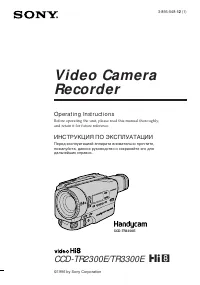 Sony CCD-TR2300E
Инструкция по эксплуатации
Sony CCD-TR2300E
Инструкция по эксплуатации
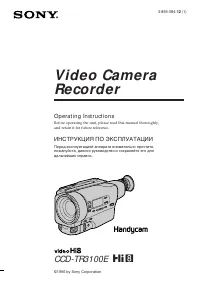 Sony CCD-TR3100E
Инструкция по эксплуатации
Sony CCD-TR3100E
Инструкция по эксплуатации
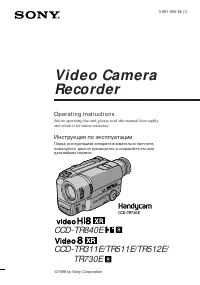 Sony CCD-TR311E
Инструкция по эксплуатации
Sony CCD-TR311E
Инструкция по эксплуатации
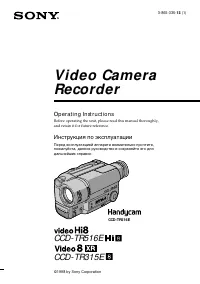 Sony CCD-TR315E
Инструкция по эксплуатации
Sony CCD-TR315E
Инструкция по эксплуатации
 Sony CCD-TR317E
Инструкция по эксплуатации
Sony CCD-TR317E
Инструкция по эксплуатации
 Sony CCD-TR3300E
Инструкция по эксплуатации
Sony CCD-TR3300E
Инструкция по эксплуатации
 Sony CCD-TR3400E
Инструкция по эксплуатации
Sony CCD-TR3400E
Инструкция по эксплуатации
 Sony CCD-TR411E / CCD-TR412E
Инструкция по эксплуатации
Sony CCD-TR411E / CCD-TR412E
Инструкция по эксплуатации
 Sony CCD-TR415E
Инструкция по эксплуатации
Sony CCD-TR415E
Инструкция по эксплуатации
 Sony CCD-TR417E
Инструкция по эксплуатации
Sony CCD-TR417E
Инструкция по эксплуатации
 Sony CCD-TR425E
Инструкция по эксплуатации
Sony CCD-TR425E
Инструкция по эксплуатации
 Sony CCD-TR427E
Инструкция по эксплуатации
Sony CCD-TR427E
Инструкция по эксплуатации
 Sony CCD-TR501E / CCD-TR502E
Инструкция по эксплуатации
Sony CCD-TR501E / CCD-TR502E
Инструкция по эксплуатации
 Sony CCD-TR503E / CCD-TR506E
Инструкция по эксплуатации
Sony CCD-TR503E / CCD-TR506E
Инструкция по эксплуатации
 Sony CCD-TR511E / CCD-TR512E
Инструкция по эксплуатации
Sony CCD-TR511E / CCD-TR512E
Инструкция по эксплуатации
 Sony CCD-TR515E
Инструкция по эксплуатации
Sony CCD-TR515E
Инструкция по эксплуатации
 Sony CCD-TR516E
Инструкция по эксплуатации
Sony CCD-TR516E
Инструкция по эксплуатации
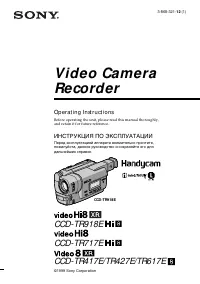 Sony CCD-TR617E
Инструкция по эксплуатации
Sony CCD-TR617E
Инструкция по эксплуатации
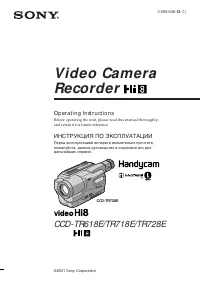 Sony CCD-TR618E
Инструкция по эксплуатации
Sony CCD-TR618E
Инструкция по эксплуатации