Страница 2 - En g l i sh; Vision; W ARNING; or; Русский; ПРЕДУПРЕЖДЕНИЕ
2 En g l i sh We l co m e ! Congratulations on your purchase of this SonyHandycam Vision camcorder. With your Handycam Vision you can capture life’s preciousmoments with superior picture and soundquality.Your Handycam Vision is loaded with advancedfeatures, but at the same time it is very easy tou...
Страница 4 - Оглавление
4 Перед началом эксплуатации Использование данного руководства ................ 5Проверка прилагаемых принадлежностей ....... 7 Подготовка к эксплуатации Зарядка и установка батарейного блока .......... 8Вставка кассеты ................................................ 12 Основные операции Запись с п...
Страница 5 - in the illustrations, you can; N o t e o n TV co l o u r sy st e m s; Usi n g t h i s m a n u a l
5 B efore you begin / Перед началом эксплуатации As you read through this manual, buttons andsettings on the camcorder are shown in capitalletters.e.g., Set the POWER switch to CAMERA.As indicated with in the illustrations, you can hear the beep sound to confirm your operation. N o t e o n TV co l o...
Страница 6 - Pr e ca u t i o n s o n ca m co r d e r ca r e; • Do not let the camcorder get wet. Keep the; • Не позволяйте видеокамере делаться
6 Pr e ca u t i o n s o n ca m co r d e r ca r e • The LCD screen and/ or t he colour view f inderare manuf act ured using high-precisiont echnology. How ever, t here may be somet iny black point s and/ or bright point s (red,blue or green in colour) t hat const ant lyappear on t he LCD screen and/ ...
Страница 8 - Ch a r g i n g t h e b a t t e r y p a ck; When the CHARGE lamp goes out,; normal; Ge t t i n g st a r t e d; Зарядка батарейного блока; Когда лампочка CHARGE погаснет,; нормальная зарядка; , которая позволяет Вам; Подготовка к эксплуатации; CHARGE
8 Before using your camcorder, you first need tocharge and install the battery pack. To chargethe battery pack, use the supplied AC poweradaptor.This camcorder operates with the“InfoLITHIUM“ battery pack. If you use anyother battery pack to operate your camcorder, thecamcorder may not operate or the...
Страница 9 - Ch a r g i n g t i m e; ti; Ba t t e r y l i f e; time; Время зарядки; Б а т а р е й н ы й б л о к
9 G etting s tarted / Подготовка к эксплуатации Ch a r g i n g a n d i n st a l l i n g t h eb a t t e r y p a ck Зарядка и установкабатарейного блока Ch a r g i n g t i m e B a t t e r y p a c k C h a r g i n g ti me * NP-F100 (supplied) 130 (70) NP-F200 170 (110) NP-F300 250 (190) The time require...
Страница 10 - To r e m o v e t h e b a t t e r y p a ck; W hen removing t he bat t ery pack; Для снятия батарейного блока; чтобы не уронить его.; Примечания к зарядке батарейного блока; • Лампочка CHARGE остается горящей на
10 Not e on remaining bat t ery t ime indicat ionduring recording Remaining battery time is displayed on the LCDscreen or in the viewfinder. However, theindication may not be displayed properly,depending on using conditions andcircumstances. To r e m o v e t h e b a t t e r y p a ck While holding th...
Страница 11 - I n st a l l i n g t h e b a t t e r y p a ck; Not e on bat t ery t erminal cover; Установка батарейного блока; Для сняти батарейного блока; Для предотвращения неисправности
11 G etting s tarted / Подготовка к эксплуатации I n st a l l i n g t h e b a t t e r y p a ck (1 ) While sliding the BATT RELEASE switch inthe direction of the arrow, remove the batteryterminal cover. (2 ) Align the hooks of the battery pack with thecatches of the camcorder and fit the batterypack ...
Страница 12 - Вставка кассеты; Для выталкивания кассеты; I n se r t i n g a ca sse t t e; To e j e ct t h e ca sse t t e
12 Вставка кассеты Вы можете использовать только кассету miniDV, co знaкoм *. Убедитесь, что источник питания установлен. (1 ) Сдвигая 6 OPEN/EJECT в направлении стрелки 1 , откройте крышку в направлении стрелки 2 . Кассетный отсек автоматически выдвинется и откроется. (2 ) Нажмите среднюю часть на ...
Страница 13 - Основные операции; Ca m e r a re co rd i n g
13 B asic operat ions / Основные операции Make sure that the power source is installed anda cassette is inserted and that the START/STOPMODE switch is set to . When you use the camcorder for the first time,power on it and reset the date and time to yourtime before you start recording (p. 85).Before ...
Страница 14 - Ca m e r a r e co r d i n g; To st o p r e co r d i n g m o m e n t a r i l y [ a ]; Not e on St andby mode; Запись с помощью видеокамеры
14 Ca m e r a r e co r d i n g To st o p r e co r d i n g m o m e n t a r i l y [ a ] Press START/STOP. The “STBY” indicatorappears in the viewfinder (St andby mode) . To f i n i sh r e co r d i n g [ b ] Press START/STOP again to stop recording. Setthe POWER switch to OFF. Then, eject thecassette a...
Страница 15 - Not es on LP mode
15 B asic operat ions / Основные операции Not es on LP mode • If you use this camcorder under high temperatures to record in LP mode or to playback a tape recorded in LP mode, the picturemay become still or noisy with a mosaicpattern, or the sound may be intermittent whenthe tape is played back. •We...
Страница 16 - Not e on t he beep sound; As indicated with; Not e on remaining t ape indicat or; Usi n g t h e zo o m f e a t u r e; Как указано на рисунках с помощью; Примечание к индикации оставшейся ленты; Сторона “
16 Запись с помощью видеокамеры Ca m e r a r e co r d i n g Not e on t he beep sound As indicated with in the illustrations, a beep sounds when you turn the power on or whenyou start recording, and two beeps sound whenyou stop recording, confirming the operation.Several beeps also sound as a warning...
Страница 17 - Not es on digit al zoom
17 B asic operat ions / Основные операции Запись с помощью видеокамеры W hen you shoot a subject using a t elephot ozoom If you cannot get a sharp focus while in extremetelephoto zoom, press the “W” side of the powerzoom switch until the focus is sharp. You canshoot a subject that is at least about ...
Страница 18 - Se l e ct i n g t h e st a r t /st o p m o d e; ANTI GROUND SHOOTING : The; Выбор режима запуска/останова
18 Ca m e r a r e co r d i n g Запись с помощью видеокамеры 1 0:00:00 REC 0:00:04 REC 2 START/STOP MODE ANTI GROUND SHOOTING 5 SEC OFF POWER PLAYER CAMERA PHOTO Se l e ct i n g t h e st a r t /st o p m o d e Your camcorder has two modes besides normalstart/stop mode. These modes enable you totake a ...
Страница 19 - Not es on 5SEC recording; Sh o o t i n g w i t h t h e LCD scr e e n; Примечания к записи 5SEC
19 B asic operat ions / Основные операции To e x t e n d t h e r e co r d i n g t i m e i n 5 SECm o d e Press START/STOP again before all the dotsdisappear. Recording continues for about 5seconds from the moment you press START/STOP. Not es on 5SEC recording • When you select ANTI GROUND SHOOTING o...
Страница 20 - Not es on t he LCD panel; To ca n ce l m i r r o r m o d e; Примечания к панели ЖКД; Для отмены зеркального режима
20 [ a ] [ b ] Запись с помощью видеокамеры Ca m e r a r e co r d i n g Not es on t he LCD panel • When closing the LCD panel, turn it vertically until it clicks [a ] . • When turning the LCD panel, turn it always vertically; otherwise, the camcorder body maybe damaged or the LCD panel may not close...
Страница 21 - Примечания к зеркальному режиму; Not es on mirror mode; Pr
21 B asic operat ions / Основные операции Ca m e r a r e co r d i n g Запись с помощью видеокамеры Примечания к зеркальному режиму • Когда Вы поворачиваете панель ЖКД на 180 градусов, видеокамера входит в зеркальный режим. • Используя зеркальный режим, Вы можете записать самого себя, наблюдая себя н...
Страница 23 - Hi n t s f o r b e t t e r sh o o t i n g; If you w ear glasses; • Do not pick up the camcorder by the; Если Вы носите очки; Советы для лучшей съемки
23 B asic operat ions / Основные операции Hi n t s f o r b e t t e r sh o o t i n g Place t he camcorder on a f lat surf ace or use at ripod Try placing the camcorder on a table top or anyother flat surface of suitable height. If you have atripod for a still camera, you can also use it withthe camco...
Страница 24 - To st o p p l a y b a ck; Not e on EDIT SEARCH f unct ion; Release EDIT SEARCH once, and press the –/; Для останова воспроизведения; Примечание к функции EDIT SEARCH; END SEARCH
24 Using EDIT SEARCH, you can review the lastrecorded scene or check the recorded picture onthe LCD screen. (1 ) While pressing OPEN, open the LCD panel. (2 ) While pressing the small green button on thePOWER switch, set it to CAMERA. (3 ) Press the –/ Œ side of EDIT SEARCH momentarily; the last few...
Страница 25 - Pl a y i n g b a ck a t a p e; To rew ind t he t ape,; Usi n g t h e Re m o t e Co m m a n d e r
25 B asic operat ions / Основные операции Pl a y i n g b a ck a t a p e You can monitor the playback picture on theLCD screen or in the viewfinder. (1 ) Insert the recorded tape with the windowfacing out. (2 ) While pressing OPEN, open the LCD panel.Adjust the angle of the LCD panel. (3 ) While pres...
Страница 26 - To d i sp l a y t h e LCD scr e e n i n d i ca t o r s; Not es on screen indicat ors; Usi n g h e a d p h o n e s; V a r i o u s p l a y b a ck m o d e s; To l o ca t e a sce n e ( p i ct u r e se a r ch ); Примечания к экранным индикаторам; Использование головных телефонов; Воспроизведение ленты
26 Pl a y i n g b a ck a t a p e To d i sp l a y t h e LCD scr e e n i n d i ca t o r s Press DISPLAY.To erase the indicators, press again. Not es on screen indicat ors • The screen indicators in the viewfinder are always displayed. • The screen indicator disappears when the title is displayed. • Wh...
Страница 27 - To v i e w t h e p i ct u r e a t d o u b l e sp e e d
27 B asic operat ions / Основные операции To m o n i t o r t h e h i g h -sp e e d p i ct u r ew h i l e a d v a n ci n g t h e t a p e o rr e w i n d i n g ( sk i p sca n ) Keep pressing 0 while rewinding or ) while advancing the tape. To resume normalrewinding or fast-forward, release the button. ...
Страница 28 - Not es on playback; • The sound is muted in the various playback; Not e on slow playback
28 Not es on playback • The sound is muted in the various playback modes. • During playback other than normal playback, the previous recording may appear in mosaicimage. This is not malfunction. • When playback pause mode lasts for 5 minutes, the camcorder automatically enters stop mode.To resume pl...
Страница 29 - Not es on End Search; • When you use a tape without cassette memory,; Примечания к поиску конца изображения
29 B asic operat ions / Основные операции Se a rch i n g f o r t h e e n do f t h e p i ct u re You can go to the end of the recorded portionafter you record and play back the tape. The tapestarts rewinding or fast-forwarding and the lastabout 5 seconds of the recorded portion playsback. Then the ta...
Страница 35 - I t e m s f o r CA M ERA /PHOTO m o d e o n l y
35 Advanc ed operat ions / Усовершенствованные операции I t e m s f o r CA M ERA /PHOTO m o d e o n l y PROGRAM AE* Select this item to use the PROGRAM AEfunction. See page 47 for details. P EFFECT* * Select this item to enjoy the picture effect. Seepage 43 for details. W HT BAL* <AUTO/ HOLD/ OUT...
Страница 39 - ANTI GROUND SHOOTING or 5SEC; • While fading out, you cannot superimpose a
39 Advanc ed operat ions / Усовершенствованные операции Fa d e -i n a n d f a d e -o u t To ca n ce l t h e f a d e -i n /f a d e -o u tf u n ct i o n Before pressing START/STOP, press FADERuntil the fade indicator disappears. W hen t he POW ER sw it ch is set t o PHOTO, ort he START/ STOP M ODE sw ...
Страница 41 - W hen shoot ing in t he dark; Запись фотографий
41 Advanc ed operat ions / Усовершенствованные операции W hen shoot ing in t he dark Install the HVL-F7 video flash (not supplied) tothe accessory shoe. The VMC-LM7 adaptor (notsupplied) is also required to install it. If theexposure is in manual mode, set it to automaticexposure mode.When appears n...
Страница 45 - is normal. The picture on a normal TV; Se l e ct i n g w i d e p i ct u r e m o d e
45 Advanc ed operat ions / Усовершенствованные операции You can record a 16:9 wide picture to watch onthe 16:9 wide-screen TV (16:9 WIDE).The picture with black bands at the top and thebottom on the LCD screen or in the viewfinder [a ] is normal. The picture on a normal TV [b ] is horizontally compr...
Страница 47 - Se l e ct i n g t h e b e st m o d e; : Sof t port rait mode; • In the Spotlight, Sports lesson and Beach & Ski; Выбор наилучшего режима
47 Advanc ed operat ions / Усовершенствованные операции You can select from six PROGRAM AE (AutoExposure) modes to suit your shooting situation.When you use PROGRAM AE, you can get aPortrait effect (the subject is in focus and thebackground is out of focus), capture high-speedaction, record night vi...
Страница 48 - Not e on w hit e balance set t ing
48 Usi n g t h e PROGRA M A Ef u n ct i o n (1 ) While pressing OPEN, open the LCD panel. (2 ) Press MENU to display the menu on the LCDscreen. (3 ) Turn the control dial to select PROGRAM AE,then press the control dial. (4 ) Turn the control dial to select the desiredPROGRAM AE mode, then press the...
Страница 51 - Fo cu si n g m a n u a l l y; W h e n t o u se m a n u a l f o cu s; • Insufficient light
51 Advanc ed operat ions / Усовершенствованные операции Fo cu si n g m a n u a l l y Когда использовать ручнуюфокусировку В следующих случаях Вы можете получить л у ч ш и е р е з у л ь т а т ы , о т р е г у л и р о в а в фокусировку вручную. • Н е д о с т а т о ч н о е о с в е щ е н и е [a] • О б ъ ...
Страница 55 - Se t t i n g t h e w h i t e b a l a n ce; Press MENU to display the menu on the LCD; Установка баланса белого; Select AUTO in step 4, then press the control dial.; A d j u st i n g t h e w h i t e b a l a n ce
55 Advanc ed operat ions / Усовершенствованные операции Se t t i n g t h e w h i t e b a l a n ce (1 ) While pressing OPEN, open the LCD panel. (2 ) Press MENU to display the menu on the LCD screen during recording or Standby mode. (3 ) Turn the control dial to select WHT BAL, thenpress the control ...
Страница 56 - Wa t ch i n g o n a; VCR; S VIDEO OUT
56 Connect the camcorder to your VCR or TV towatch the playback picture on the TV screen.When monitoring the playback picture byconnecting the camcorder to your TV, werecommend you to use mains for the powersource. Co n n e ct i n g d i r e ct l y t o a V CR/TVw i t h A u d i o /V i d e o i n p u t ...
Страница 57 - If your VCR or TV is a monaural t ype; LASER LINK mark; Просмотр на экране телевизора; Передача сигнала
57 Advanc ed operat ions / Усовершенствованные операции If your VCR or TV is a monaural t ype Connect the yellow plug of the A/V connectingcable to the video input jack and the white or thered plug to the audio input jack on the VCR orthe TV. When the white plug is connected, theleft channel audio i...
Страница 58 - W a t ch i n g o n a TV scr e e n; To Pl a y b a ck o n a TV; Press; To ca n ce l t h e LA SER LI N K f u n ct i o n; Not es on LASER LINK; •When LASER LINK is activated (the LASER; Для воспроизведения на телевизоре; Нажмите; Для отмены функции LASER LINK; • Когда функция LASER LINK активизирована
58 W a t ch i n g o n a TV scr e e n To Pl a y b a ck o n a TV ( 1) After connecting your TV and AV cordless IRreceiver, set the POWER switch on the AVcordless IR receiver to ON. (2 ) Set the POWER switch on the camcorder toPLAYER. (3 ) Turn the TV on and set the TV/VCR selectoron the TV to VCR. (4 ...
Страница 59 - • Without using cassette memory.
59 Advanc ed operat ions / Усовершенствованные операции You can search for the boundaries of recordeddate – Date Search function. To search for thebeginning of the specific date and play back fromthe point, there are two ways:• Using cassette memory, you can select the date displayed on the LCD scre...
Страница 60 - Поиск границ записанных дат; Set the POWER switch to PLAYER.
60 Поиск границ записанных дат Se a r ch i n g f o r t h e b o u n d a r i e s o fr e co r d e d d a t e Se a r ch i n g f o r t h e d a t e b y u si n gca sse t t e m e m o r y You can use this function only when playingback a tape with cassette memory. ( 1) While pressing OPEN, open the LCD panel....
Страница 61 - To st o p se a r ch i n g; Not es; • The interval of the boundaries between the; Для остановки поиска; • Интервал между границами дат должен
61 Advanc ed operat ions / Усовершенствованные операции To st o p se a r ch i n g Press p . Not es • The interval of the boundaries between the dates needs more than two minutes. Thecamcorder may not search if the beginning ofthe recorded date is too close to the next one. • The short cursor on the ...
Страница 64 - • You cannot superimpose or search a title, if you; • Вы не можете наложить или найти титр,; Поиск фрагмента с титром
64 To st o p se a r ch i n g Press p . Not es • You cannot superimpose or search a title, if you use a cassette tape without cassette memory. • To superimpose a title, see page 75.• The camcorder may not search, if there is a blank portion between the recorded portions inthe tape. Для остановки поис...
Страница 65 - Not e
65 Advanc ed operat ions / Усовершенствованные операции Поиск фотографий – фотопоиск/фотосканирование Se a r ch i n g f o r a p h o t o– p h o t o se a r ch /p h o t o sca n Se a r ch i n g f o r a p h o t o b y u si n gca sse t t e m e m o r y You can use this function only when playingback a tape ...
Страница 67 - Sca n n i n g p h o t o; To st o p sca n n i n g; Сканирование фотографий
67 Advanc ed operat ions / Усовершенствованные операции Sca n n i n g p h o t o You can use this function whether the tape hascassette memory or not. ( 1) Set the POWER switch to PLAYER. (2 ) Press SEARCH MODE on the RemoteCommander repeatedly until the photo scanindicator appears. (3 ) Press = or +...
Страница 69 - To se l e ct t h e i t e m s t o d i sp l a y
69 Advanc ed operat ions / Усовершенствованные операции You can display recording data (date/time orvarious settings when recorded) on the LCDscreen or in the viewfinder during playback –Data Code function. The Data Code is alsodisplayed on the TV. Press DATA CODE on the Remote Commanderduring playb...
Страница 70 - Betamax VCR that; Be f o r e e d i t i n g; Usi n g t h e D V co n n e ct i n g ca b l e; Перед монтажем; DV IN
70 You can create your own video programme byediting with any other DV, mini DV, h 8 mm, H Hi8, j VHS, k S-VHS, VHSC, K S-VHSC or l Betamax VCR that has audio/video inputs. You can edit with littledeterioration of picture and sound quality whenusing the DV connecting cable. Be f o r e e d i t i n ...
Страница 71 - • Вы не можете выполнить монтаж титров,; Монтаж на другую ленту; не прилагается; Ed i t i n g o n t o a n o t h e r t a p e; TV
71 Advanc ed operat ions / Усовершенствованные операции Not es on edit ing w hen using t he DVconnect ing cable • You can connect one VCR only.• You can record picture, sound and system data at the same time on the DV products by usingthe DV connecting cable only. • You cannot edit the titles, displ...
Страница 72 - To e d i t m o r e sce n e s; Начните монтаж; Для монтажа других сцен
72 Ed i ci ó n e n o t r a ci n t a Not es on edit ing w hen using t he A/ Vconnect ing cable • Press DATA CODE, SEARCH MODE, or DISPLAY to turn off the display indicators.Otherwise, the indicators will be recorded onthe tape. • If your TV or VCR is a monaural type, connect the yellow plug of the A/...
Страница 73 - Not es on audio dubbing; A u d i o d u b b i n g
73 Advanc ed operat ions / Усовершенствованные операции You can record an audio sound to add to theoriginal sound on a tape by connecting audioequipment or a microphone. If you use theVMC-LM7 adaptor (not supplied) to connect theaudio equipment, you can add a sound on yourrecorded tape by specifying...
Страница 74 - To p l a y b a ck t h e n e w r e co r d e d so u n d; Not es on AUDIO M IX
74 A d d i n g a n a u d i o so u n d o n ar e co r d e d t a p e ( 1) Insert your recorded tape into the camcorder. (2 ) While pressing the small green button on thePOWER switch, set it to PLAYER. (3 ) On the camcorder, press · to set it to playback mode, and then locate the pointwhere the recordin...
Страница 75 - Su p e r i m p o si n g t i t l e s; Наложение титра
75 Advanc ed operat ions / Усовершенствованные операции If you use a tape with cassette memory, you cansuperimpose the titles while recording or afterrecording. When you playback the tape, the titleis displayed for 5 seconds from the point whereyou superimposed it.You can select from eight preset ti...
Страница 76 - W h i l e i n St a n d b y m o d e; W hen you have st ored an original t it le; В режиме готовнсоти; Su p e r i m p o si n g a t i t l e
76 W h i l e i n St a n d b y m o d e After step 7, the “TITLE” indicator appears. Andwhen you press START/STOP to start recording,“SAVE” appears on the screen for 5 seconds andthe title is set. Tit les are placed f rom t he t op of t he screen asf ollow s: HELLO ˜ HAPPY BIRTHDAY ˜ HAPPY HOLIDAYS ˜ ...
Страница 77 - Not es on t it les
77 Advanc ed operat ions / Усовершенствованные операции Наложение титра Su p e r i m p o si n g a t i t l e Not es on t it les • While fading out, you cannot superimpose a title. • You cannot superimpose a title to a blank portion of the tape. • The titles you superimposed are displayed by only usin...
Страница 78 - Er a si n g a t i t l e; Стирание титра
78 Er a si n g a t i t l e ( 1) While pressing OPEN, open the LCD panel. (2 ) Press MENU to display the menu on the LCDscreen. (3 ) Turn the control dial to select TITLEERASE,then press the control dial. (4 ) Turn the control dial to select the title youwant to erase, then press the control dial. (5...
Страница 79 - Repeat steps 4 and 5 until you finish the title.
79 Advanc ed operat ions / Усовершенствованные операции If you use a tape with cassette memory, you canmake one title of up to 20 characters and store itin memory. ( 1) While pressing OPEN, open the LCD panel. (2 ) Press TITLE to display the titles on the LCDscreen. (3 ) Turn the control dial to sel...
Страница 80 - To e r a se a ch a r a ct e r; In step 4, turn the control dial to select [; To ch a n g e t h e t i t l e y o u h a v e m a d e; If it t akes more t han 5 minut es t o make a t it le; Для стирания знака; Создание собственного титра
80 To e r a se a ch a r a ct e r In step 4, turn the control dial to select [ M ] then press the control dial. The last character iserased. To ch a n g e t h e t i t l e y o u h a v e m a d e In step 3, turn the control dial to select the titleyou want to change, then press the control dial.Erase ch...
Страница 81 - If t he; Последний знак будет стерт.; Для изменения обозначения, которое; Если в пункте 5 появляется знак; Обозначение кассеты
81 Advanc ed operat ions / Усовершенствованные операции If you use a tape with cassette memory, you canlabel a cassette. The label can consist of up to 10characters and is stored in cassette memory.When you insert the labeled cassette and turn thepower on, the label is displayed on the LCDscreen, in...
Страница 82 - Co p y r i g h t si g n a l; Выбор типов кассет; Вы можете использовать только кассеты; Во время воспроизведения; Сигнал авторского права
82 Se l e ct i n g ca sse t t e t y p e s You can use the cassette only. You cannot use any other DV, h 8 mm, H Hi8, j VHS, k S-VHS, VHSC, K S-VHSC or l Betamax cassette. W e recommend mini DV casset t e w it h casset t ememory There are two types of mini DV cassettes: withcassette memory and with...
Страница 83 - N o t e s o n t h e m i n i D V ca sse t t e; To p r e v e n t a cci d e n t a l e r a su r e; Not e on gold-plat ed connect or; Примечания к кассете mini DV; Примечание к позолоченному контакту
83 Addit ional inf ormat ion / Дополнительная информация N o t e s o n t h e m i n i D V ca sse t t e To p r e v e n t a cci d e n t a l e r a su r e Slide out the protect tab on the cassette so thatthe red portion is visible. [a] W h e n a f f i x i n g a l a b e l o n t h e m i n i D Vca sse t t e...
Страница 84 - • Or, install the fully charged battery pack in the; W h e n d i sp o si n g o f t h e ca m co r d e r; Remove the lid with a screwdriver.; При ликвидации видеокамеры; Снимите крышку с помощью отвертки.
84 Your camcorder is supplied with a vanadium-lithium battery installed so as to retain the dateand time, etc., regardless of the setting of thePOWER switch. The vanadium-lithium battery isalways charged as long as you are using thecamcorder. The battery, however, will getdischarged gradually if you...
Страница 86 - To co r r e ct t h e d a t e a n d t i m e se t t i n g; The year indicat ors changes as f ollow s:; Установка даты и времени; Повторите пункты с 3 по 6.; Примечание к индикатору времени
86 To co r r e ct t h e d a t e a n d t i m e se t t i n g Repeat steps 3 to 6. The year indicat ors changes as f ollow s: Not e on t he t ime indicat or The internal clock of this camcorder operates on a24-hour cycle. Установка даты и времени 1997 1998 2029 ... 2000 ... Re se t t i n g t h e d a t ...
Страница 87 - Pr e p a r i n g t h e b a t t e r y p a ck; A l w a y s ca r r y a d d i t i o n a l b a t t e r i e s; Подготовка батарейного блока
87 Addit ional inf ormat ion / Дополнительная информация This section shows you how you can get the mostout of your battery pack. Pr e p a r i n g t h e b a t t e r y p a ck A l w a y s ca r r y a d d i t i o n a l b a t t e r i e s Have sufficient battery pack power to do 2 to 3times as much record...
Страница 88 - Ca u t i o n; При замене батарейного блока; появляется и начинает; Предостережение; Ti p s f o r u si n g t h e b a t t e r y p a ck
88 W h e n t o r e p l a ce t h e b a t t e r yp a ck While you are using your camcorder, theremaining battery indicator on the LCD screen orin the viewfinder decreases gradually as batterypower is used up.The remaining time in minutes also appears. When the remaining battery indicator reaches thelo...
Страница 89 - Ba t t e r y p a ck ca r e; , and keep it in a cool; Th e l i f e o f t h e b a t t e r y p a ck; • Батарейный блок всегда разряжается, даже; Срок службы батарейного блока; , видеоаппаратура будет
89 Addit ional inf ormat ion / Дополнительная информация Ba t t e r y p a ck ca r e • Remove t he bat t ery pack f rom t hecamcorder af t er using it , and keep it in a cool place. When the battery pack is installed to thecamcorder, a small amount of current flows tothe camcorder even if the POWER s...
Страница 91 - ) battery pack in 25; N o t e s o n ch a r g i n g; A b r a n d -n e w b a t t e r y p a ck; Примечания к зарядке; Совершенно новый батарейный блок
91 Addit ional inf ormat ion / Дополнительная информация Советы по использованиюбатарейного блока Ti p s f o r u si n g t h e b a t t e r y p a ck W h y t h e r e m a i n i n g b a t t e r yi n d i ca t i o n d o e s n o t m a t ch t h eco n t i n u o u s r e co r d i n g t i m e i n t h eo p e r a ...
Страница 92 - N o t e s o n t h e t e r m i n a l s; Be su r e t o o b se r v e t h e f o l l o w i n g; • Do not expose the battery pack to any; Примечания к контактам; Обязательно соблюдайте следующее; • Храните батарейный блок подальше от
92 N o t e s o n t h e t e r m i n a l s I f t h e t e r m i n a l s ( m e t a l p a r t s o n t h e b a ck )a r e n o t cl e a n , t h e b a t t e r y ch a r g e d u r a t i o nw i l l b e sh o r t e n e d . When the terminals are not clean or when thebattery pack has not been used for a long time,...
Страница 93 - M o i st u r e co n d e n sa t i o n; I n si d e t h e ca m co r d e r; indicator flashes. If this; On t h e l e n s; Конденсация влаги; Внутри видеокамеры; будет; На объективе
93 Addit ional inf ormat ion / Дополнительная информация M o i st u r e co n d e n sa t i o n If the camcorder is brought directly from a coldplace to a warm place, moisture may condenseinside the camcorder, on the surface of the tape,or on the lens. In this condition, the tape maystick to the head ...
Страница 94 - V i d e o h e a d cl e a n i n g; Pr e ca u t i o n s; Ca m co r d e r o p e r a t i o n; Очистка видеоголовок; Предосторожности; Эксплуатация видеокамеры
94 / V i d e o h e a d cl e a n i n g To ensure normal recording and clear pictures,clean the video heads.The video heads may be dirty when:• mosaic-pattern noise appears on the playback picture • playback pictures do not move• playback pictures are hardly visible• playback pictures do not appear• t...
Страница 95 - On h a n d l i n g t a p e s
95 Addit ional inf ormat ion / Дополнительная информация • Keep the POWER switch set to OFF when not using the camcorder. • Do not wrap up the camcorder and operate it since heat may build up internally. • Keep the camcorder away from strong magnetic fields or mechanical vibration. • Do not push the...
Страница 96 - A C p o w e r a d a p t o r; Charging; Сетевой адаптер перем. тока; Зарядка
96 A C p o w e r a d a p t o r Charging • Use only a lithium ion type battery pack.• Place the battery pack on a flat surface without vibration during charging. • The battery pack will get hot during charging. This is normal. Ot hers • Unplug the unit from the mains when not in use for a long time. ...
Страница 97 - N o t e o n d r y b a t t e r i e s; If bat t ery leakage occurred; •Wipe off the liquid in the battery case carefully; Примечания к сухим батарейкам; Если случится протечка батареек
97 Addit ional inf ormat ion / Дополнительная информация N o t e o n d r y b a t t e r i e s To avoid possible damage from battery leakageor corrosion, observe the following.• Be sure to insert the batteries in the correct direction. •Dry batteries are not rechargeable.• Do not use a combination of ...
Страница 98 - PA L sy st e m; Brazil; N TSC sy st e m; Источники питания; Система PAL; Бразилия; Система NTSC
98 Each country or area has its own electric and TVcolour systems. Before using your camcorderabroad, check the following points. Po w e r so u r ce s You can use your camcorder in any country orarea with the supplied AC power adaptor within100 V to 240 V AC, 50/60 Hz. D i f f e r e n ce i n co l o ...
Страница 105 - Причина и/или действия по устранению; Проверка неисправностей; Видеокамера; Питание; Работа; Признак; Продолжение на следующей странице
105 Addit ional inf ormat ion / Дополнительная информация Причина и/или действия по устранению • Не установлен батарейный блок. m Установите батарейный блок. (стр. 11) • Батарейный блок полностью разрядился. m Используйте заряженный батарейный блок. (стр. 8) • Сетевой адаптер перем. тока не подсоеди...
Страница 106 - Причина и/или действия по исправлению
106 Причина и/или действия по исправлению • Вы не выполняли новой записи после после повторной установки кассеты. • Лента без кассетной памяти была вытолкнута после выполнения записи. • Выключатель POWER установлен в положение CAMERA или OFF. m Установить его в положение PLAYER. (стр. 25) • Лента за...
Страница 107 - Изображение
107 Addit ional inf ormat ion / Дополнительная информация Проверка неисправностей Причина и/или действия по исправлению • Лента не имеет кассетной памяти. m Используйте ленту с кассетной памятью. (стр. 81) • Память кассеты заполнена. m Сотрите некоторые титры. (стр. 78) • Лента установлена на предот...
Страница 108 - Прочее
108 Проверка неисправностей Причина и/или действия по исправлению • Если истечет 10 минут после того, как Вы установите выключатель POWER в положениеCAMERA без вставленной кассеты, видеокамераавтоматически начинает демонстрацию, илифункция DEMO MODE в системе менюустановлена на STBY/ON. m Вставьте к...
Страница 109 - Когда мигает лампочка CHARGE; Проверьте по следующей схеме.
109 Addit ional inf ormat ion / Дополнительная информация Проверка неисправностей Снимите батарейный блок ссетевого адаптера перем. тока.Затем установите тот же самыйбатарейный блок. Если лампочка CHARGE мигаетопять Установите другой батарейныйблок. Если лампочка CHARGE мигаетопять Имеется проблема ...
Страница 110 - • Произошла конденсация влаги.; Функция самодиагностики; Экран ЖКД/дисплей самодиагностики; Пятизначный дисплей
110 Причина и/или действия по исправлению • Произошла конденсация влаги. m Выньте кассету и оставьте видеокамеру по меньшей мерена 1 час. (стр. 93) • Грязные видеоголовки. m Очистите видеоголовки с использованием очистительнойкассеты DVM12CL фирмы Sony (не прилагается). (стр. 94) • Состояние для обс...
Страница 112 - Система; Экран ЖКД; LASER LINK; Технические характеристики
112 Видеокамера Система Система видеозаписи Две вращающиеся головки,система наклонной механическойразвертки Система аудиозаписи Вращающиеся головки, системаРСМКвантование: 12 битов (сдвиг почастоте 32 кГц, стереозвучание1, стереозвучание 2) Видеосигнал Цветовой сигнал PAL, стандартCCIR Используемые ...
Страница 113 - Опознавание частей; Remove the cover to install the battery pack.
113 Addit ional inf ormat ion / Дополнительная информация Опознавание частей I d e n t i f y i n g t h e p a r t s 1 Lens cap (p. 13) 2 LCD screen (p. 19) 3 OPEN but t on (p. 19) 4 6 OPEN/ EJECT sw it ch (p. 12) 5 Bat t ery t erminal cover (p. 11) Remove the cover to install the battery pack. 6 FADE...
Страница 117 - Re m o t e Co m m a n d e r
117 Addit ional inf ormat ion / Дополнительная информация Re m o t e Co m m a n d e r The buttons that have the same name on theRemote Commander as on the camcorderfunction identically. 1 PHOTO but t on (p. 41) 2 DISPLAY but t on (p. 26) 3 SEARCH M ODE but t on (p. 60, 63, 65) 4 = / + but t ons (p. ...
Страница 118 - To p r e p a r e t h e Re m o t e Co m m a n d e r; Not e on bat t ery lif e; Re m o t e co n t r o l d i r e ct i o n; Примечание к сроку службы батареек; I d e n t i f y i n g t h e Pa r t s
118 To p r e p a r e t h e Re m o t e Co m m a n d e r To use the Remote Commander, you must inserttwo R6 (size AA) batteries. Use the supplied R6(size AA) batteries. (1) Remove the battery cover from the RemoteCommander. (2) Insert both of the R6 (size AA) batteries withcorrect polarity. (3) Put th...
Страница 119 - Not es on t he Remot e Commander; • Keep the remote sensor away from strong light; • Держите дистанционный датчик подальше; I d e n t i f y i n g t h e p a r t s
119 Addit ional inf ormat ion / Дополнительная информация Not es on t he Remot e Commander • Keep the remote sensor away from strong light sources such as direct sunlight or illumination.Otherwise, the remote control may not beeffective. • Be sure that there is no obstacle between the remote sensor ...
Страница 121 - To W a t ch t h e d e m o n st r a t i o n; While holding down; Для просмотра демонстрации; Удерживая в нажатом состоянии
121 Addit ional inf ormat ion / Дополнительная информация !£ Recording mode indicat or (p. 14) !¢ Tape t ransport mode indicat or (p. 13) !∞ Time code indicat or (p. 15) / Self -diagnosis indicat or (p. 104) !§ Remaining t ape indicat or (p. 16) !¶ Phot o mode indicat or (p. 40) / Elect ric f lash i...
Страница 122 - Лента приближается к концу.; Мигание становится быстрым.; Wa r n i n g i n d i ca t o r s; The bat t ery is w eak or dead.; indicator; The t ape is near t he end.; The flashing is slow.; The t ape has run out .; The flashing becomes rapid.
122 Предупреждающиеиндикаторы Если индикаторы мигают илипредупреждающие сообщения появляются наэкране ЖКД или в видоискателе, топроверьте следующее: : Вы можете слышать зуммерный звуковой сигнал, когда функция BEEP установленана ON в системе меню. 1 Батарейный блок слабый илиполностью разряженный. М...
Страница 123 - Произошла конденсация влаги.; Предупреждающие индикаторы
123 Addit ional inf ormat ion / Дополнительная информация 4 No t ape has been insert ed. 5 The t ab on t he t ape is out (red). 6 M oist ure condensat ion has occurred. (p. 93) 7 The video heads may be cont aminat ed. (p. 94) 8 The clock is not set . If the clock is not set when you set thePOWER swi...
Страница 124 - I n d e x; Sony Corporation; Алфавитный указатель; Ф – Я
I n d e x A , B Audio dubbing ........................... 73Audio mode ................................ 82BATT RELEASE ......................... 11BEEP ...................................... 16, 34 C Camera recording ...................... 13Car battery .................................. 32Cassette ...


 Sony CCD-TR2300E
Инструкция по эксплуатации
Sony CCD-TR2300E
Инструкция по эксплуатации
 Sony CCD-TR3100E
Инструкция по эксплуатации
Sony CCD-TR3100E
Инструкция по эксплуатации
 Sony CCD-TR311E
Инструкция по эксплуатации
Sony CCD-TR311E
Инструкция по эксплуатации
 Sony CCD-TR315E
Инструкция по эксплуатации
Sony CCD-TR315E
Инструкция по эксплуатации
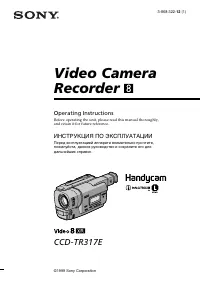 Sony CCD-TR317E
Инструкция по эксплуатации
Sony CCD-TR317E
Инструкция по эксплуатации
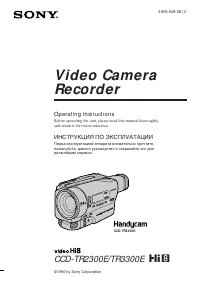 Sony CCD-TR3300E
Инструкция по эксплуатации
Sony CCD-TR3300E
Инструкция по эксплуатации
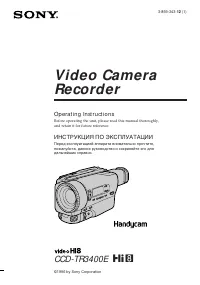 Sony CCD-TR3400E
Инструкция по эксплуатации
Sony CCD-TR3400E
Инструкция по эксплуатации
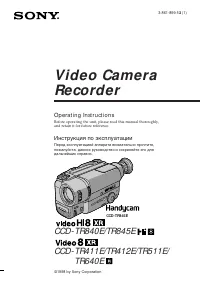 Sony CCD-TR411E / CCD-TR412E
Инструкция по эксплуатации
Sony CCD-TR411E / CCD-TR412E
Инструкция по эксплуатации
 Sony CCD-TR415E
Инструкция по эксплуатации
Sony CCD-TR415E
Инструкция по эксплуатации
 Sony CCD-TR417E
Инструкция по эксплуатации
Sony CCD-TR417E
Инструкция по эксплуатации
 Sony CCD-TR425E
Инструкция по эксплуатации
Sony CCD-TR425E
Инструкция по эксплуатации
 Sony CCD-TR427E
Инструкция по эксплуатации
Sony CCD-TR427E
Инструкция по эксплуатации
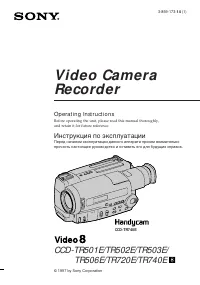 Sony CCD-TR501E / CCD-TR502E
Инструкция по эксплуатации
Sony CCD-TR501E / CCD-TR502E
Инструкция по эксплуатации
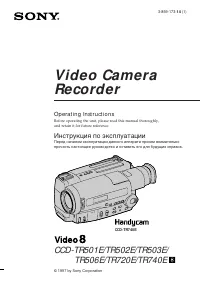 Sony CCD-TR503E / CCD-TR506E
Инструкция по эксплуатации
Sony CCD-TR503E / CCD-TR506E
Инструкция по эксплуатации
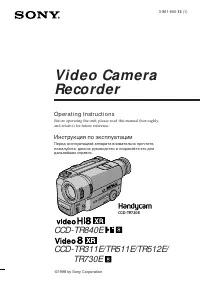 Sony CCD-TR511E / CCD-TR512E
Инструкция по эксплуатации
Sony CCD-TR511E / CCD-TR512E
Инструкция по эксплуатации
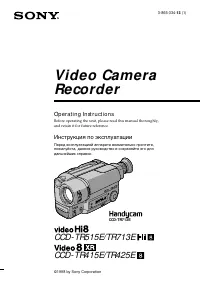 Sony CCD-TR515E
Инструкция по эксплуатации
Sony CCD-TR515E
Инструкция по эксплуатации
 Sony CCD-TR516E
Инструкция по эксплуатации
Sony CCD-TR516E
Инструкция по эксплуатации
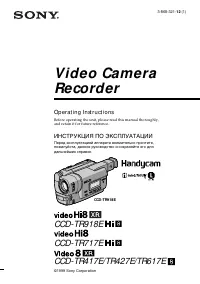 Sony CCD-TR617E
Инструкция по эксплуатации
Sony CCD-TR617E
Инструкция по эксплуатации
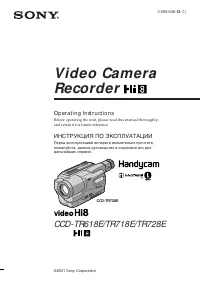 Sony CCD-TR618E
Инструкция по эксплуатации
Sony CCD-TR618E
Инструкция по эксплуатации