
Факсы Brother FAX-1575mc ч.2 - инструкция пользователя по применению, эксплуатации и установке на русском языке. Мы надеемся, она поможет вам решить возникшие у вас вопросы при эксплуатации техники.
Если остались вопросы, задайте их в комментариях после инструкции.
"Загружаем инструкцию", означает, что нужно подождать пока файл загрузится и можно будет его читать онлайн. Некоторые инструкции очень большие и время их появления зависит от вашей скорости интернета.

S E T U P R E C E I V E
5 - 1
5
Setup Receive
Basic Receiving Operations
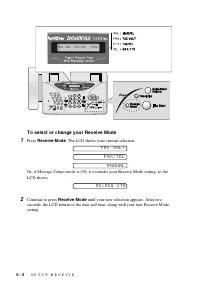
Select Receive Mode
MANUAL
—You must answer all calls yourself. If you hear fax tones, press
Fax Start
to begin receiving the fax, then hang up. You can use this mode with
FAX ONLY
—The fax machine automatically answers every call as a fax call. You
cannot receive a voice call, but you can dial out and make a voice call.
FAX/TEL
—The fax machine automatically answers every call. If the call is a fax, it
prints the fax. If the call is not a fax, it signals you with a double-ring (ring-ring),
different from the phone company ringing, to alert you to pick up the call. If you select
this setting, you’ll need to set the Ring Delay and F/T Ring Time features (on the
following pages). If you have extension phones on the same line as the fax machine,
set Ring Delay to 4. (See
MSG CTR
— The fax machine has a built-in degital Message Center for fax and
voice. When you set the machine to answer calls, it will record messages up to 15
minutes. For more information about the Message Center operation, see Chapter 9.


