SilverStone GD08B - Инструкция по эксплуатации

Корпус к ПК SilverStone GD08B - инструкция пользователя по применению, эксплуатации и установке на русском языке. Мы надеемся, она поможет вам решить возникшие у вас вопросы при эксплуатации техники.
Если остались дополнительные вопросы — свяжитесь с нами через контактную форму.


Содержание:
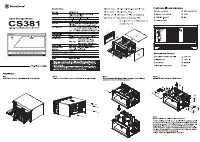
- Страница 5 – 移除磁架螺絲及主磁碟架; 移除磁架螺丝及主磁盘架; lnstallation Guide
- Страница 12 – OR
- Страница 18 – Connector definition
- Страница 20 – Front I/O connector guide
- Страница 22 – Component size limitations
- Страница 27 – Cable type and location
- Страница 32 – Motherboard form factor; ATX with 90 degrees SATA connectors; Motherboard depth
- Страница 35 – Recommended cooling device setup and selection
- Страница 41 – 左邊的電源濾網可以直接拔起; 左边的电源滤网可以直接拔起; 底層濾網請翻倒機殼後拔起
- Страница 45 – Protect your computer
GD08
"Загрузка инструкции" означает, что нужно подождать пока файл загрузится и можно будет его читать онлайн. Некоторые инструкции очень большие и время их появления зависит от вашей скорости интернета.
Была ли эта инструкция полезной?
Об этой инструкции
- Бренд
- SilverStone
- Модель
- GD08B
- Тип документа
- Инструкция по эксплуатации
- Категория
- Корпус к ПК
- Язык(и)
- Русский
- Страницы
- 49
- Размер файла
- 5,4 MB
- Формат
Краткое содержание
4 1 2 Loosen two screws from the rear of the chassis then remove the top cover. Ослабьте два винта на задней панели корпуса и снимите верхнюю крышку . Lösen Sie die beiden Schrauben von der Rückseite des Gehäuses, entfernen Sie dann die obere Abdeckung. Dévissez les deux vis à l'arrière du châssis p...
11 11 lnstallation Guide OR Install 3.5" hard drives into the drive cage, hard drives can be installed either facing left or right depending on your needs. For more information about the relative positions of hard drives and graphic cards, please refer to the component guide in later pages. Уста...
17 Connector definition (1) Front panel conn ector installation no polarity, so they can be connected in any orientation. Power switch and reset switch installation guide: Please refer to the motherboard manuals for the motherboard’s “Front Panel Connector” or “System Panel Connector” pin definition...