Condtrol Vector 30 - Инструкция по эксплуатации
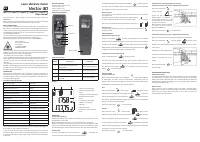
Это руководство пользователя лазерного дальномера CONDTROL Vector 30.
В нем содержатся правила безопасности, технические характеристики, описание кнопок и дисплея, порядок установки батарей, выбор точки отсчета, единицы измерения и режимы измерений. Подробно описываются функции вычислений: сложение, вычитание, площадь, объем и теорема Пифагора. Также приведены коды ошибок и методы их устранения, рекомендации по уходу и обслуживанию, условия гарантии и утилизации. Прибор относится к классу 2 лазерных изделий, диапазон измерений до 30 метров с точностью ±3 мм. Предназначен для использования внутри и снаружи помещений в строительных работах.
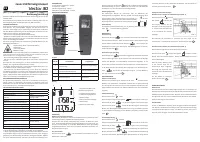
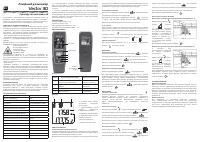
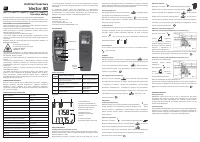
Содержание:
- Страница 1 – Безопасность, технические характеристики и основные операции
- Страница 2 – Коды ошибок, гарантия и обслуживание
- Страница 3 – Безопасность, технические характеристики и управление
- Страница 4 – Коды ошибок, уход и гарантия
- Страница 5 – Безопасность, технические характеристики и вычисления
- Страница 6 – Обслуживание, коды ошибок и гарантия
- Страница 7 – Безопасность, технические характеристики и операции
- Страница 8 – Коды ошибок, обслуживание и гарантия
Laser distance meter
Vector 30
User manual
Congratulations on your purchase of laser distance meter Vector 30 CONDTROL.
Safety instructions can be found in the end of this user manual and should be carefully read before you use the device for the first time.
SAFETY REGULATIONS
The user manual should be read carefully before you use the device for the first time. Unintended use of the device can be dangerous for human health and cause serious injury. If the device is given to somebody for temporary use, be sure to enclose user manual to it.
- Do not misuse the device.
- Do not remove warning signs and protect them from abrasion, because they contain information about safe operation of the device.
The device belongs to laser class 2 in accordance with EN60825-1.
Laser radiation!
Do not stare into beam
Class 2 laser
<1 mW 620-690nm
EN60825-1:2014
- Do not look into the laser beam or its reflection, with unprotected eye or through an optical instrument. Do not point the laser beam at people or animals without the need. You can dazzle them or look aside.
- To protect your eyes close them or look aside.
It is prohibited to disassemble or repair the device yourself. Entrust the device repair to qualified personnel and use original spare parts only.
- Do not use the device in explosive environment, close to flammable materials.
- Avoid heating the batteries to avoid the risk of explosion and electrolyte leakage. In case of liquid contact with skin, wash it immediately with soap and water. In case of liquid contact with eyes, flush with clean water during 10 minutes and consult the doctor.
INTENDED USE
Laser distance meter Vector 30 is intended to measure distance, to calculate area and volume of measured objects and perform calculations by and Pythagoras' Theorem. The device is suitable for use at both indoor and outdoor building areas.
TECHNICAL SPECIFICATIONS
Measuring range*
0,05...30 m
Smallest unit displayed
1 mm
Measuring accuracy **
±3 mm
Laser
Class II, 620-690 nm, <1 mW
Continuous measurement
+
Addition/subtraction
+
Area/volume
+
Calculations by Pythagoras' Theorem
+
Automatic shutdown of the laser
30 seconds
Automatic shutdown of the device
180 seconds
Battery life
Up to 5000 measurements
Storage temperature
-20...+70 °C
Operating temperature
0...+40 °C
Dust and water protection rate
IP54
Power supply
2 x 1.5V AAA LR03 (alkaline)
Dimensions
115x39x19 mm
Weight
42 g
- Use a target plate to increase the measurement range during daylight or if the target has poor reflection properties.
** Accuracy can decrease under unfavorable conditions, such as intense sunshine or when measurements are made against glossy or transparent surfaces, moving objects, objects with rough surface or when laser beam is reflected.
Switch on/off
To switch on the device short press the button DIST . The device will switch on and enter single distance measurement mode.
DELIVERY PACKAGE
1. Laser distance meter - 1 pc.
2. Hand strap - 1 pc.
3. Battery manual - 1 pc.
4. Batteries 2 x 1.5V AAA LR03
PRODUCT DESCRIPTION
Functions of buttons
Button | Short press | Long press
1 | Switch on the device/ switch on the laser beam/single distance measurement | Continuous measurement (tracking)
2 | Area/volume/Pythagoras | Select measuring unit
3 | Addition/subtraction | Select reference point
4 | Delete the measurement result/exit the mode | Switch off the device
Display
1. Main line for displaying measurement/calculation results
2. Additional line for displaying measurement/calculation results
3. Indication of the mode
4. Battery charge level indication
5. Measuring unit
6. Indication of the reference point
Insert/replace batteries
Remove the battery cover. Insert the batteries, observing correct polarity. Put the battery cover back.
Replace the batteries as soon as the error 203 appears on the display. Remove the batteries from the device if it's not used for a long time to avoid corrosion and battery discharge. All batteries must be replaced at the same time. Both batteries must be of the same brand, with the same charge level.
To switch off the device press and hold the button COff during 3 seconds.
In order to save the battery power the device will switch off automatically within 180 seconds after the last operation.
Reference point
It is possible to set the reference point either from the top or the bottom end of the device. The default reference point is the bottom end of the device. To select the reference point press and hold the button ± during 2 seconds. Corresponding indicator will appear on the display - or .
Measuring unit
To select required measuring unit (m, in, ft) press and hold the button U during 2 seconds.
MEASUREMENTS
Single distance measurement
Short press the button DIST to switch on the device. Laser beam will be switched on automatically. Aim the laser beam at the object of measurement and short press the button DIST to make a single distance measurement. Measurement result will appear on the display. Short press the button COff to delete the result of measurement and exit the mode.
Continuous measurement (tracking)
Press and hold the button DIST during 3 seconds. The device will take measurements one after another, showing the last measured value in the main line, and the previous measured value in the first line. Short press the button DIST to stop measuring. Short press the button COff to exit the mode.
CALCULATIONS
Addition/subtraction
Make a measurement. Short press the button ± to select either addition or subtraction, and make the 2nd measurement. Calculation result will appear in the main line on the display. The next measurements will also be added/subtracted to/from the next measuring result.
Area
Short press the button F once. Symbol will appear on the display. Laser beam will be on. Short press the button DIST to measure the 1st side (length). Short press the button DIST to measure the 2nd side (width). Area (composition of length and width) will be calculated and appear in the main line on the display.
Short press the button COff to exit the mode.
Volume
Short press the button F twice. Symbol will appear on the display. Laser beam will be on. Short press the button DIST to measure the 1st side (length). Short press the button DIST to measure the 2nd side (width). Short press the button DIST to measure the 3rd side (height). Volume (composition of length, width and height) will be calculated and appear in the main line on the display.
Short press the button COff to exit the mode.
Indirect measurement by Pythagoras' Theorem
Calculation of distance by using 2 additional measurements
Short press the button U 3 times. Symbol will appear on the display. Make measurements of distance A and B. Length of distance C will be calculated and the result will appear in the main line. Distance B must be perpendicular to distance C and cannot be longer than distance A.
Short press the button COff to exit the mode.
Calculation of distance by using 3 additional measurements
Distance D can be measured by making 3 additional measurements. Short press the button U 4 times. Symbol will appear on the display. Laser beam will be on. Make measurements of distances A, B and C one by one.
After the last made measurement calculation result (distance D) will appear in the main line on the display.
Short press the button COff to exit the mode.
MEASUREMENT CONDITIONS
Measurement range
The maximum measurement range is 30 m. At night, at dusk, or if the object of measurement is shaded, the measurement range can be increased without the use of the reflective plate. Use a reflective plate to increase the measurement range during daylight hours, or if the object being measured has a poor reflective surface.
Object surface
When measuring up to colorless liquids (e.g. water), dust-free glass, polystyrene or similar translucent and glossy surfaces, the measurement results may be wrong. When measuring to very dark surfaces, the measurement time may increase.
"Загрузка инструкции" означает, что нужно подождать пока файл загрузится и можно будет его читать онлайн. Некоторые инструкции очень большие и время их появления зависит от вашей скорости интернета.
Была ли эта инструкция полезной?
Об этой инструкции
- Бренд
- Condtrol
- Модель
- Vector 30
- Тип документа
- Инструкция по эксплуатации
- Категория
- Измерительный прибор
- Язык(и)
- Русский
- Страницы
- 8
- Размер файла
- 1,3 MB
- Формат
Краткое содержание
Введение в лазерный дальномер Vector 30, описание правил безопасности, технических параметров, комплекта поставки, функций кнопок, индикаторов дисплея, установка батарей, включение/выключение, выбор точки отсчета, единиц измерения и режимов измерения: одиночное расстояние и непрерывное отслеживание....
Список кодов ошибок с описанием проблем и способов устранения, инструкции по утилизации, гарантийные условия (24 месяца) с оговорками и исключениями, а также рекомендации по уходу и обслуживанию, включая очистку и меры предосторожности с батареями....
Перевод раздела с правилами безопасности, техническими характеристиками, комплектом поставки, описанием продукта с функциями кнопок и дисплеем, установкой батарей, включением/выключением, выбором точки отсчета, единицами измерения и режимами измерений, включая одиночные и непрерывные измерения....
Советы
- Всегда используйте мишень для улучшения дальности измерения при ярком дневном свете или на поверхностях с низкой отражательной способностью.
- Заменяйте батареи при появлении ошибки 203, чтобы избежать неточных показаний.
- Избегайте измерений на прозрачных или глянцевых поверхностях во избежание ошибок.
- Храните прибор в чехле, когда он не используется.
- Протирайте оптику мягкой тканью.
- Если прибор долго не используется, извлеките батареи, чтобы предотвратить утечку.
- Регулярно выполняйте контрольные измерения, особенно после механических воздействий.
- Не разбирайте прибор; обращайтесь в авторизованные сервисные центры для ремонта.
Задать вопрос
Похожие инструкции
Ещё модели: измерительные приборы Condtrol
 Condtrol Omniliner G3D Инструкция по эксплуатации
 Condtrol QB Инструкция по эксплуатации
- Condtrol QB Green Инструкция по эксплуатации
- Condtrol QB promo Инструкция по эксплуатации
 Condtrol Smart 40 Инструкция по эксплуатации
 Condtrol Smart 60 Инструкция по эксплуатации
 Condtrol Vector 60 Инструкция по эксплуатации
- Condtrol Vector 80 Инструкция по эксплуатации
 Condtrol Vector 100 Инструкция по эксплуатации
 Condtrol X1 LE Инструкция по эксплуатации
 Condtrol X2 Инструкция по эксплуатации
 Condtrol X2 Plus Инструкция по эксплуатации
 Condtrol Xliner 360 G Инструкция по эксплуатации
 Condtrol XLiner Combo Инструкция по эксплуатации
 Condtrol Xliner Duo 360 Инструкция по эксплуатации
 Condtrol XLiner Pento Инструкция по эксплуатации
 Condtrol XLiner Pento 360 Инструкция по эксплуатации
- Condtrol XLiner Pento 360G Инструкция по эксплуатации
 Condtrol xMarker Инструкция по эксплуатации
 Condtrol XP2 Инструкция по эксплуатации