
Dell Precision Rack 7910 - Инструкция по эксплуатации

Dell Precision Rack 7910 - инструкция пользователя по применению, эксплуатации и установке на русском языке. Мы надеемся, она поможет вам решить возникшие у вас вопросы при эксплуатации техники.
Если остались дополнительные вопросы — свяжитесь с нами через контактную форму.
1.
Power button/Power light
2.
NMI button
3.
System identification button
4.
VGA connector
5.
LCD menu buttons
6.
Information tag
7.
LCD panel
8.
Hard-drives
9.
vFlash media card slot
10.
USB 2.0 connector
11.
USB management port/iDRAC Direct
12.
Optical-drive (optional)
13.
System identification button
14.
System identification connector
15.
iDRAC8 Enterprise port (optional)
16.
PCIe expansion card slots half height
17.
Serial connector
18.
VGA connector
19.
USB 3.0 connectors
20.
PCIe Expansion card slots full height
21.
Network connectors
22.
Power supply
1.
Bouton d’alimentation/
Voyant d’alimentation
2.
Bouton NMI
3.
Bouton d’identification du système
4.
Port VGA
5.
Boutons de menu de l’écran
d’affichage LCD
6.
Étiquette d’informations
7.
Écran d’affichage LCD
8.
Disques durs
9.
Logement pour carte mémoire vFlash
10.
Port USB 2.0
11.
Port de gestion USB/iDRAC Direct
12.
Lecteur optique (en option)
13.
Bouton d’identification du système
14.
Port d’identification du système
15.
Port iDRAC8 Enterprise (en option)
16.
Logements pour carte d’extension
PCIe demi-hauteur
17.
Port série
18.
Port VGA
19.
Ports USB 3.0
20.
Logements pour carte d’extension
PCIe pleine hauteur
21.
Ports réseau
22.
Alimentation
1.
Accensione/Indicatore di
alimentazione
2.
Pulsante NMI
3.
Pulsante di identificazione del sistema
4.
Connettore VGA
5.
Pulsanti del menu LCD
6.
Etichetta informativa
7.
Pannello LCD
8.
Dischi rigidi
9.
Slot scheda multimediale vFlash
10.
Connettore USB 2.0
11.
Posta di gestione USB/iDRAC Direct
12.
Unità ottica (opzionale)
13.
Pulsante di identificazione del sistema
14.
Connettore di identificazione
del sistema
15.
Porta iDRAC8 Enterprise (opzionale)
16.
Slot scheda di espansione PCIe
a mezza altezza
17.
Connettore seriale
18.
Connettore VGA
19.
Connettori USB 3.0
20.
Slot scheda di espansione PCIe
a tutta altezza
21.
Connettori di rete
22.
Alimentatore
1.
Botão de alimentação/luz
de alimentação
2.
Botão de NMI
3.
Botão de identificação do sistema
4.
Conector VGA
5.
Botões do menu LCD
6.
Etiqueta de informações
7.
Painel LCD
8.
Unidades de disco rígido
9.
Ranhura do cartão multimédia vFlash
10.
Conector USB 2.0
11.
Porta de gestão de USB/iDRAC Direct
12.
Unidade óptica (opcional)
13.
Botão de identificação do sistema
14.
Conector de identificação do sistema
15.
Porta iDRAC8 Enterprise (opcional)
16.
Ranhuras da placa de expansão
PCIe de meia altura
17.
Conector série
18.
Conector VGA
19.
Entradas USB 3.0
20.
Ranhuras da placa de expansão
PCIe de altura completa
21.
Conectores de rede
22.
Fonte de alimentação
1.
Botón de alimentación/indicador
de alimentación
2.
Botón NMI
3.
Botón de identificación del sistema
4.
Conector VGA
5.
Botones del menú de la
pantalla LCD
6.
Etiqueta informativa
7.
Panel de la pantalla LCD
8.
Discos duros
9.
Ranura de la tarjeta de medios vFlash
10.
Conector USB 2.0
11.
Puerto de gestión USB/Directo iDRAC
12.
Unidad óptica (opcional)
13.
Botón de identificación del sistema
14.
Conector de identificación
del sistema
15.
Puerto empresarial iDRAC8
(opcional)
16.
Altura media de las ranuras de la
tarjeta de expansión PCIe
17.
Conector serie
18.
Conector VGA
19.
conectores USB 3.0
20.
Altura completa de las ranuras de
la tarjeta de expansión PCIe
21.
Conectores de red
22.
Fuente de alimentación
Features
Caractéristiques | Funzioni | Funcionalidades | Funciones
Product support and manuals
Support produits et manuels
Supporto tecnico e manuali del prodotto
Suporte de produtos e manuais
Soporte técnico de productos y manuales
dell.com/support
dell.com/support/manuals
Contact Dell
Contacter Dell | Contattare Dell
Contactar a Dell | Póngase en contacto con Dellt
dell.com/contactdell
Regulatory and safety
Réglementations et sécurité | Normative e sicurezza
Regulamentos e segurança | Normativa y Seguridad
dell.com/regulatory_compliance
Regulatory model
Modèle réglementaire | Modello di conformità
Modelo regulamentar | Modelo normativo
E31S
Regulatory type
Type réglementaire | Tipo di conformità
Tipo regulamentar | Tipo normativo
E31S001
Computer model
Modèle de l’ordinateur | Modello del computer
Modelo do computador | Modelo de equipo
Dell Precision Rack 7910
"Загрузка инструкции" означает, что нужно подождать пока файл загрузится и можно будет его читать онлайн. Некоторые инструкции очень большие и время их появления зависит от вашей скорости интернета.
Была ли эта инструкция полезной?
Об этой инструкции
- Бренд
- Dell
- Модель
- Precision Rack 7910
- Тип документа
- Инструкция по эксплуатации
- Язык(и)
- Немецкий, Английский, Испанский, Французский, Итальянский, Русский
- Размер файла
- 118,9 KB
- Формат
Задать вопрос
Похожие инструкции
Ещё модели: другое Dell
 Dell Precision M6400 Инструкция по эксплуатации
 Dell Precision M6500 Инструкция по эксплуатации
 Dell Precision M6600 Инструкция по эксплуатации
 Dell Precision M6700 Инструкция по эксплуатации
 Dell Precision R5400 Инструкция по эксплуатации
 Dell Precision R5500 Инструкция по эксплуатации
 Dell Precision T1500 Инструкция по эксплуатации
 Dell Precision T1700 Инструкция по эксплуатации
 Dell Precision T3610 Инструкция по эксплуатации
 Dell Precision T5600 Инструкция по эксплуатации
 Dell Precision T7600 Инструкция по эксплуатации
 Dell Precision T7610 Инструкция по эксплуатации
 Dell Precision Tower 5810 Инструкция по эксплуатации
 Dell Precision Tower 7810 Инструкция по эксплуатации
 Dell Precision Tower 7910 Инструкция по эксплуатации
 Dell S199WFP Инструкция по эксплуатации
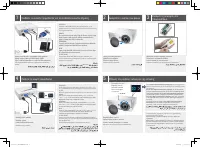 Dell S320 Projector Инструкция по эксплуатации
 Dell S1709W Инструкция по эксплуатации
 Dell S1909WFP Monitor Инструкция по эксплуатации
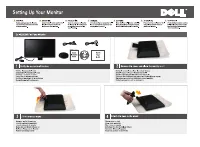 Dell S2009W Инструкция по эксплуатации